Workflow dependent on Ticket State change From>To | Community
Skip to main content
Submitted

Workflow dependent on Ticket State change From>To

Related products:WorkflowsTickets
  • January 7, 2026
  • 2 replies
  • 22 views

Forum|alt.badge.img+1

I need the ability to trigger a work flow based on what the status of the ticket changed from and what it changed to. 

For example, when an agent changes the status of the back office ticket ticket from "Submitted" to "In progress" we could create a workflow that started a "customer conversation" where Intercom automatically sends a text/email/message to the right person with a predefined message. 

Another Example:

When the status of an onboarding ticket changes from “In Progress” to “Completed” Intercom would automatically create a Customer handoff ticket and assign the ticket to the Account Manager, and send out automated message to the customer introducing them to their new account manager.

“if teammate changes the state of a ticket” is too generic. We need the ability to choose what it changes from and what it changes do…. THEN trigger workflows based off of this change. 
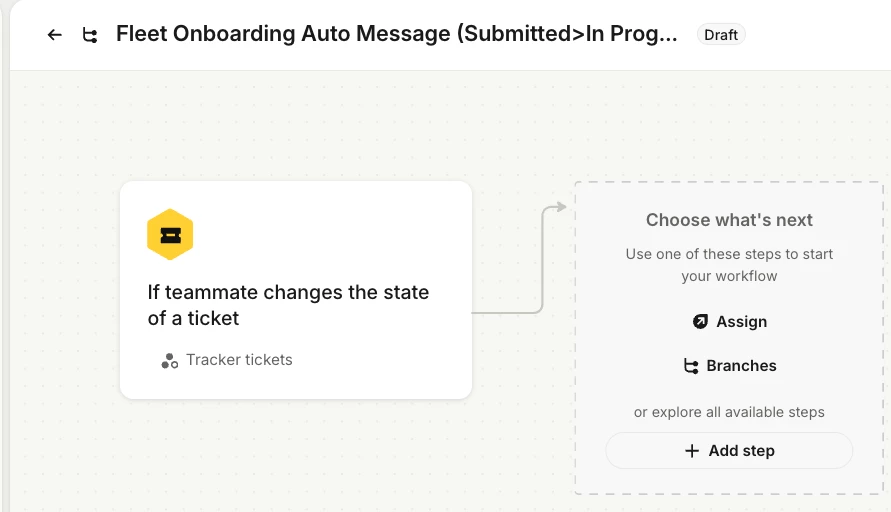


My if statement would look like this “If ticket type = “Fleet Onboarding Ticket” and Ticket state changes from “Submitted” to “In Progress”, Send pre-defined Text Message to Account Owner. 

Or 

If Ticket Type = “Fleet Onboarding Ticket” and Ticket State changes from “In Progress” to “Completed” change create a new “Customer Hand Off” ticket, assign that ticket to Agent and Text customer with pre-defined introduction text.

2 replies

Forum|alt.badge.img+1
  • Author
  • Active User
  • January 8, 2026

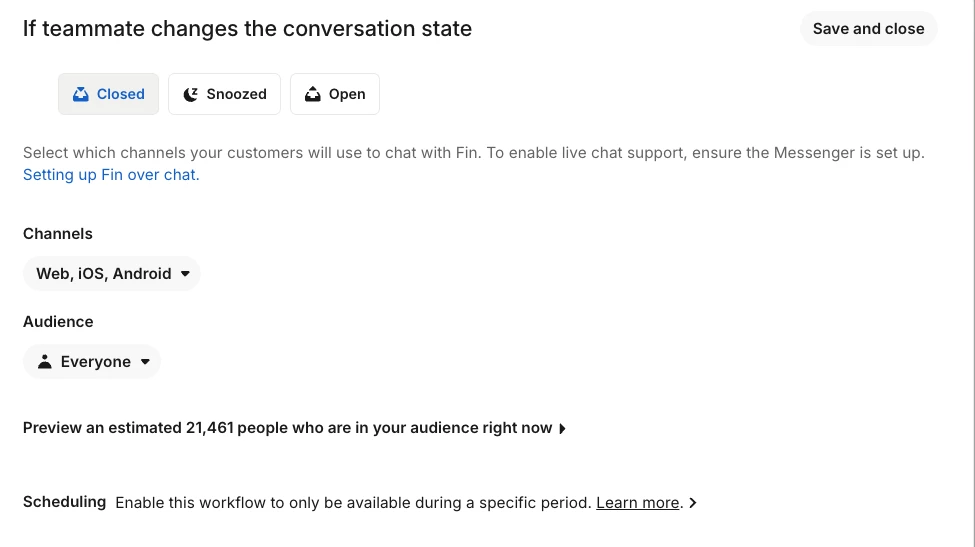
I can see there is this option:

But once again, it doesn’t offer all the states I’ve created in my account. 


It also does not offer the ability to trigger based off of changing From >To, only what happens when the ticket status is set to Closed, Snoozed and Open. 


Forum|alt.badge.img+1
  • Author
  • Active User
  • January 8, 2026

This is what Chat GPT suggested:
 

Option 1 (Recommended): Trigger on any state change, then gate with conditions + boolean

Why this works

Even though you can’t detect “from/to”, the workflow will fire when the agent changes the state. Then the branch checks:

  • Is it now In progress?

  • Is it onboarding?

  • Has SMS not been sent?

That combination makes it effectively “first time it becomes In progress”.

Build it step-by-step

1) Create the boolean

Ticket attribute: onboarding_sms_sent (default = false)

2) Workflow trigger

Trigger: If teammate changes the state of a ticket
Scope: Back office tickets

3) Add a Branch with these conditions (all must be true)

  • Ticket type is Fleet Onboarding (and/or Network Onboarding)

  • Ticket state is In progress

  • onboarding_sms_sent is false

  • (Optional but smart) Ticket is assigned (or “Assignee is not empty” if available)

4) Actions in that branch (in this order)

  1. Send SMS (your predefined onboarding message)

  2. Set ticket attribute: onboarding_sms_sent = true

  3. Add internal note: “Automation: onboarding SMS sent.”

✅ Result:
The workflow runs on every state change, but only sends once, the first time the ticket hits In progress.

The #1 gotcha to check

If your branch doesn’t have Ticket state is In progress (current state), it’ll behave weird.
You don’t need “Submitted” anywhere. You only need current = In progress + sms_sent = false.


BUT, when I tried this I found Intercom does not have the ability to look for a condition for “Ticket Attribute” so this fails as well. 

I said this to Chat GPT “how do I do this? Within the branch conditions, I cannot see ticket attributes as a condition.”


And this was Chat GPT’s Response:
 

This screenshot explains everything — and you’ve found the real blocker.
You’re not doing anything wrong.

The truth (very important)

For Back office ticket workflows, Intercom does NOT expose custom ticket attributes (including Booleans) as branch conditions.

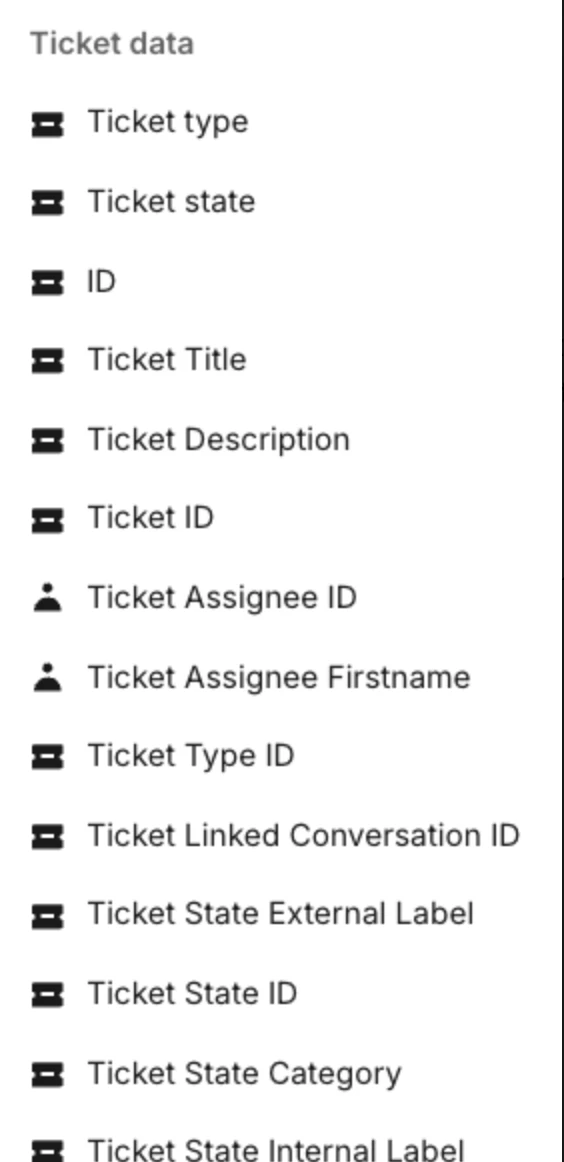
That’s why you only see this list:

  • Ticket type

  • Ticket state

  • Ticket assignee

  • Ticket ID / labels

  • etc.

…and NOT:

  • onboarding_sms_sent

  • any other custom ticket attribute

So when I previously said “use the Boolean as a branch condition,” that is not possible in your workspace for back-office tickets.

You are correct to say: “I can’t do this.”
You literally can’t — Intercom doesn’t allow it.

What this means (clear, no sugarcoating)

For Back Office tickets:

❌ You cannot trigger on:

  • status from → to

  • custom attribute changed

  • boolean equals false

❌ You cannot branch on:

  • custom ticket attributes (including Booleans)


Please help