Hubspot app sending conversations does not seem to work | Community
Skip to main content
Answered

Hubspot app sending conversations does not seem to work

  • June 22, 2021
  • 5 replies
  • 216 views

Hi all,


I've just set up the HubSpot app so it can send Intercom leads and conversations into our HubSpot account.


The leads are sent over perfectly. However, no conversations are being sent at all.


I've been following the documentation here: https://www.intercom.com/help/en/articles/2128216-hubspot-app-send-leads-and-conversations-to-hubspot/p>


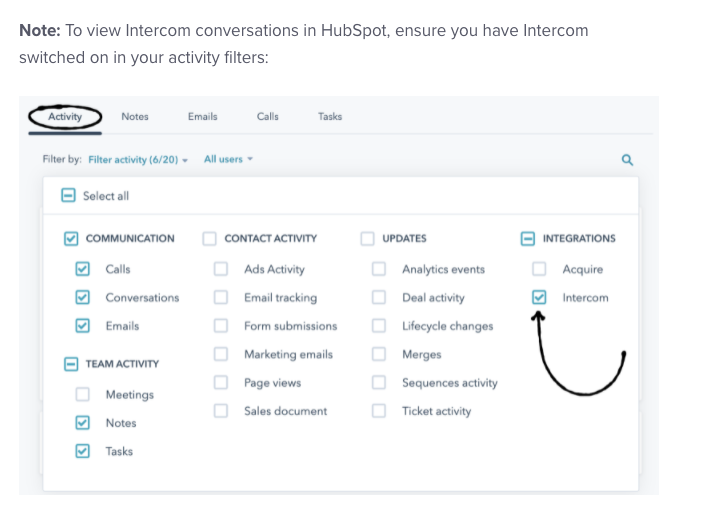
I've enabled this Intercom activity filter here as well:


But if I create a new conversation in Intercom, it is still not sent to HubSpot.


Any help with this would be massively appreciated!


Mike
Best answer by Mike S12

Hey @eric f11​ that's a very good question!


We realised shortly after posting our question why this was happening. I'll leave it below for anyone else it might be useful for.


There are two cases where conversations won't be sent.


1. If the conversation has originated from us (i.e. outbound message), then it does not get transferred until the user replies.


2. if a lead or user already exists in Intercom, but they do not exist in HubSpot (as we installed the integration after they were created in Intercom)... then even though we now have the integration installed, it will not send any new conversations over to HubSpot as the user does not exist there. The fix here is to export our users from Intercom to Hubspot.

5 replies

  • Author
  • New Participant
  • June 22, 2021

Sorry my pasted image did not work, this is the activity filter that I enabled in HubSpot


Screenshot 2021-06-22 at 12.35.22


Eric Fitz
Employee
Forum|alt.badge.img+5
  • Employee
  • June 24, 2021

Hey @mike jPF​, when you say "I create a new conversation", are you sending an outbound message, or is this a user-initiated conversation?


  • Author
  • New Participant
  • Answer
  • June 27, 2021

Hey @eric f11​ that's a very good question!


We realised shortly after posting our question why this was happening. I'll leave it below for anyone else it might be useful for.


There are two cases where conversations won't be sent.


1. If the conversation has originated from us (i.e. outbound message), then it does not get transferred until the user replies.


2. if a lead or user already exists in Intercom, but they do not exist in HubSpot (as we installed the integration after they were created in Intercom)... then even though we now have the integration installed, it will not send any new conversations over to HubSpot as the user does not exist there. The fix here is to export our users from Intercom to Hubspot.


Eric Fitz
Employee
Forum|alt.badge.img+5
  • Employee
  • June 28, 2021

Awesome, thanks so much for clarifying, @mike jPF​ (and for confirming my suspicion as to what might be going on here!)


Appreciate you sharing this for the benefit of the wider community 😄


Tarek Khalil
Forum|alt.badge.img
  • Connector
  • February 8, 2026

Hey ​@Mike S12 ... glad you figured out the root cause, very helpful for others landing here.

Just wanted to add some context since these two gotchas (outbound convos not syncing until reply, and existing users being ignored) are symptoms of a bigger limitation: what I know is that existing integrations only sync conversations for contacts it created itself, and only in real-time as messages come in.

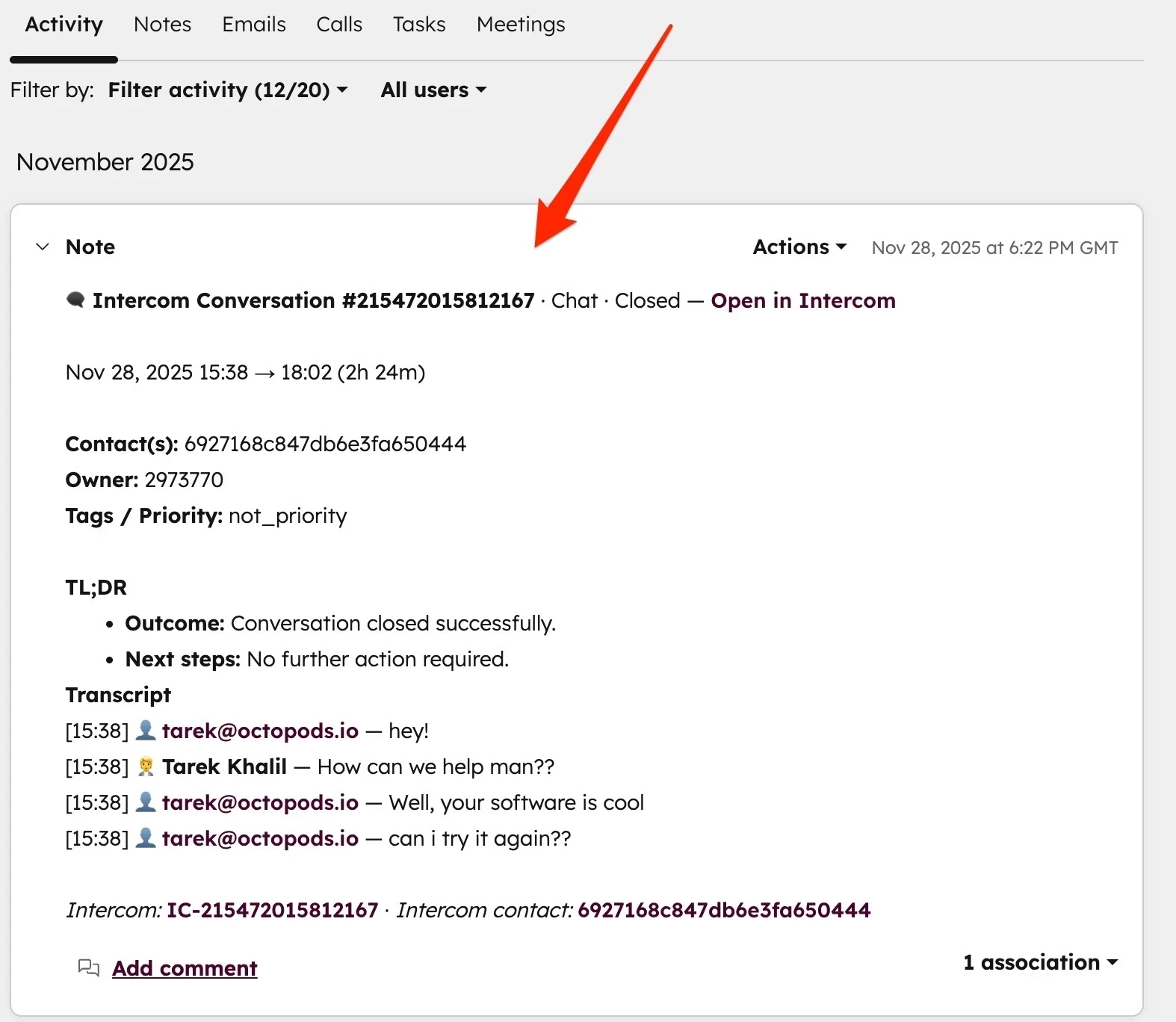
If you want something more reliable here, I'd suggest looking at Interhubz (full disclosure, I'm the one building it). The approach is different so instead of trying to sync messages as they happen, it captures the conversation once it's closed and creates one clean note in HubSpot with the full transcript.

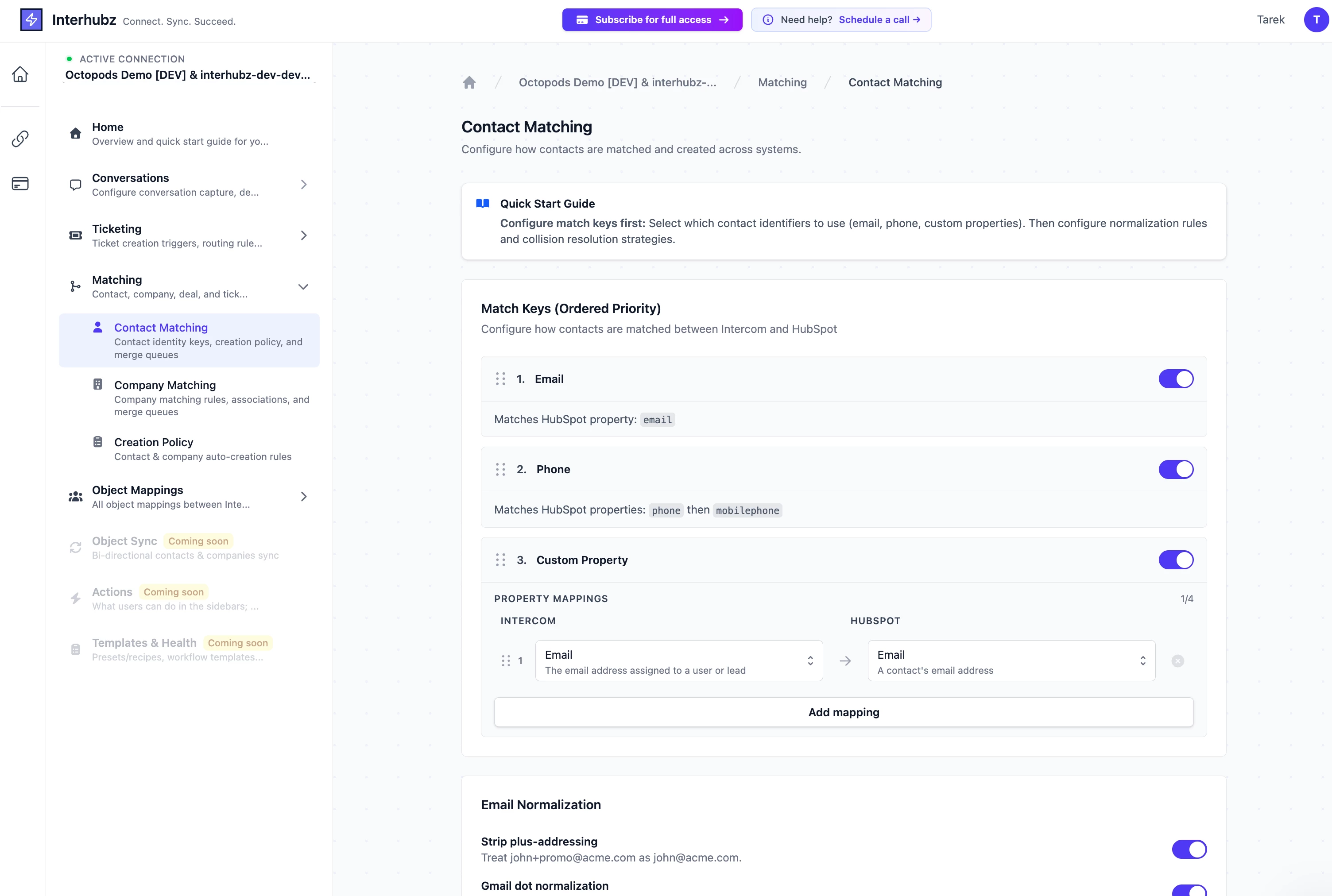
The key difference for your specific issue: it does its own contact matching when a conversation closes. So even if the contact already existed in HubSpot before you installed anything, Interhubz will find them by email/phone and attach the conversation to their record. No need to bulk export your Intercom users first.

It also handles the outbound case fine since it doesn't care who initiated ... if a conversation closes and meets your filters (min messages, not bot-only, etc), it gets logged. 

Its on both the Intercom app store and HubSpot marketplace if you want to check it out (search for Interhubz on google or "HubSpot Integration" in the intercom app store)