Once I create my product tour, I cannot makes content/word edits, because there is no save button! It might be because I have it pointing at an element to click, so once I select that step, it pushes to the next page, not allowing me to “save” my edits on that step. Can I suggest a “save and continue” button to capture that pages changes?

Answered
"Save" button not showing
Best answer by Jacob Cox
Hi
It’s hard to say what you should do without more context and screenshots to see what you’re talking about. When I’m working on a tour I can add a step and click ‘Done’ 👇
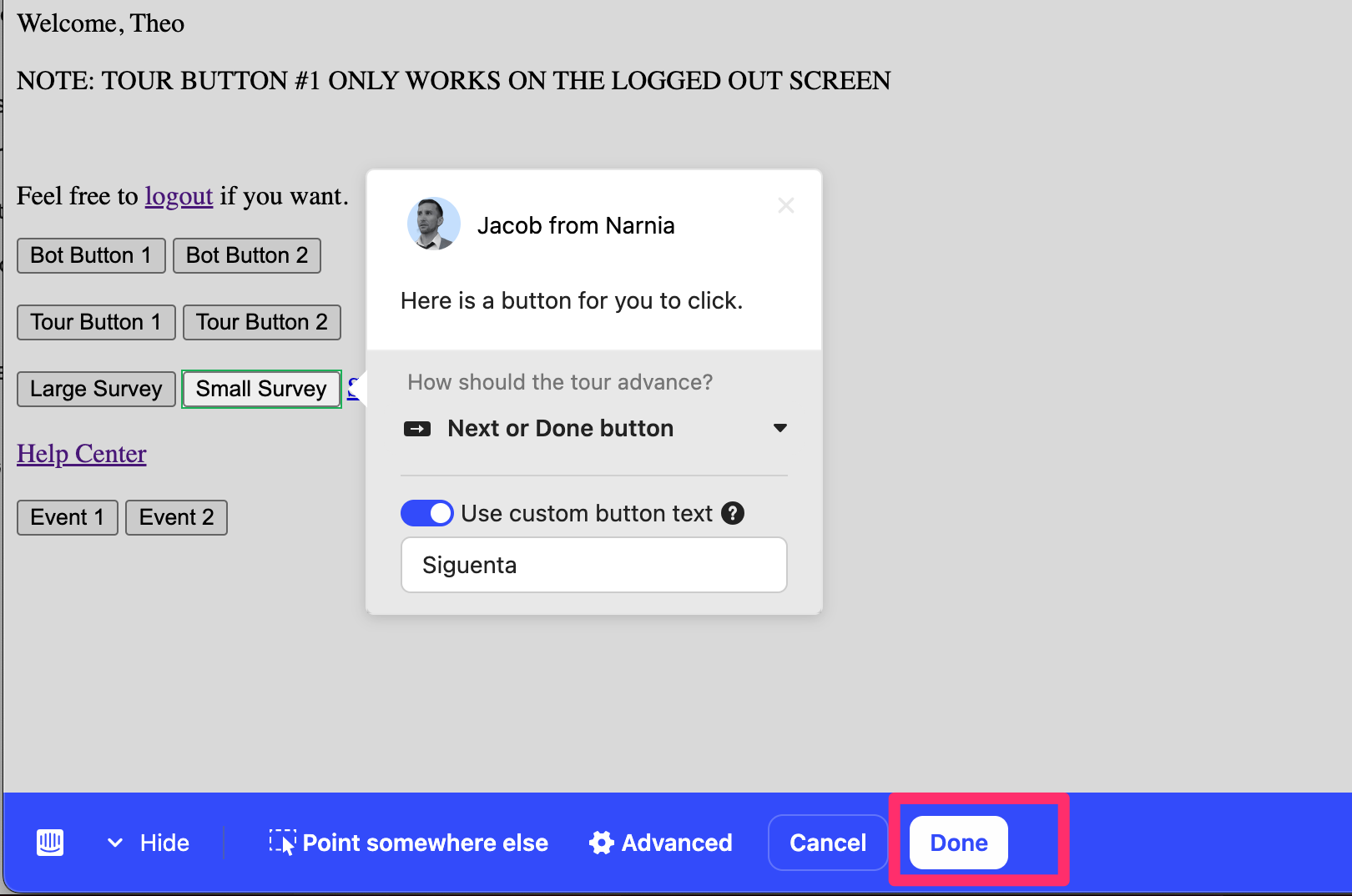
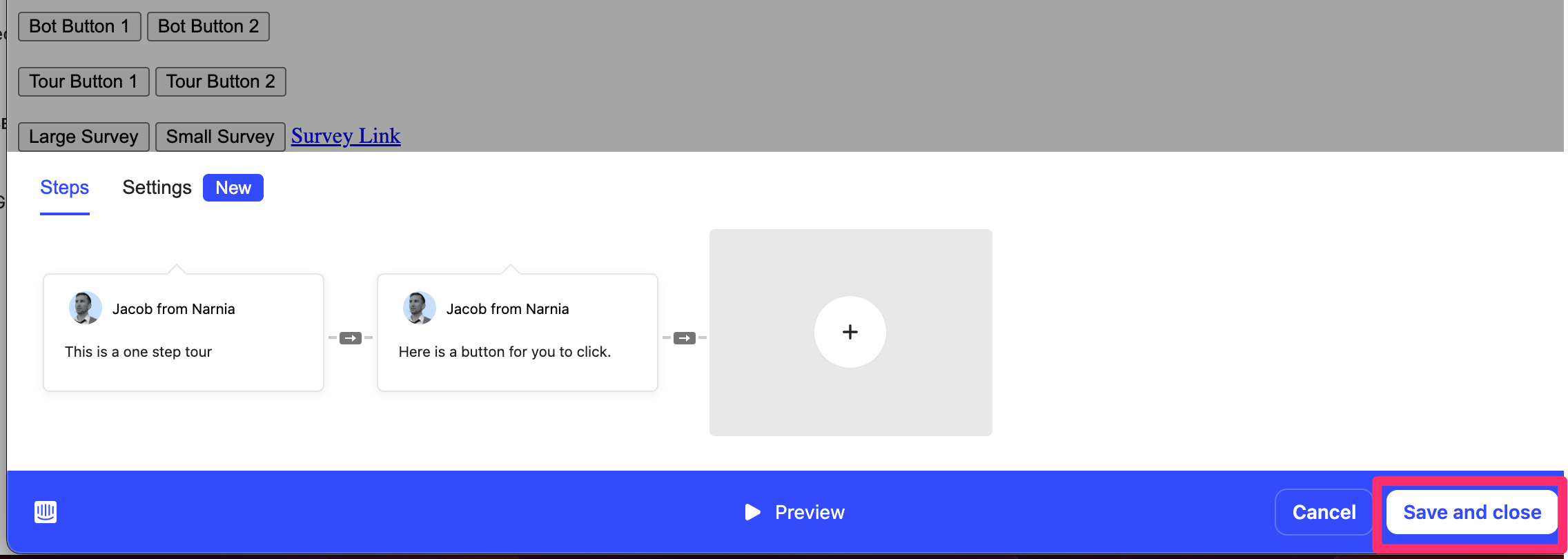
That then opens up a new banner at the bottom of the Tour builder that allows me to ‘Save and close’ 👇
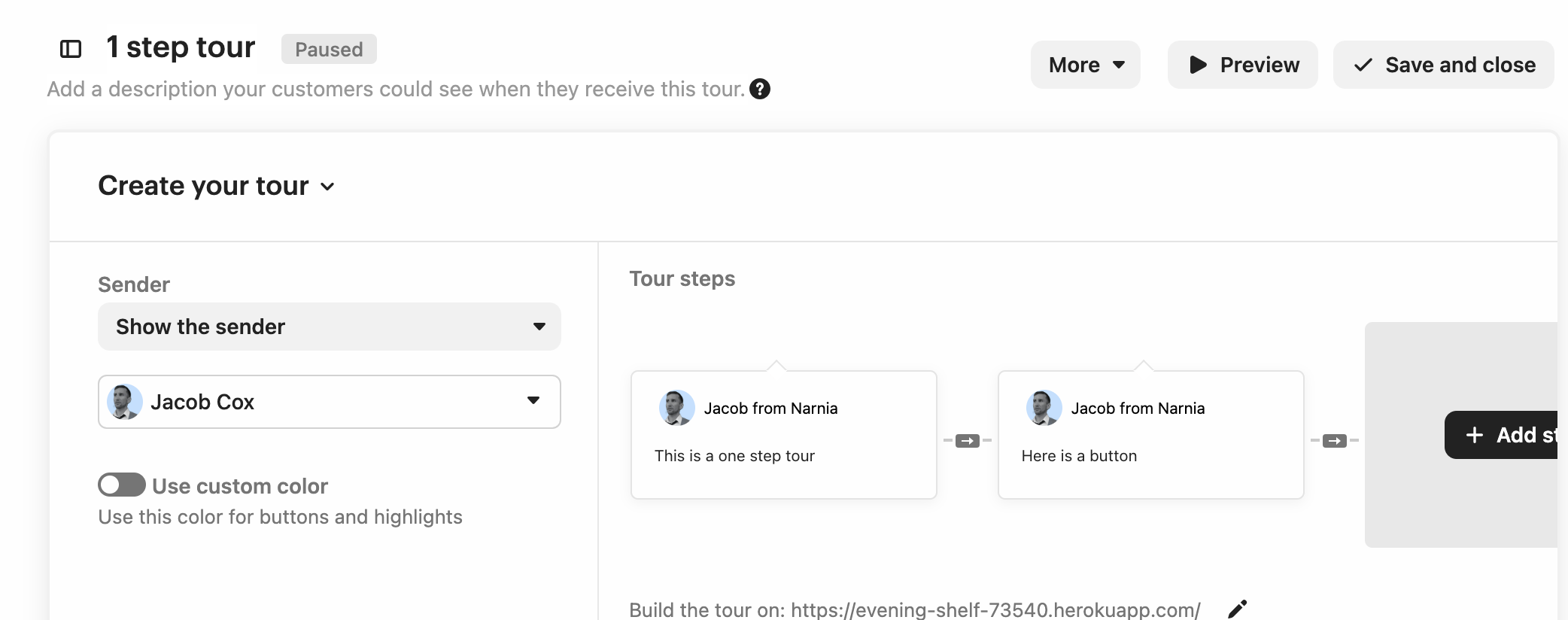
That then takes me back to the Tour’s Edit menu where I can set up my Audience Rules and scheduling and Save that data as well 👇
Is that not what you’re seeing? If not, can you send along what your sequence of actions are along with some screenshots of what you’re seeing?




Join the Intercom Community 🎉
Already have an account? Login
Login to the community
No account yet? Create an account
Intercom Customers and Employees
Log in with SSOor
Enter your E-mail address. We'll send you an e-mail with instructions to reset your password.