Why don't I have scheduling options for my email? | Community
Skip to main content
Answered

Why don't I have scheduling options for my email?

  • October 25, 2021
  • 4 replies
  • 81 views

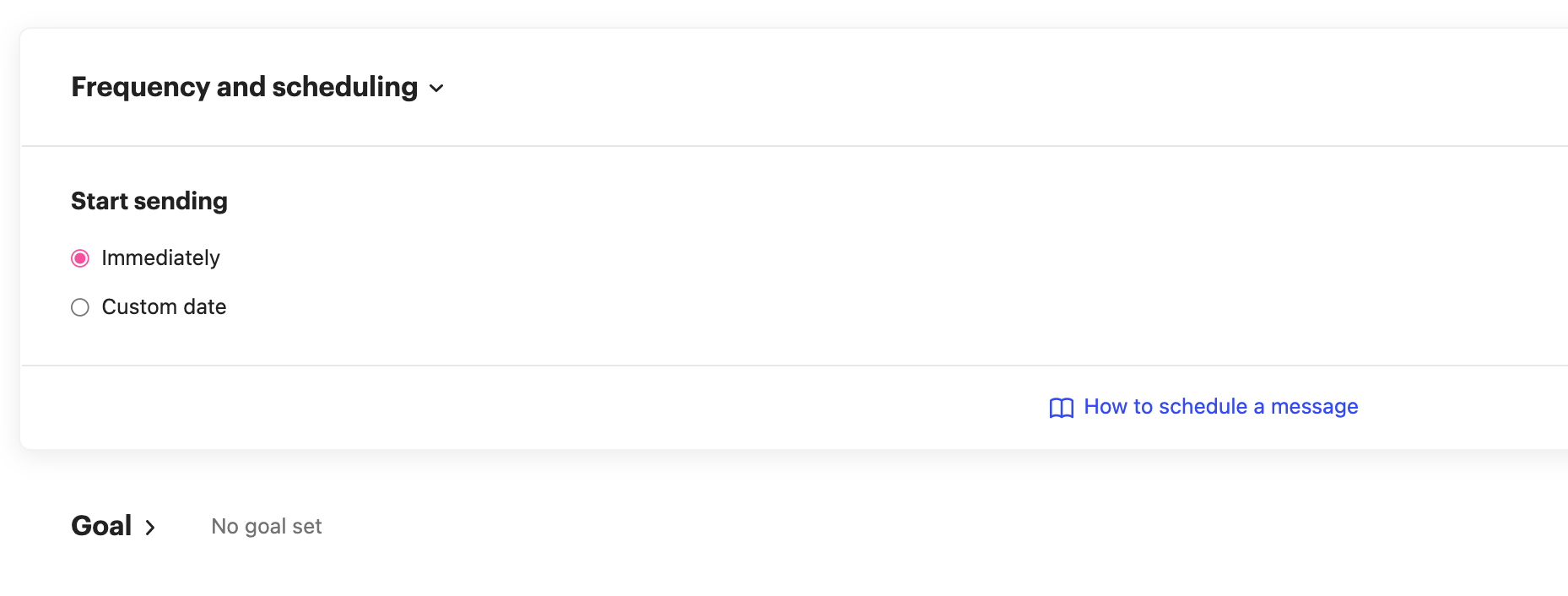
Cannot see "stop sending" and "set days and times this email can send" rules in my emails. From where, can I set it up??


I tried to get information about how to set the schedule a message from this article (https://www.intercom.com/help/en/articles/234). And there are way to set "1. start sending", "2. stop sending" and "3. set days and times this email can send". But in my page, there is only one rules that I can set which is "1. start sending". I'm wondering how I can set 2 and 3.

Best answer by User873

Oh I see! if I choose the Dynamic, I can select the 2 and 3 parts. Thank you so much!!

Next time I'll try with a Dynamic.

4 replies

Eric Fitz
Employee
Forum|alt.badge.img+5
  • Employee
  • October 25, 2021

Hey @user873​, are you sending a "dynamic" or "fixed" message here?


  • Author
  • New Participant
  • October 26, 2021

Hi @eric f11​ ! I'm sending a fixed message.


  • Author
  • New Participant
  • Answer
  • October 26, 2021

Oh I see! if I choose the Dynamic, I can select the 2 and 3 parts. Thank you so much!!

Next time I'll try with a Dynamic.


Eric Fitz
Employee
Forum|alt.badge.img+5
  • Employee
  • October 26, 2021

That's exactly it @user873​! A fixed message is designed to send one time only to the users who match the audience rules at the time of sending. A dynamic message, however, will send to every user who matches the audience rules, both now and in the future. Because the dynamic message will continue to send, we allow for scheduling options.