
How your team can use Copilot to work smarter, not harder | Community
Skip to main content

How your team can use Copilot to work smarter, not harder


Forum|alt.badge.img

On the surface, it can seem that Copilot is a simple yet powerful tool that helps your team answer customers questions. But, it’s so much more than that!

We've been using Intercom’s Copilot across our team and it's been a game-changer for us. If you're not using it to its full potential yet, here’s a quick breakdown of some ways to use Copilot you may not have thought of that help streamline work and boost efficiency:

Faster Onboarding for New Agents

New joiners no longer need to ping senior teammates every five minutes. Copilot acts like a super-smart buddy, guiding them with internal resources and examples from previous chats. It’s drastically shortened our onboarding ramp time.

Internal Process Guidance

Whenever someone has a “how do we do this again?” moment, Copilot jumps in with answers sourced from our internal articles and documentation. It’s perfect for navigating complex or frequently changing internal workflows.

Major Time Savings

By aggregating info from external knowledge bases (e.g. Notion, Guru, Confluence), past tickets, macros and pdfs, Copilot delivers clear, summarized responses in one place. No more switching tabs or wasting time tracking down answers.

Drafting Messages with Ease

Copilot helps our agents craft responses that hit the right tone and stay on-brand. It’s great for making sure we’re consistent and polished across the board — especially for tricky or detailed questions.

Supporting Multilingual Teams

For teammates who speak English as a second language, Copilot smooths out terminology and phrasing. It helps them feel more confident and communicate more naturally with customers.


Would love to hear how others are using it too — drop your tips below! 🚀

7 replies

Forum|alt.badge.img+3
  • Active User
  • October 1, 2026

Our copilot constantly misses on internal docs, and simply says it could not find anything or provides irrelevant recommendations, how can this be improved? 


Forum|alt.badge.img

​@HugoRm Without knowing more about your internal vs external setup, are you currently using Tags and/or Audiences to help with your knowledge base? If articles/docs/snippets are in FIN, are they set to be allowed for CoPilot? In our instance, with each new documentation item, at least for us, we need to tell FIN the Audience, and allow or disallow for Agent if external, and CoPilot if external + internal, or internal only. Ensuring all items are set correctly, has improved the knowledge capture. 


Forum|alt.badge.img+3
  • Active User
  • October 6, 2026

​@Hayley Mullan hey! We have Notion synced with Intercom, and the internal entries that appear in our Knowledge hub inside Intercom do have the right toggles (Fin toggled on for what we need Fin to read and Copilot toggle on for what we need Copilot to read). No real issue with Fin currently, but Copilot is definitely hit/miss.


You mentioned tags, can Copilot read them and if so, do they make a difference?


Forum|alt.badge.img

​@HugoRm I’ve found that Tags do make a difference. We do support for multiple softwares (in your case, could be categories, so however you delineate the information). All of our softwares have unique Tags that tie back to data in our ticketing system. This helps FIN “find” the correct information to share. (We have found in some testing, that without the correct items synced from our tickets to FIN, and vice versa, then it doesn’t find the correct information.)


Example: Software A, has a Tag of Software A, and all related articles, external or internal, get that Tag. Then we also have an Audience called Software A. May seem redundant, but seems to help FIN find the information more easily. 

We’ve found that doing the above improved FIN “picking” the correct content to utilize.

A lot depends on current setup of knowledge. Think through sectioning out knowledge and data in Notion, so FIN can do more of the work you need it to do. It can take a bit of testing, but have found it to be worth it. 😉


Forum|alt.badge.img+3
  • Active User
  • October 6, 2026

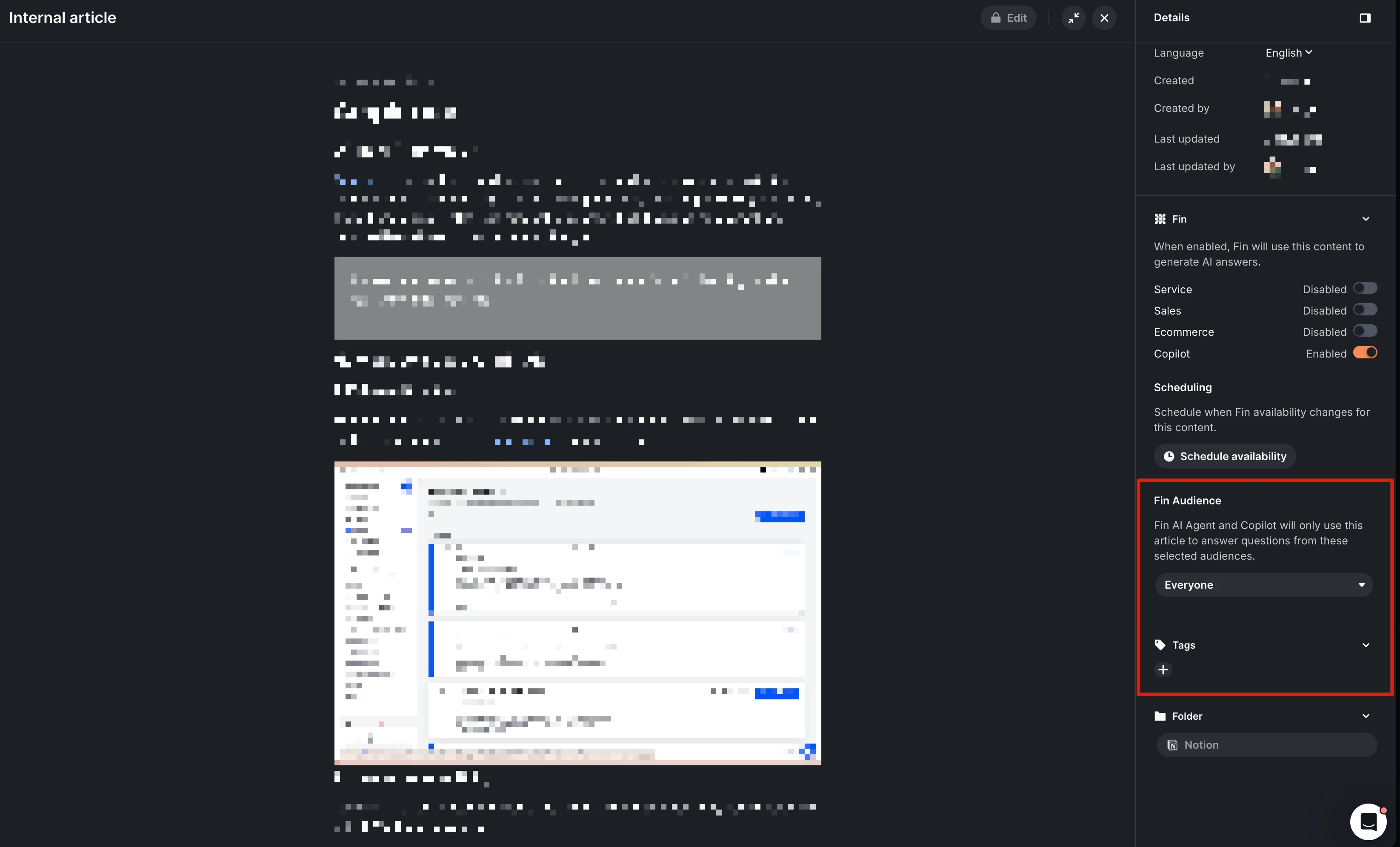
Very interesting, we’ll definitely start working those to see if that improves outcome. To be sure, you are referring to these:


Forum|alt.badge.img

​@HugoRm Yes! It’s come in handy as well, for adding in other departments to utilize FIN. Can set those up in whatever way is needed to make sure the correct “groups” get the correct information. Hopefully this helps! Once it’s set up, can Batch Test or Preview Test in FIN first to see if getting the results you want. In those, you can choose the Audience, and then after testing go back, and make corrections where needed. 🙂


Forum|alt.badge.img+3
  • Active User
  • October 6, 2026

Appreciate it! ​@Hayley Mullan 🙌🏼