

I have admin(sender) and customer role, the admin can send message to customer from my app-web, my backend service is using the https://api.intercom.io/messages api to create a conversation, After creating a message/conversation, I want the message to be assigned to the admin only if the customer reply, since the admin who initiate the conversation. I tried adding create_conversation_without_contact_reply property, however It doesn’t work because it assign unnecessary conversations to admin(sender) since the customer may not reply. Could I create a workflow related with “When a customer sends their first message” trigger? or how could I solve this issue?

Answered
Automatically assign a conversation to sender
Best answer by Sean Meade Forum Support Lead
Hi
I have just been testing with the Create a message endpoint and it hasn’t auto assigned the conversation. Mine was a simple request as the example in the docs (with a real users id). The first thing I would do is check your Developer hub and see what version of the API you are using.
If you’re on the latest API version (v2.14) there could be a few possible things I can see that might be causing the auto assignment:
- Workflow: A workflow is possibly set up to assign conversations to users, if this is the case you add the Created via API filter and set it to False:
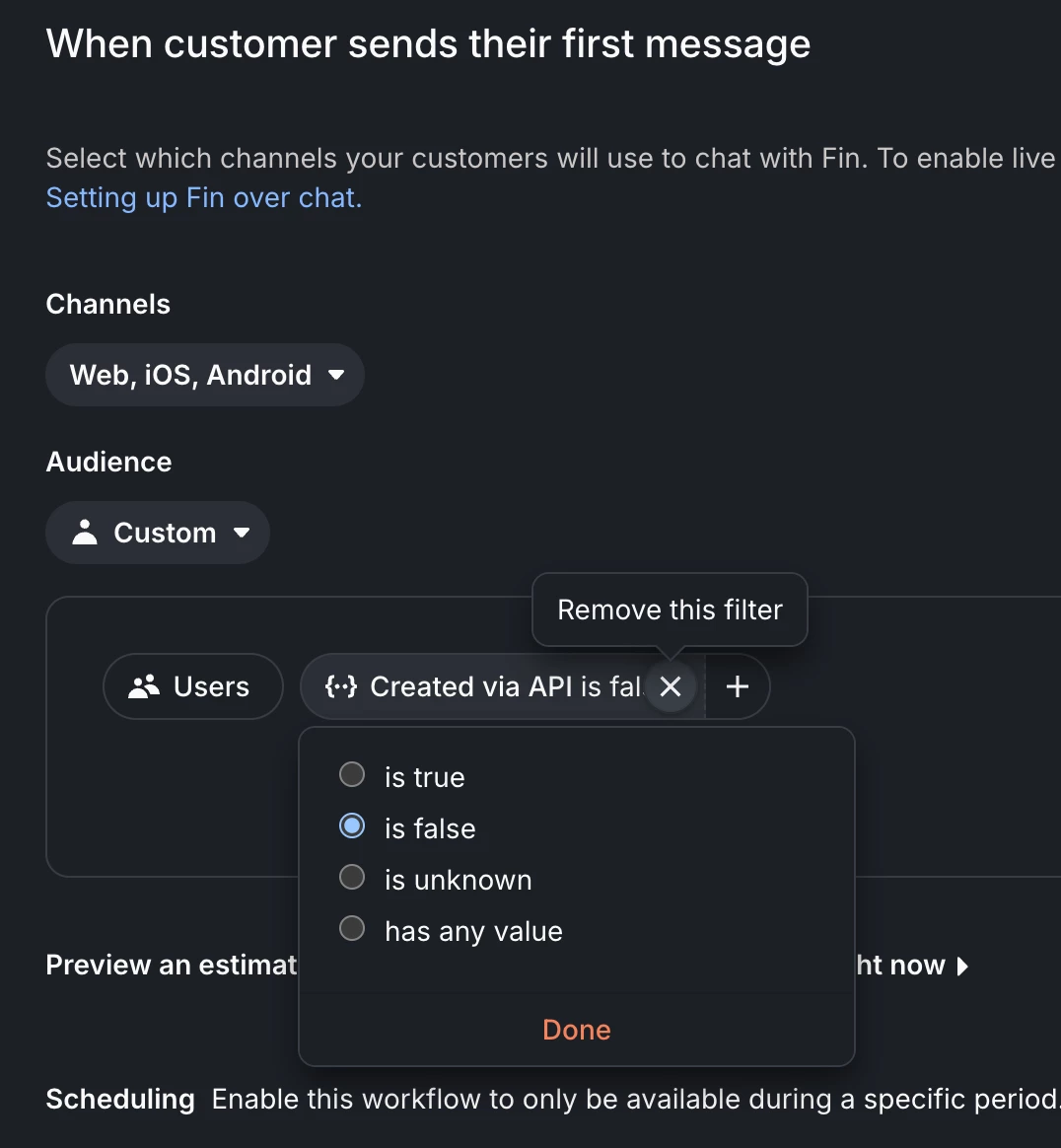
- Balanced Assignment: Balanced Assignment (in Settings > Inbox > Teams inboxes) conversations wait in the team inbox, until an eligible teammate is available to receive more conversations.
- Default Assignee: If no assignment rules or workflows match (or exist), conversations can be routed to a default assignee (admin or team) set in Settings > Inbox > Assignments > General.
The quickest way to figure out what is causing the assignment is to check the conversation events. This will show you what exactly assigned the conversation and you can drill down more into that and turn it off!


Join the Intercom Community 🎉
Already have an account? Login
Login to the community
No account yet? Create an account
Intercom Customers and Employees
Log in with SSOor
Enter your E-mail address. We'll send you an e-mail with instructions to reset your password.