


links are invisible when editing help center articles (dark mode, white links) | Community
Skip to main content
Answered

links are invisible when editing help center articles (dark mode, white links)

  • October 10, 2024
  • 1 reply
  • 60 views

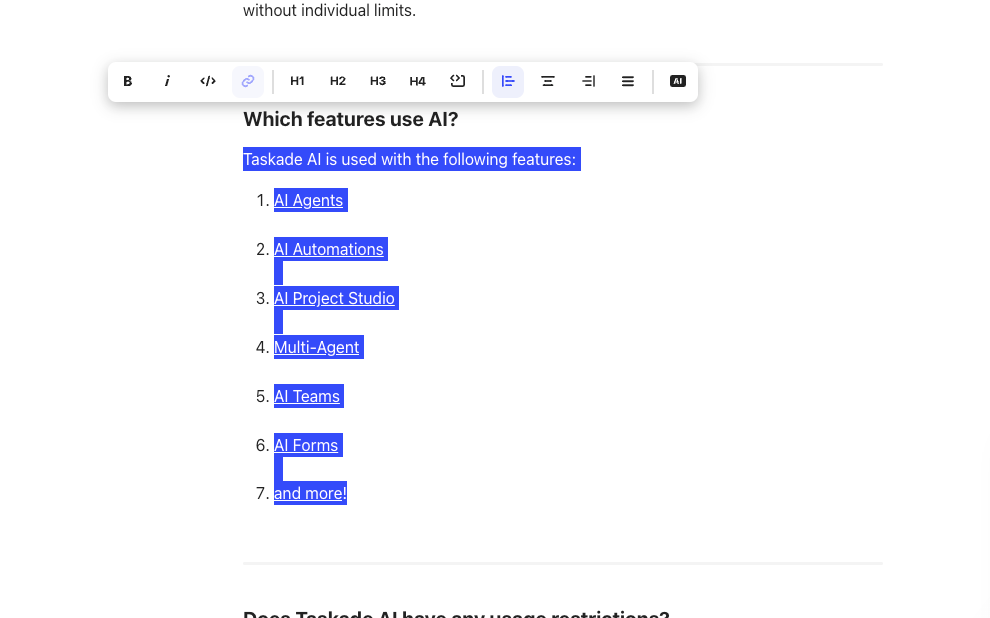
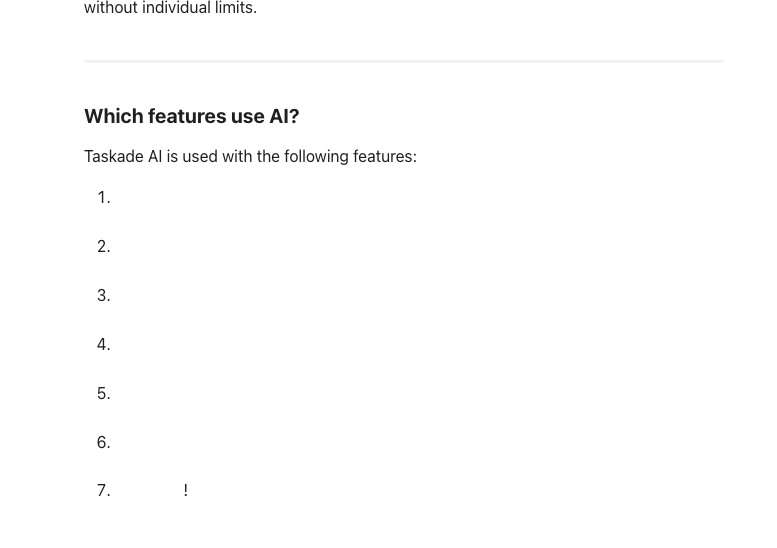
We use dark mode on https://help.taskade.com/ and when editing links for articles like https://help.taskade.com/en/articles/8958455-taskade-ai-usage everything is white by default.


Is there any way to fix this? Only solution now is highlighting text to edit it, see screenshots below thanks.


Which features use AI?

Taskade AI is used with the following features:

  1. AI Agents

  2. AI Automations


  3. AI Project Studio


  4. Multi-Agent

  5. AI Teams

  6. AI Forms


  7. and more!

Best answer by mateusz.leszkiewicz

Hi @John Xie, It’s Mat from the Support Engineering Team 😀

It looks like an unexpected behaviour. I’ve created an Intercom Conversation for you for our engineers to look into this issue.

Please continue this thread there.

1 reply

mateusz.leszkiewicz
Intercom Team
Forum|alt.badge.img+7

Hi @John Xie, It’s Mat from the Support Engineering Team 😀

It looks like an unexpected behaviour. I’ve created an Intercom Conversation for you for our engineers to look into this issue.

Please continue this thread there.

