What is the best way to include screenshots and images in my articles? | Community
Skip to main content
Answered

What is the best way to include screenshots and images in my articles?

  • April 19, 2021
  • 3 replies
  • 679 views

Oftentimes, my images are too big. As in, when I insert a screenshot from my phone, the article displays it matching the width of the screen. The result is that the images are blown up, look too big, and are not as easy to use as I would like. Are there any good solutions out there that I am missing? Thanks!

Best answer by Kevin Bendixen

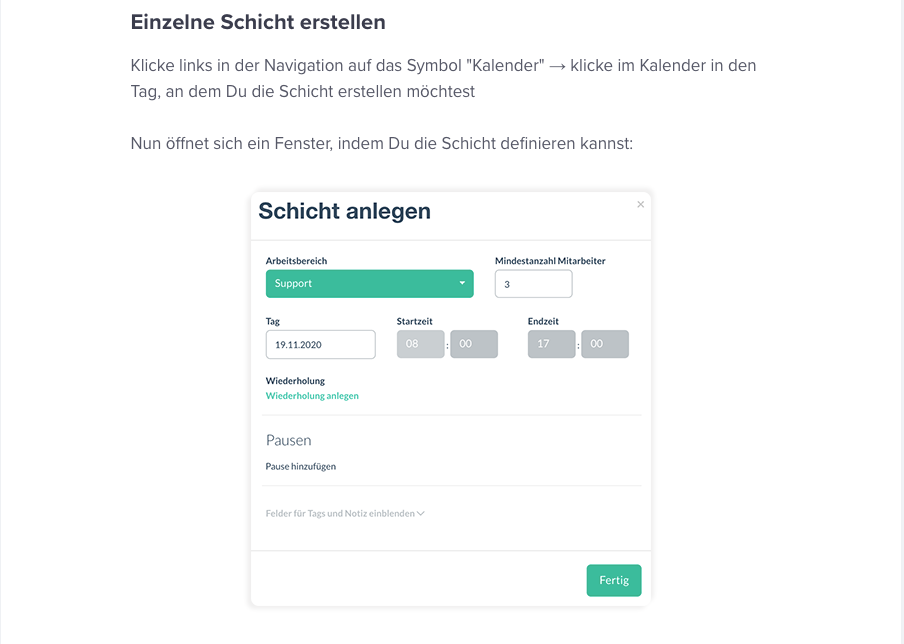
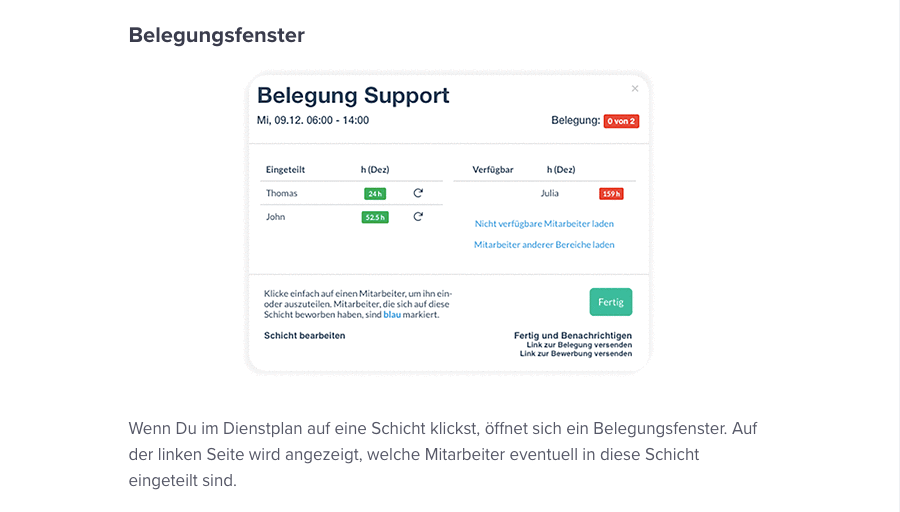
We had the same problem. I have created a custom Photoshop action to take care of this. Among other things, it differentiates between portrait and landscape mode of the screenshot and then resizes the image and increases the canvas size. That creates a transparent border around the images making them fit into the articles a lot nicer. This is the result in our help center:Bildschirmfoto 2021-04-20 um 09.48.19Bildschirmfoto 2021-04-20 um 09.47.22
3 replies

Brent
Super User ✨
Forum|alt.badge.img+4
  • Super User ✨
  • April 20, 2021

Hiya,

I'm not aware of any way to resize in Intercom at this point but it would be a great feature request.

I'm on a mac and use a clipping tool called Skitch. When I take the screenshot I always use the crop/resize tool to take it down in size before pasting it into an article or saving it. Seems to work ok and not lose too much clarity. I'm sure there are other tools out there though but that's how I do it for now when needed. Hope that helps, if not answer it well.


Kevin Bendixen
Top Expert ✨
Forum|alt.badge.img+5

We had the same problem. I have created a custom Photoshop action to take care of this. Among other things, it differentiates between portrait and landscape mode of the screenshot and then resizes the image and increases the canvas size. That creates a transparent border around the images making them fit into the articles a lot nicer. This is the result in our help center:Bildschirmfoto 2021-04-20 um 09.48.19Bildschirmfoto 2021-04-20 um 09.47.22


Milan
Top Expert ✨
Forum|alt.badge.img+7
  • Top Expert
  • April 20, 2021

You need to size images before putting them into an article.


There are not really many styling options in Article editor, it's not a WordPress or WYSIWYG kind of tool.


I assume the reason for not having this feature in Intercom is because the team wants to:

  1. keep it very simple
  2. keep it responsive (as the articles should be visible on chat widget and mobile devices) - that's why the image is always full-width unless it is really low width originally.