Intercom SDK Android Not Working, Crashing and Not Loading Everywhere | Community
Skip to main content

Intercom SDK Android Not Working, Crashing and Not Loading Everywhere

  • October 27, 2025
  • 16 replies
  • 631 views

Forum|alt.badge.img

We are using Intercom React Native 7.1.0 (Intercom Android 15.8.+) with iOS working fine except for Android. and it keeps crashing.
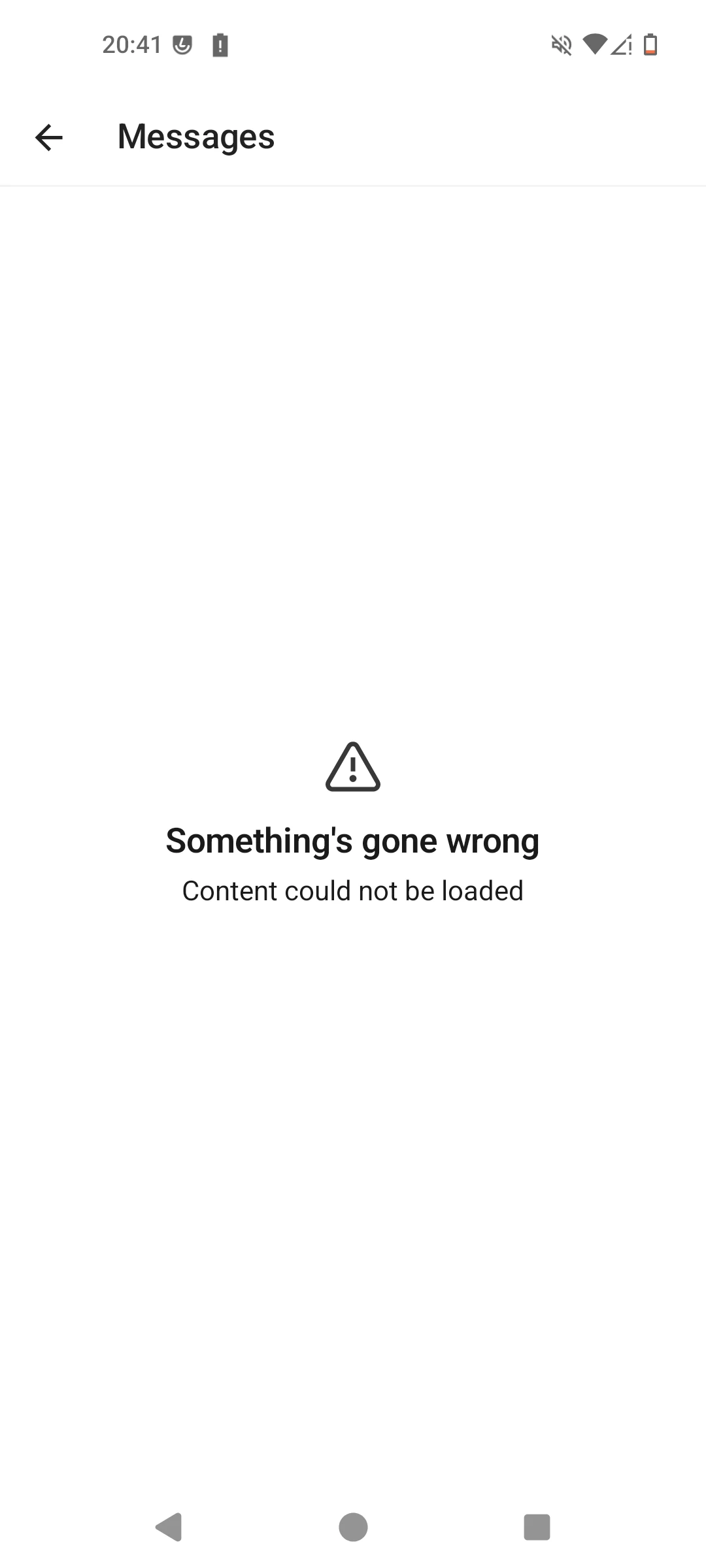
“Something Went Wrong”

“Content Cannot Be Loaded”

This has been happening for a long time, this doesn’t happen on iOS or the Web.

I have tried this solution:

We already have this option enabled, and still doesn’t work.

I don’t know what is causing this issue as we already have loginUserWithAttributes() in our app and iOS is not breaking with this error message either.

We use it like this in our code:

await Intercom.setUserHash(user_hash);

await Intercom.loginUserWithUserAttributes({
email: user_email,
userId: uid,
});

We want to support lower versions of users on iOS and Android so upgrading is a not an option.

Is there a way we can resolve this.

November 25, 2025

@Matias Tebele  I don’t know if this is the same thing as us but Intercom on Android is completely broken and is now a non functioning product / SDK.


We didn’t change anything on our side and everything on Android just started breaking with “Something Went Wrong”


@Matias Tebele Are you seeing the same message? as I am?


Please take a look at this: ​@Paul D ​@Jacques Reynolds 

Solved! We had to add the following rules to our proguard file:

-keep class io.ably.** { *; }
-dontwarn io.ably.**
-keep class org.msgpack.** { *; }
-dontwarn org.msgpack.**
-keepclassmembers class * {
@org.msgpack.** <fields>;
@org.msgpack.** <methods>;
}


Thanks a lot! How did you figure that out? In our case our native Android app starting crashing because of Intercom all of a sudden today. Adding this was enough to fix it:

-keep class org.msgpack.** { *; }

But we also added this according to the documentation:

-keep class io.intercom.android.** { *; }
-keep class com.intercom.** { *; }


Our app started crashing suddenly. After conducting some research, we discovered that the crash was specific to Android and was caused by a missing msgpack class. Then we added it to the proguard rules to omit it, and it worked.

I reported it to the Intercom team, and today they released v17.3.1 with the fix.


It seems this fix is for the latest version of Intercom. Is it possible to backport this fix as it seems this requires upgrading to the latest version of React Native to use this fix which is not ideal for us.

Can this be looked into?

@Paul D ​@Jacques Reynolds

Hi ​@zackgao , we fixed it without upgrading the RN version.

Just update the implementation version on the android/app/build.gradle file as below:


16 replies

Forum|alt.badge.img
  • Author
  • Connector
  • November 5, 2025

Can anyone help?


Forum|alt.badge.img+1

We have our React Native app on production using v8.5.0. Since two days ago (the exact date you released v9.3.2), it's been crashing on Android when users open the Intercom screen, with the following error:

Caused by java.lang.RuntimeException
java.lang.ClassNotFoundException: org.msgpack.core.buffer.MessageBufferU

It seems you broke something retroactively. I need your help, as the Intercom support on our production app has stopped working suddenly.

Thanks


Forum|alt.badge.img
  • Author
  • Connector
  • November 8, 2025

@Matias Tebele  I don’t know if this is the same thing as us but Intercom on Android is completely broken and is now a non functioning product / SDK.


We didn’t change anything on our side and everything on Android just started breaking with “Something Went Wrong”


@Matias Tebele Are you seeing the same message? as I am?


Please take a look at this: ​@Paul D ​@Jacques Reynolds 


Forum|alt.badge.img+1
  • Connector
  • November 10, 2025

@Matias Tebele  I don’t know if this is the same thing as us but Intercom on Android is completely broken and is now a non functioning product / SDK.


We didn’t change anything on our side and everything on Android just started breaking with “Something Went Wrong”


@Matias Tebele Are you seeing the same message? as I am?


Please take a look at this: ​@Paul D ​@Jacques Reynolds 

Solved! We had to add the following rules to our proguard file:

-keep class io.ably.** { *; }
-dontwarn io.ably.**
-keep class org.msgpack.** { *; }
-dontwarn org.msgpack.**
-keepclassmembers class * {
@org.msgpack.** <fields>;
@org.msgpack.** <methods>;
}


@Matias Tebele  I don’t know if this is the same thing as us but Intercom on Android is completely broken and is now a non functioning product / SDK.


We didn’t change anything on our side and everything on Android just started breaking with “Something Went Wrong”


@Matias Tebele Are you seeing the same message? as I am?


Please take a look at this: ​@Paul D ​@Jacques Reynolds 

Solved! We had to add the following rules to our proguard file:

-keep class io.ably.** { *; }
-dontwarn io.ably.**
-keep class org.msgpack.** { *; }
-dontwarn org.msgpack.**
-keepclassmembers class * {
@org.msgpack.** <fields>;
@org.msgpack.** <methods>;
}


Thanks a lot! How did you figure that out? In our case our native Android app started crashing because of Intercom all of a sudden today. Adding this was enough to fix it:

-keep class org.msgpack.** { *; }

But we also added this according to the documentation:

-keep class io.intercom.android.** { *; }
-keep class com.intercom.** { *; }


Forum|alt.badge.img+1
  • Connector
  • November 11, 2025

@Matias Tebele  I don’t know if this is the same thing as us but Intercom on Android is completely broken and is now a non functioning product / SDK.


We didn’t change anything on our side and everything on Android just started breaking with “Something Went Wrong”


@Matias Tebele Are you seeing the same message? as I am?


Please take a look at this: ​@Paul D ​@Jacques Reynolds 

Solved! We had to add the following rules to our proguard file:

-keep class io.ably.** { *; }
-dontwarn io.ably.**
-keep class org.msgpack.** { *; }
-dontwarn org.msgpack.**
-keepclassmembers class * {
@org.msgpack.** <fields>;
@org.msgpack.** <methods>;
}


Thanks a lot! How did you figure that out? In our case our native Android app starting crashing because of Intercom all of a sudden today. Adding this was enough to fix it:

-keep class org.msgpack.** { *; }

But we also added this according to the documentation:

-keep class io.intercom.android.** { *; }
-keep class com.intercom.** { *; }


Our app started crashing suddenly. After conducting some research, we discovered that the crash was specific to Android and was caused by a missing msgpack class. Then we added it to the proguard rules to omit it, and it worked.

I reported it to the Intercom team, and today they released v17.3.1 with the fix.


Forum|alt.badge.img
  • Author
  • Connector
  • November 24, 2025

@Matias Tebele  I don’t know if this is the same thing as us but Intercom on Android is completely broken and is now a non functioning product / SDK.


We didn’t change anything on our side and everything on Android just started breaking with “Something Went Wrong”


@Matias Tebele Are you seeing the same message? as I am?


Please take a look at this: ​@Paul D ​@Jacques Reynolds 

Solved! We had to add the following rules to our proguard file:

-keep class io.ably.** { *; }
-dontwarn io.ably.**
-keep class org.msgpack.** { *; }
-dontwarn org.msgpack.**
-keepclassmembers class * {
@org.msgpack.** <fields>;
@org.msgpack.** <methods>;
}


Thanks a lot! How did you figure that out? In our case our native Android app starting crashing because of Intercom all of a sudden today. Adding this was enough to fix it:

-keep class org.msgpack.** { *; }

But we also added this according to the documentation:

-keep class io.intercom.android.** { *; }
-keep class com.intercom.** { *; }


Our app started crashing suddenly. After conducting some research, we discovered that the crash was specific to Android and was caused by a missing msgpack class. Then we added it to the proguard rules to omit it, and it worked.

I reported it to the Intercom team, and today they released v17.3.1 with the fix.


It seems this fix is for the latest version of Intercom. Is it possible to backport this fix as it seems this requires upgrading to the latest version of React Native to use this fix which is not ideal for us.

Can this be looked into?

@Paul D ​@Jacques Reynolds


Forum|alt.badge.img+1
  • Connector
  • November 25, 2025

@Matias Tebele  I don’t know if this is the same thing as us but Intercom on Android is completely broken and is now a non functioning product / SDK.


We didn’t change anything on our side and everything on Android just started breaking with “Something Went Wrong”


@Matias Tebele Are you seeing the same message? as I am?


Please take a look at this: ​@Paul D ​@Jacques Reynolds 

Solved! We had to add the following rules to our proguard file:

-keep class io.ably.** { *; }
-dontwarn io.ably.**
-keep class org.msgpack.** { *; }
-dontwarn org.msgpack.**
-keepclassmembers class * {
@org.msgpack.** <fields>;
@org.msgpack.** <methods>;
}


Thanks a lot! How did you figure that out? In our case our native Android app starting crashing because of Intercom all of a sudden today. Adding this was enough to fix it:

-keep class org.msgpack.** { *; }

But we also added this according to the documentation:

-keep class io.intercom.android.** { *; }
-keep class com.intercom.** { *; }


Our app started crashing suddenly. After conducting some research, we discovered that the crash was specific to Android and was caused by a missing msgpack class. Then we added it to the proguard rules to omit it, and it worked.

I reported it to the Intercom team, and today they released v17.3.1 with the fix.


It seems this fix is for the latest version of Intercom. Is it possible to backport this fix as it seems this requires upgrading to the latest version of React Native to use this fix which is not ideal for us.

Can this be looked into?

@Paul D ​@Jacques Reynolds

Hi ​@zackgao , we fixed it without upgrading the RN version.

Just update the implementation version on the android/app/build.gradle file as below:


Forum|alt.badge.img
  • Author
  • Connector
  • December 15, 2025

Hi ​@Matias Tebele 

What version of Intercom and React Native are you on to make this work?

I tried this and it still asked me to upgrade my React Native version.

React Native Version: 0.72.17

Intercom React Native: 7.1.0

Intercom Android SDK Version: 17.3.1 -- Did not work without upgrading the React Native version.

I would like Intercom to do a backport of the fix you have to Intercom React Native 7.1.0 so that we shouldn’t have to upgrade React Native entirely. This was actually working without us doing anything and now it is broken without any notice from Intercom.

This is frustrating as we didn’t do anything and it is causing and forcing our engineering team to have to make a whole new upgrade to our entire app.

Can you please help out here with this regression in Intercom?

@Paul Byrne ​@Jacques Reynolds 


Forum|alt.badge.img+1

Hi ​@Matias Tebele 

What version of Intercom and React Native are you on to make this work?

I tried this and it still asked me to upgrade my React Native version.

React Native Version: 0.72.17

Intercom React Native: 7.1.0

Intercom Android SDK Version: 17.3.1 -- Did not work without upgrading the React Native version.

I would like Intercom to do a backport of the fix you have to Intercom React Native 7.1.0 so that we shouldn’t have to upgrade React Native entirely. This was actually working without us doing anything and now it is broken without any notice from Intercom.

This is frustrating as we didn’t do anything and it is causing and forcing our engineering team to have to make a whole new upgrade to our entire app.

Can you please help out here with this regression in Intercom?

@Paul Byrne ​@Jacques Reynolds 


RN Version: 0.79.1

Intercom RN Version: 8.5.0

Intercom Android Version: 17.3.1


Forum|alt.badge.img
  • Author
  • Connector
  • December 19, 2025

@Matias Tebele  Yeah, it seems you upgraded, we unfortunately cannot upgrade without everything in our app breaking. It works on iOS fine but Android it doesn’t work. Everything but this component of Intercom doesn’t work on Android.


Can anyone from Intercom help on this, this is a serious issue. I am asking for a back-port of  Intercom Android 15.8.3 AND React Native 7.1.0 from Intercom’s Engineering Team for Android to fix this issue as it is a serious regression.


React Native Version: 0.72.17

Intercom React Native: 7.1.0

Intercom Android SDK Version: 15.8.3

@Paul Byrne ​@Jacques Reynolds ​@Brian B11 ​@Sean M ​@mateusz.leszkiewicz 


mateusz.leszkiewicz
Intercom Team
Forum|alt.badge.img+7

@zackgao, Unfortunately we can't do that. 

In order any change to be introduced to the SDK, there must be implemented in a new SDK version.

So you will need to update your SDK to implement the new change. 

In any case.- the only way to resolve the issue is to update the SDK to the latest version. If it does not resolve the problem, reach out to us because we need to create a ticket for our product team to fix it.

Does that make sense?


Forum|alt.badge.img
  • Author
  • Connector
  • December 25, 2025

@mateusz.leszkiewicz  I don’t understand how this regression requires me to upgrade the entire SDK and React Native to the latest version (which it requires me to do) when Intercom Android SDK 15.8.3 used to work on Android and now it doesn’t; even though for iOS it still works the same.

This regression only exists on Android for 15.8.3 and it does not make sense to upgrade everything just to fix this issue.

Is there anyone on the engineering team that I can contact?


mateusz.leszkiewicz
Intercom Team
Forum|alt.badge.img+7

The SDK haven't changed but the Intercom does. We officially support only the latest version of our SDK.
We can't control any other libraries change and dependencies other than releasing a new version of our SDK.

Android version 15.8.3 is severely outdated hence we can't guarantee it will be operational.


Forum|alt.badge.img
  • Author
  • Connector
  • January 9, 2026

“We officially support only the latest version of our SDK.”

@mateusz.leszkiewicz This is not how to maintain a Mobile SDK dependent on millions of users.

There are lots of users who cannot upgrade their phones to the latest versions, have old mobile devices, who will be stuck on that version and Intercom won’t work at all for them because the minimum version has been increased and is now broken for good, we only knew about this because our users reported this.

This is the first time I’ve seen an SDK break other versions below it without any notice.

You don’t just have one single version which is supported i.e. 17.4.0 and everything else below version 17.4.0 is instantly unsupported as soon as the release is made. This is not a website.

It doesn’t make sense and is not a good maintenance practice of a Mobile SDK.

You cannot expect apps using the Intercom Mobile SDK to be always using the highest Mobile SDK versions all the time and you cannot just update a version number and deprecate everything else below it, breaking functionality which is what we are experiencing here.


mateusz.leszkiewicz
Intercom Team
Forum|alt.badge.img+7

@zackgao, apologies if I used the mental shortcut above.

I meant that we can only guarantee that the latest version will work on all supported devices.

We can't control all dependencies. If some of the dependencies will change - we need to update our SDK in order to mitigate this issue.

This is true for every piece of software out there.

Any change done to the SDK is reflected in the new Version release. 

The latest version of the Intercom SDK is not equal to the latest version of the Android and iOS, the latest version is not limited to work only on the latest OS versions.

Does that make sense?