Is there a way we can rollback to the old behavior or disable copying/pasting emails coming in as a mailto: link instead of replacing the text? | Community
Skip to main content
Question

Is there a way we can rollback to the old behavior or disable copying/pasting emails coming in as a mailto: link instead of replacing the text?

  • May 26, 2026
  • 2 replies
  • 130 views

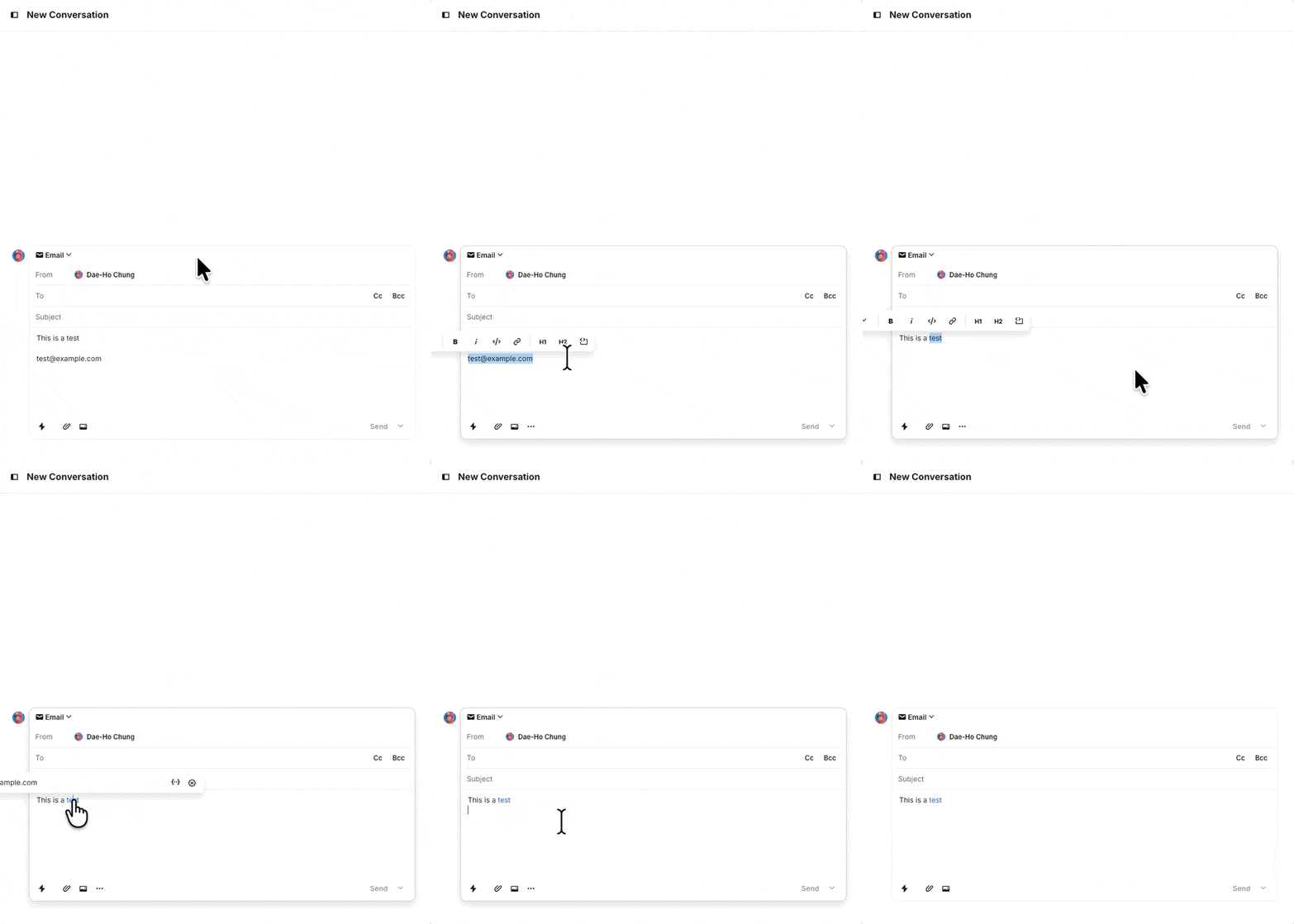
In the last few weeks, it appears Intercom’s behavior around handling copy/pasted email addresses have changed and I really don’t like it. I’m trying to quickly fill out an email template and want to replace a few PLACEHOLDERS with a plain text email address like test@example.com. But now the current behavior instead of replacing the text with email is just adding a mailto: link. So instead of “test@example.com” it becomes “PLACEHOLDER” .

I don’t think there’s any universe where adding a mailto link to my intercom message would ever be desired. This is causing me about 2 extra keystrokes to deal with and in aggregate it’s quite annoying behavior and unwanted.


2 replies

Forum|alt.badge.img+6

Hi ​@Dae-Ho Chung, Seán here from the Fin technical support team 👋
 

In this are you pasting the email into Intercom from another source? The mailto: part of this would be picked up from the source so it could be that the source you get your emails from may have changed?


If I’ve picked this up completely wrong can you share a bit more detail and a screenshot or two and I’ll try give you a more accurate answer on this! TIA!


  • Author
  • New Participant
  • June 9, 2026

If you copy a plain text email address into your computer’s clipboard (I’m on MacOS, so maybe MacOS changed something) like text@example.com

Then highlight some text in the Intercom response window, then Paste.

It used to replace the text with the plain text email

The recent behavior around the week I complained is adding a hyperlink with mailto: . With Cmd+V, or Cmd+Shift+V

I’m attaching a gif showing I reproduce it