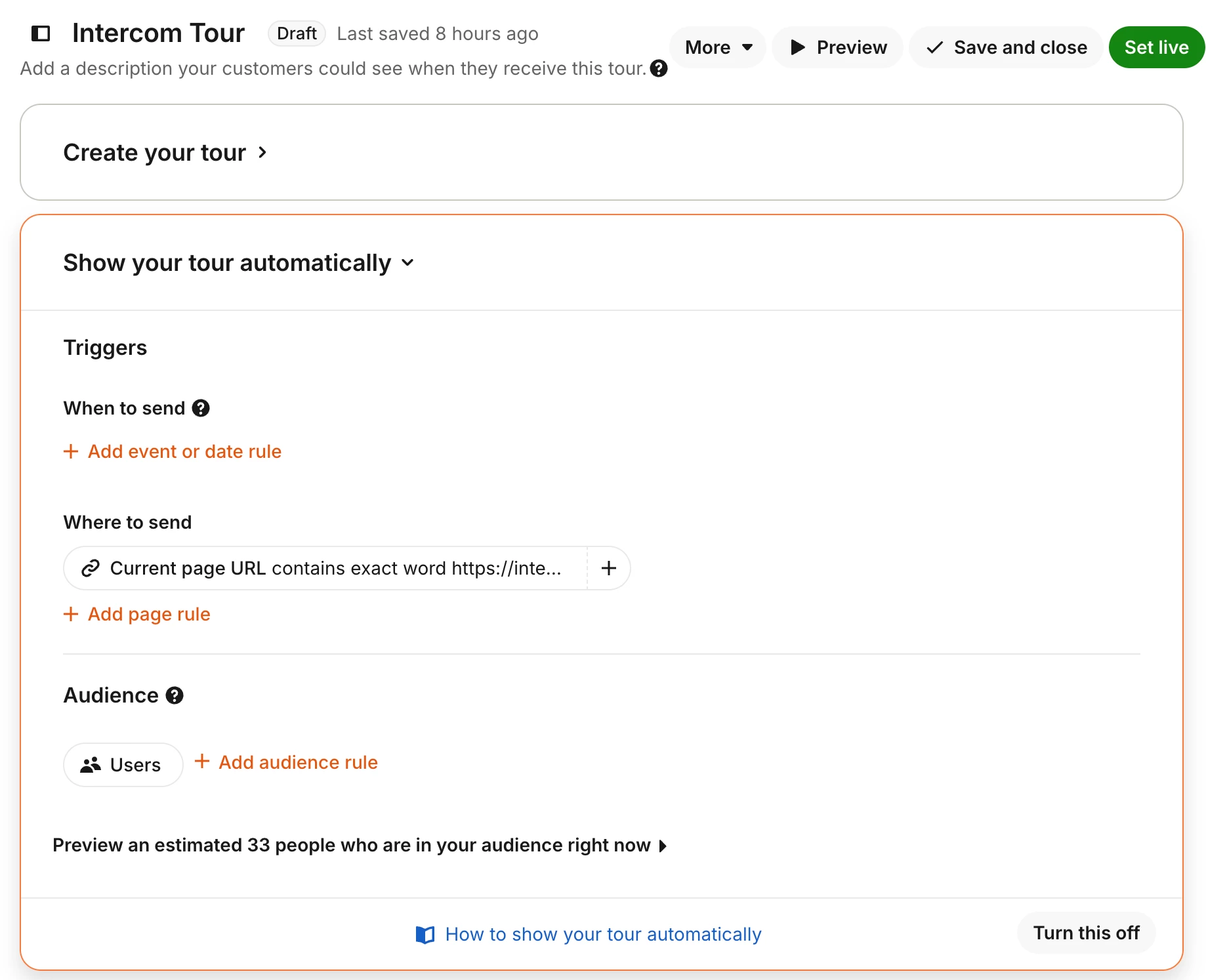
Hi @Sharon Tieu 👋 Karla from the Community team here. Thanks for sharing the screenshot, that helps a lot! I can see a few things that could explain what you’re running into:
1. Preview mode ignores URL rules
When using the Preview button, the tour will display on every page regardless of your “Where to send” settings. To properly test your targeting, you’ll need to set the tour live. You can limit the audience to just yourself or a test user.
2. Check your tour frequency
Under More → Tour frequency, make sure it’s set to “Show only once.” If it’s set to something like “Show every time” or “Show on every visit,” the tour can restart each time the URL condition is met during navigation.
3. Review your URL operator
It looks like you're using “contains exact word” with a full URL. This operator is better suited for matching individual words or tokens. For your use case, I’d recommend switching to:
- “is” for an exact match, or
- “contains” for a partial match
As a next step, try setting the tour live with a test audience and see if the behavior improves.
If it’s still triggering on other pages, let us know and we can create a conversation to have our support team take a closer look 🙂