I cannot get fin to detect my fin attributes | Community
Skip to main content
Answered

I cannot get fin to detect my fin attributes

  • November 19, 2025
  • 3 replies
  • 30 views

Forum|alt.badge.img

I have converted my Conversation attributes for issue types to Fin attributes using the UI workflow. I have an “Other” attribute set with the exact wording that Intercom fin suggested in case it couldn’t detect any of the others from my descriptions. I have them enabled for all audiences. 

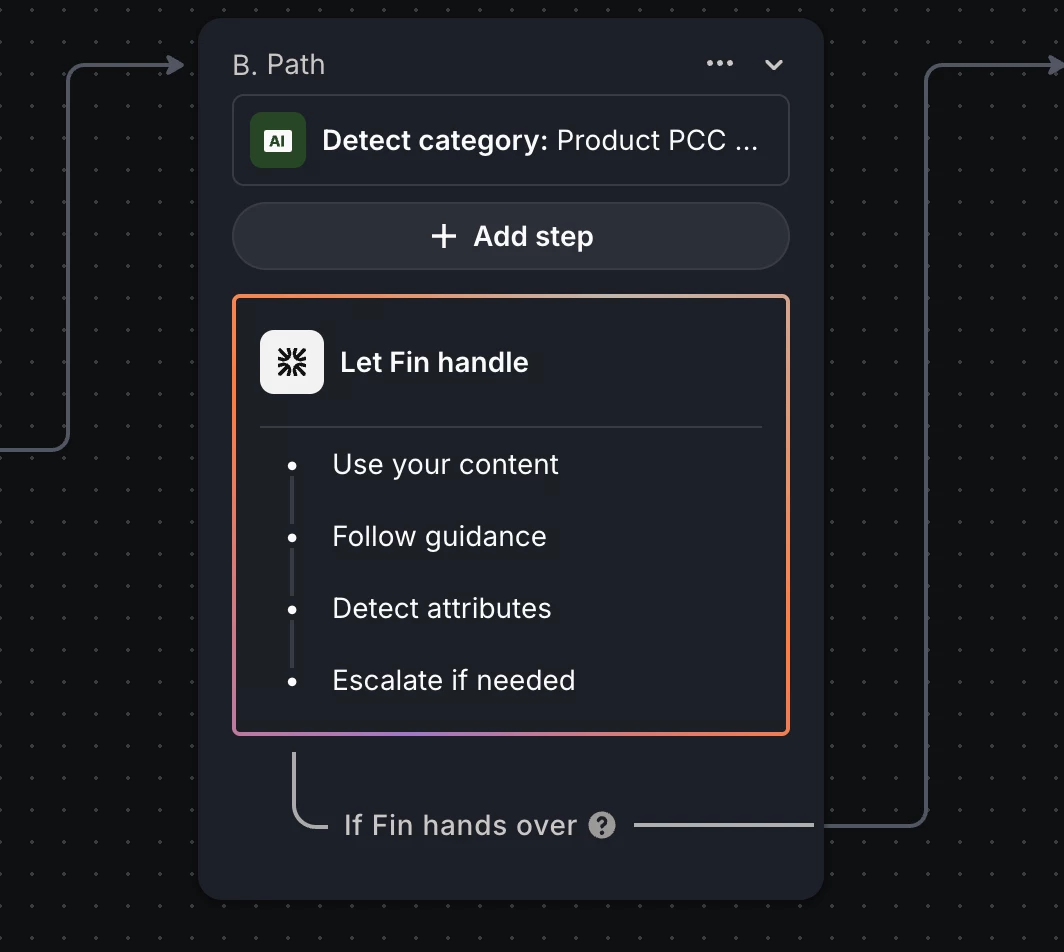
I have a very simple workflow that starts with a user typing and branches to Fin answering. The audience is ‘custom → logged in users’. → What brings you here today? Let customer type → Let Fin handle → If escalated show reply time. 

When I send fin a message it finds the correct articles and guidance, but there’s no indication it’s detecting any of my attributes as the conversation log does not show the event and the attribute is not set on the conversation details panel. 

I turned on Urgency attributes to see if it would detect those as a test and it is not detecting them until the ticket is closed, which I think defeats the purpose. But at least I can see a log of when it detects it and it’s setting the Urgency attribute in the conversation details. 

I do not have re-detect on close turned on for neither Urgency nor Issue type,

I think I am missing something fundamental with how Attributes are supposed to work.

Best answer by Nathan Sudds

@Heather Willson  I definitely understand the confusion if you are switching over from AI Category Detection as we had more control over when it detects the category with the beta -- now Fin basically detects the category at key points in the conversation for example handover and not with every single message. 

If you want to urgently escalate due to frustration or urgency it might be better to use Escalation Guidance in this case, because the AI Category Detection feature seems to be going away for the workflow, I have suggested that maybe they don’t get rid of this though because it is also very useful. 


Hope this helps!

3 replies

Nathan Sudds
Top Expert ✨
Forum|alt.badge.img+8
  • Top Expert
  • Answer
  • November 20, 2025

@Heather Willson  I definitely understand the confusion if you are switching over from AI Category Detection as we had more control over when it detects the category with the beta -- now Fin basically detects the category at key points in the conversation for example handover and not with every single message. 

If you want to urgently escalate due to frustration or urgency it might be better to use Escalation Guidance in this case, because the AI Category Detection feature seems to be going away for the workflow, I have suggested that maybe they don’t get rid of this though because it is also very useful. 


Hope this helps!


Forum|alt.badge.img
  • Author
  • New Participant
  • November 20, 2025

Thanks ​@Nathan Sudds  I could not ever get it to detect the category, not at the beginning, at handoff, or closing, or any time after closing.

I added the AI Detect Category back to my workflow and it’s working perfectly. I can see it’s detecting the correct category and immediately using the correct guidance because of it. 

I’m chatting further with Intercom support about this, I’ll update here once I learn more. They are suggesting that I should add branching rules to my workflow based on the Category (I assume to force it to detect it) but I really don’t need any branches, only escalation guidance and category assignment for reporting. It’s a very simple use case.


Forum|alt.badge.img
  • Author
  • New Participant
  • November 20, 2025