

How do I change the name of a segment without changing any of the filters?

Answered
How do I change the name of a segment?
Best answer by Eric Fitz
Hey @pacemaker!
To change the name of a segment, just go to Settings > (your workspace name) data > People segments.
Beside the name of the segment you want to change, you'll see a "pencil" icon. Just click this icon to change the name, then click the "tick" icon to save your changes!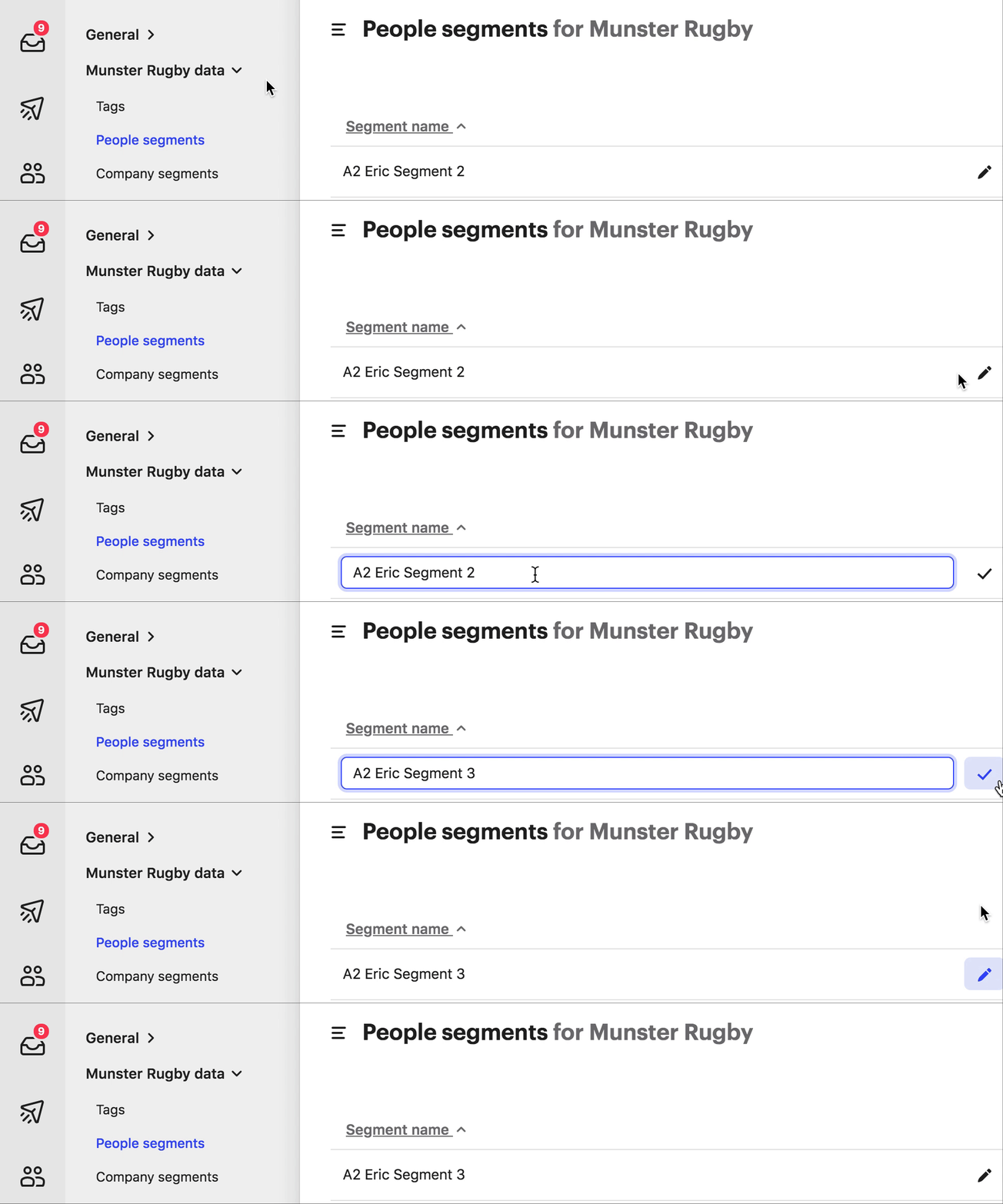




Join the Intercom Community 🎉
Already have an account? Login
Login to the community
No account yet? Create an account
Intercom Customers and Employees
Log in with SSOor
Enter your E-mail address. We'll send you an e-mail with instructions to reset your password.