Allow custom auto-close timeouts for incomplete Workflow conversations | Community
Skip to main content
Question

Allow custom auto-close timeouts for incomplete Workflow conversations

  • August 17, 2026
  • 2 replies
  • 18 views

Forum|alt.badge.img

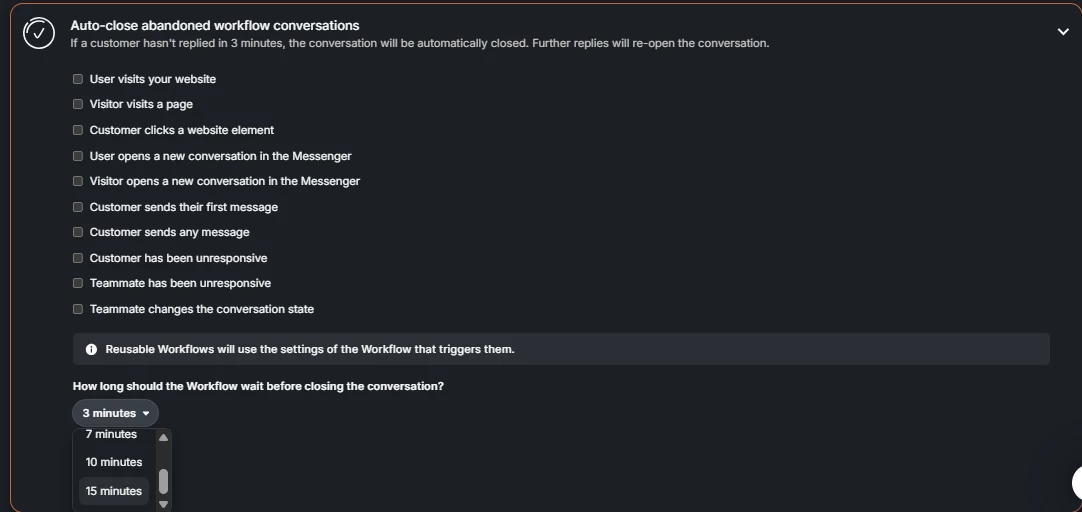
Please allow custom auto-close timeouts beyond the current 15-minute maximum for incomplete Workflow conversations. Our customers may need more than 15 minutes to read Fin’s answer and reply, especially on mobile or when they need to gather information. A configurable timeout—for example 30, 45, or 60 minutes—would prevent conversations from closing before customers can respond, while still allowing us to manage inactive conversations automatically.

The current setting only offers 3, 5, 7, 10, or 15 minutes. 
2 replies

Adam Warden
Innovator ✨
Forum|alt.badge.img+4
  • Innovator ✨
  • August 17, 2026

Hi Nikos!

I believe you are mentioning the Auto-close abandoned workflow conversations rule which only applies to workflow steps and not to Fin. You can turn this rule off by unchecking all the workflow triggers this gets applied to similar to how it shows in this screenshot:


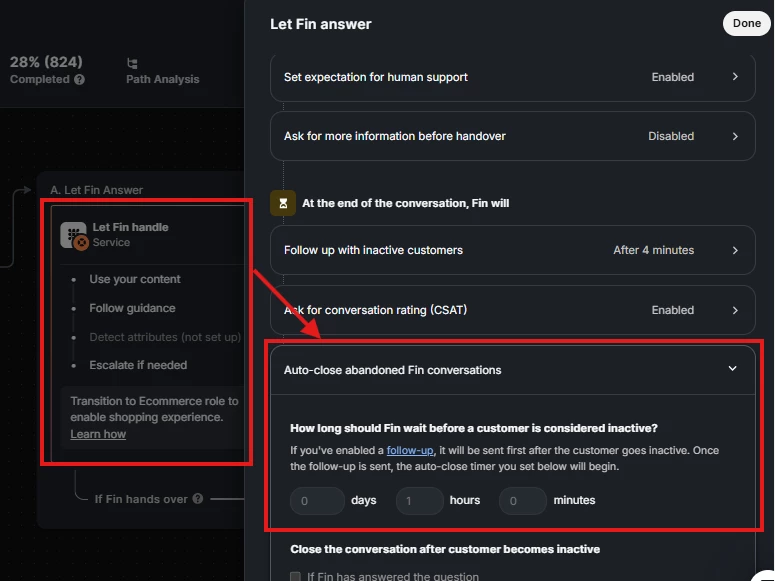
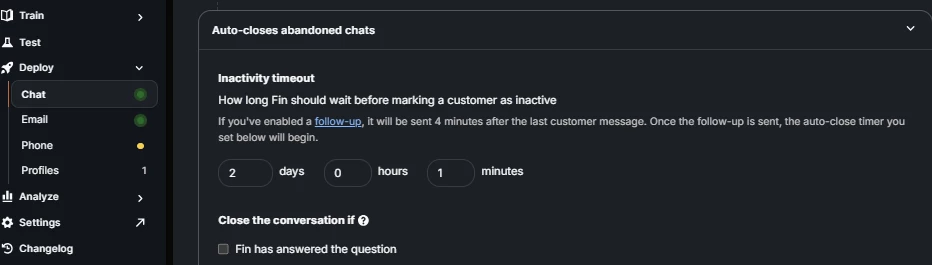
If you’d like to change the timing on the Auto-close abandoned Fin conversations rule you can do so either by going to the Fin settings in the workflow it’s used in or by using the settings available on the simple deploy if that’s how you’re using Fin. I’ve attached screenshots for each one below. You will find you have much more flexibility in choosing the auto-close time when compared to the workflow settings. 

Where to change the time for abandoned Fin conversations in a workflow.


Where to change the time in the simple deploy section.


Here is an explanation from Fin in case my explanation wasn’t super clear:

1. Auto-close abandoned workflow conversations

  • Workspace setting: Settings → AI & Automation → Automation.
  • It closes conversations when a user stops interacting with a Workflow step (for example, not replying or clicking buttons).
  • The timer starts at each point where the workflow waits for input.
  • You choose a wait time: 3, 5, 7, 10, or 15 minutes

2. Auto-close abandoned Fin conversations

  • Configured inside the Let Fin handle step in a workflow.
  • It closes conversations when the customer becomes inactive after Fin has interacted.
  • If a follow‑up message is enabled, it’s sent 4 minutes after the last customer message, and then the auto‑close timer starts. 

How they behave together in a Fin workflow

  • They operate on different timers and conditions, so both can exist at the same time.
  • The workflow auto‑close timer is tied to workflow inactivity.
  • The Fin auto‑close timer starts after Fin’s follow‑up and customer inactivity.

Practical tip

  • If you want more control when using Fin, it’s common to disable the workflow auto‑close setting and rely on the Fin inactivity timer instead. 

So in short:

  • Workflow auto‑close = inactivity during workflow steps.
  • Fin auto‑close = inactivity after Fin has engaged with the customer.


Hope this helps! 


Forum|alt.badge.img
  • Author
  • New Participant
  • August 19, 2026

Thanks Adam! What I was looking for is this part: “You choose a wait time: 3, 5, 7, 10, or 15 minutes”. I’d like to request we extend it.


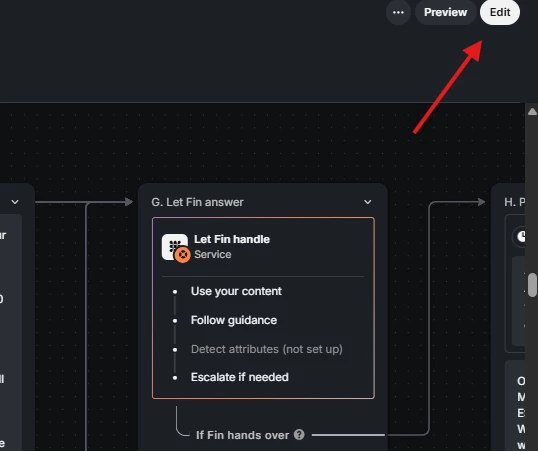
Also, on your second screenshot, I can’t edit any of the values there and I don’t know why.

Let me know what’s possible and thanks again