

It shows me an error message: An error occurred while loading your conversations. I tried reloading my page, opening in incognito, restarting my device, to no avail. I have intercom on my phone as well, and it’s working there. Help please.
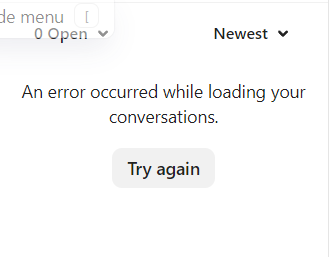

It shows me an error message: An error occurred while loading your conversations. I tried reloading my page, opening in incognito, restarting my device, to no avail. I have intercom on my phone as well, and it’s working there. Help please.
Best answer by Jennifer K
Hi
Jennifer here from Customer Support 😀
Are you still having issues?
There are a few troubleshooting steps we can try here to resolve or isolate what is causing this issue for you:
- A hard refresh (Command + Shift + R on a Mac, or Ctrl + Shift + R on Windows)
- Testing in an incognito browser (Command + Shift + N on Mac, or Ctrl + Shift + N on Windows)
- Testing a different browser to the one that you’re using
- Testing an alternative wifi network or from a personal hotspot on a mobile phone
- Disable any browser extensions
Could you try these options and let me know if the issue persists, please? 👀
Already have an account? Login
No account yet? Create an account
Enter your E-mail address. We'll send you an e-mail with instructions to reset your password.