Intercom Automation Sometimes Fails to Trigger for New Conversations | Community
Skip to main content
Answered

Intercom Automation Sometimes Fails to Trigger for New Conversations

  • August 27, 2026
  • 3 replies
  • 110 views

I’m having an issue with an Intercom workflow where automation does not consistently trigger when a new conversation is created.

What I’m seeing:

  • The workflow is enabled and the trigger conditions appear correct.
  • Most new conversations enter the workflow normally.
  • Occasionally, a conversation is created but the automation does not run.
  • There is no obvious error shown for the affected conversations.
  • Manually updating the conversation sometimes causes the workflow to trigger.

I’ve already checked the workflow conditions and tested it with different conversations, but I haven’t found a consistent pattern. Has anyone experienced intermittent workflow triggers in Intercom, and is there a recommended way to troubleshoot why certain conversations are being skipped?

Best answer by Adam Warden

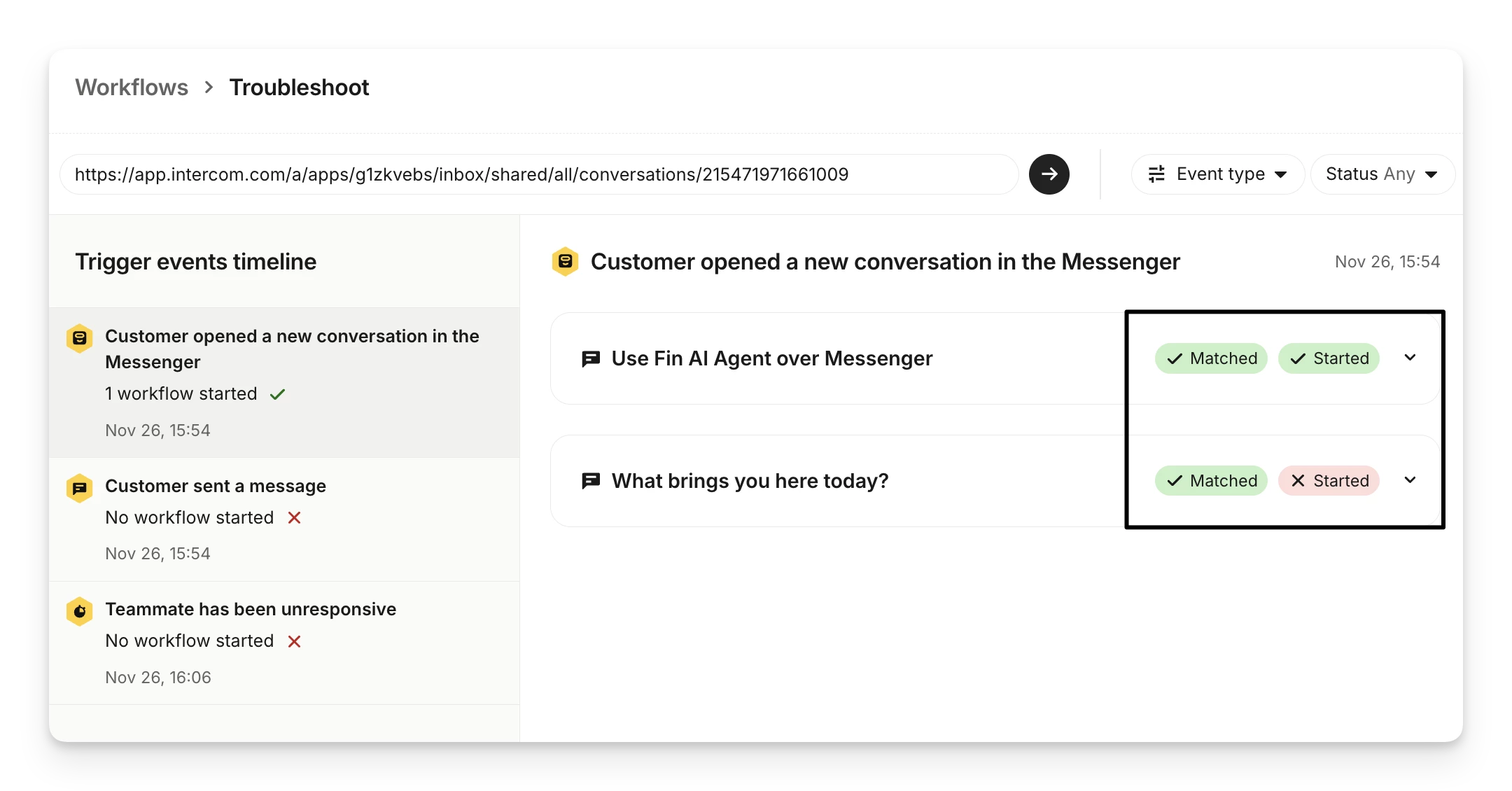
If the trigger conditions are correct, but the workflow doesn’t start you should see something like the second example in the screenshot below. 

In the Troubleshoot view:

  • Matched means the workflow’s trigger conditions were satisfied for that event.
  • Started means the workflow actually began running after matching.
  • Matched but not Started means the conditions were correct, but something else prevented it from running. 

Common reasons for that include:

  • Another higher‑priority workflow running instead
  • Scheduling rules blocking it
  • Channel or audience mismatches
  • A teammate action interrupting the workflow

3 replies

Adam Warden
Innovator ✨
Forum|alt.badge.img+4
  • Innovator ✨
  • August 28, 2026

Hi Ben! 

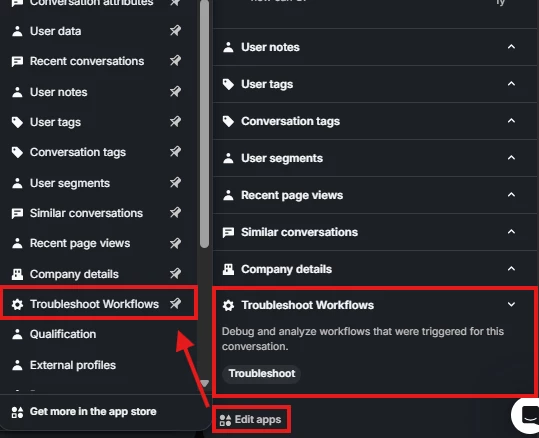
My initial thoughts are to double check the workflow triggers and to see if there aren’t any other conflicting workflows. A helpful tool here is using the troubleshoot workflows app that can be added at the bottom of the right sidebar in any conversation. 

Happy to jump on a call if you’d like more help on this. Hope this helps!


  • Author
  • New Participant
  • August 28, 2026

Hi Ben! 

My initial thoughts are to double check the workflow triggers and to see if there aren’t any other conflicting workflows. A helpful tool here is using the troubleshoot workflows app that can be added at the bottom of the right sidebar in any conversation. 

Happy to jump on a call if you’d like more help on this. Hope this helps!


One thing I’m still unclear about is what I should specifically look for in the troubleshooting results, if the trigger conditions are correct but the workflow never starts, would the tool normally show that the conversation was evaluated and failed a condition, or would it indicate that the conversation was never evaluated by that workflow at all?


Adam Warden
Innovator ✨
Forum|alt.badge.img+4
  • Innovator ✨
  • Answer
  • August 28, 2026

If the trigger conditions are correct, but the workflow doesn’t start you should see something like the second example in the screenshot below. 

In the Troubleshoot view:

  • Matched means the workflow’s trigger conditions were satisfied for that event.
  • Started means the workflow actually began running after matching.
  • Matched but not Started means the conditions were correct, but something else prevented it from running. 

Common reasons for that include:

  • Another higher‑priority workflow running instead
  • Scheduling rules blocking it
  • Channel or audience mismatches
  • A teammate action interrupting the workflow