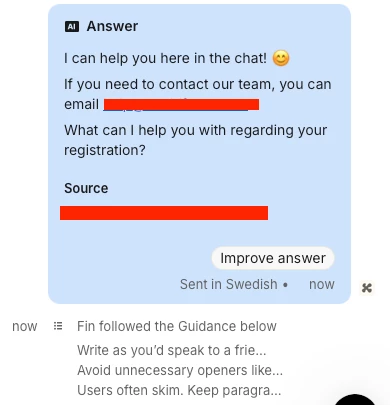
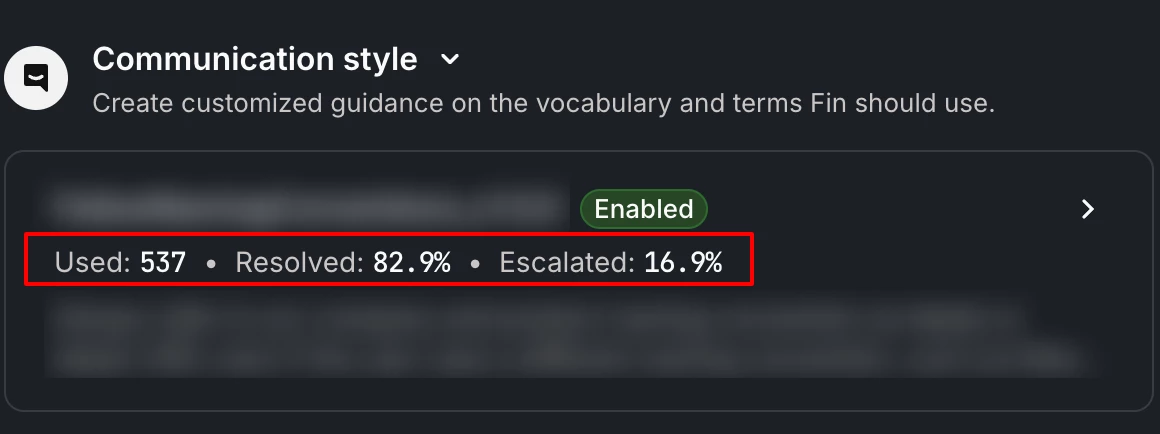
We’re really happy with the new escalation guidance functionality and have started using it to control which users can escalate to human support in chat.
Current setup
-
Paying users can always escalate to human support via chat
-
Non-paying users are limited to AI support in chat and are guided to email if they need human support
-
We’ve achieved this by creating a separate audience for non-paying users and configuring escalation guidance that encourages them to continue chatting with Fin or reach out via email when they ask to speak to a human
This works very well functionally 👍
Feature request
What would be extremely helpful is the ability to see when escalation guidance has been applied directly in the conversation events, similar to how other guidance or automation events are shown today.
For example:
-
“Escalation guidance applied: Non-paying users – AI only”
-
Timestamped and visible in the conversation timeline
Why this matters
-
It would help us verify that escalation logic is working as intended
-
Makes troubleshooting and QA much easier
-
Improves internal visibility and confidence when reviewing conversations
-
Especially useful when multiple escalation rules and audiences are in use
Right now, there’s no clear way to confirm from the conversation view that the correct escalation guidance was triggered, which makes it harder to monitor and validate the setup over time.
Thanks for building a great feature already — this would be a small addition with a big impact on usability and trust.