Workflow from CSAT Survey | Community
Skip to main content
Released

Workflow from CSAT Survey

Related products:Workflows
  • July 12, 2023
  • 10 replies
  • 203 views

As it currently stands it doesn’t appear possible to provide additional automation after a CSAT survey has been sent to a person who has reached out. 


In an ideal situation depending on the score of the reply I’d like to automate follow up messaging and interactions. If someone replies negatively for example I’d like to automate a follow up asking the person for additional information.


10 replies

Jennifer K
Intercom Team
Forum|alt.badge.img+3
  • Intercom Team
  • July 18, 2023
NewDiscussion ongoing

Jennifer K
Intercom Team
Forum|alt.badge.img+3
  • Intercom Team
  • December 4, 2023
Discussion ongoingImplemented

Forum|alt.badge.img+4

@Jennifer K excited to see the “implemented” mark. could you please elaborate on this?


Jennifer K
Intercom Team
Forum|alt.badge.img+3
  • Intercom Team
  • December 4, 2023

Hi @Denis Taranets 

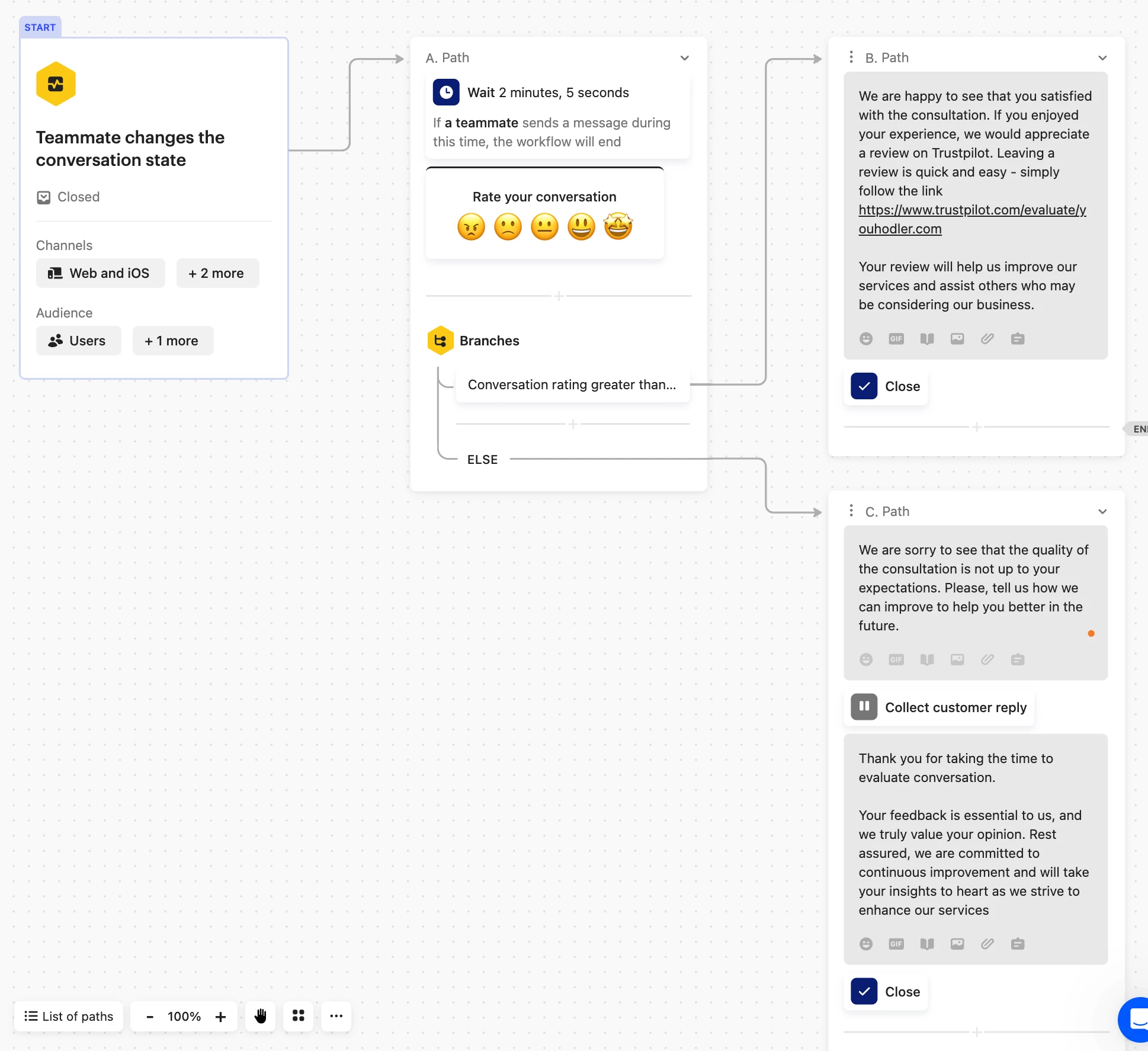
You can do this now by using Workflows and Branches

I’ve added a helpful article below which explains this in more detail 👇🏻

https://www.intercom.com/help/en/articles/6904514-teammate-changes-conversation-state#h_5bbad3cdcc


Forum|alt.badge.img+4

Looks great, @Jennifer K 
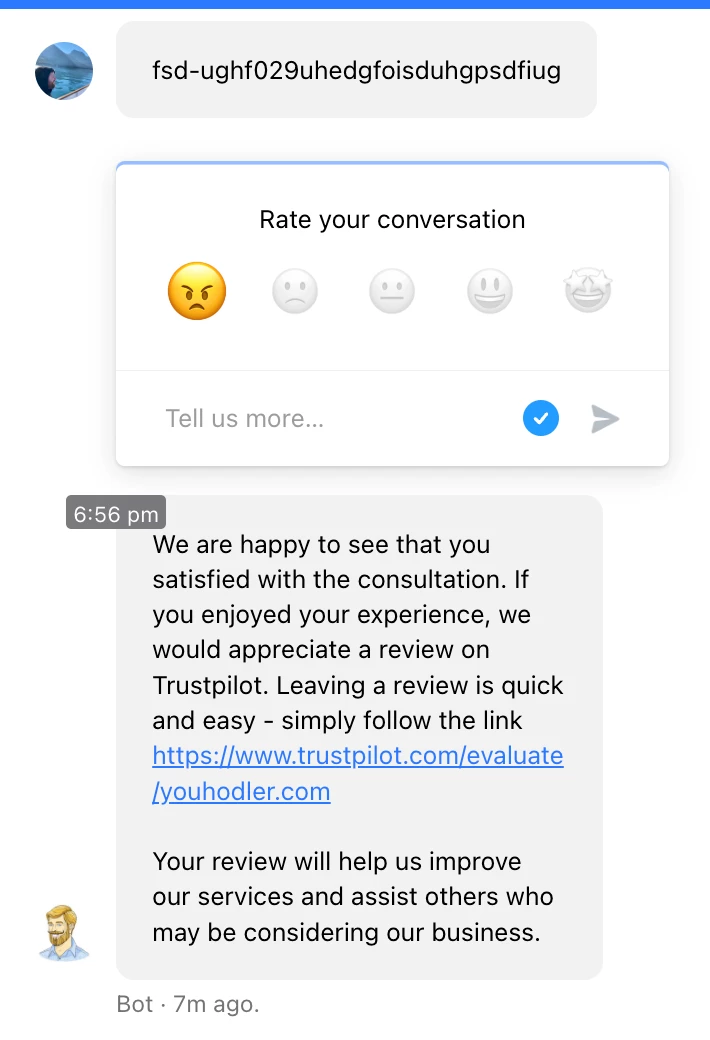
I built something similar to the instructions with 1 change. During the test, I set negative evaluation and still received  a reply as if it was a positive reply. Could you look into it or it is better to direct to support team?


User2460
  • New Participant
  • December 5, 2023

@Denis Taranets, i might be wrong but I think the “conversation rating” attribute will only update with the next conversation, so the workflow is using the previous conversation


Forum|alt.badge.img+4

That would explain it. But then we still need a solution:) The follow-up depends on the customer evaluation of the conversation, and I’m not sure that this is possible, @Jennifer K 


Jennifer K
Intercom Team
Forum|alt.badge.img+3
  • Intercom Team
  • December 5, 2023

Hi @Denis Taranets 

Yes, the “conversation rating” attribute will only update with the next conversation, so the workflow is using the previous conversation.

So this Workflow would open once that happened 


Forum|alt.badge.img+4

@Jennifer K In that case could you help with the task at hands from which this thread started.


Larissa
Employee
Forum|alt.badge.img
  • Employee
  • April 2, 2024

Hey @Denis Taranets. This is now possible! 🙌🏻

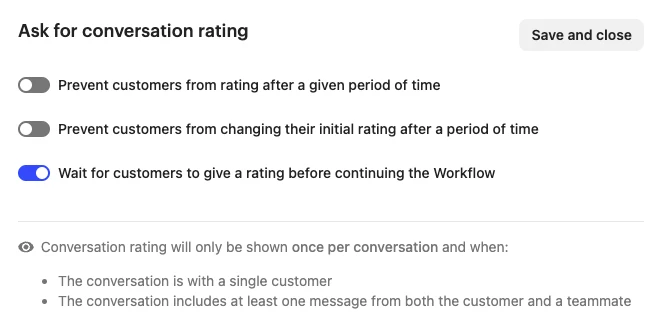
When creating a workflow and asking for a conversation rating, you can now select “wait for customers to give a rating before continuing the workflow”, so the workflow takes into consideration the rating that was given on the conversation the workflow was fired, not the one from a previous conversation 👇🏻


Hope this helps! 😊