



Let users start a conversation not working correctly for new customers | Community
Skip to main content
Answered

Let users start a conversation not working correctly for new customers

  • Jan 8, 2024 8:19 AM UTC
  • 4 replies
  • 603 views

Forum|alt.badge.img

Hi. I have a problem with the “Let users start a conversation” setting not working for customers with zero conversations.

This was tested on react native v6.3.0 and i tried both “Let users start a conversation” on and off. And i think i found an issue.

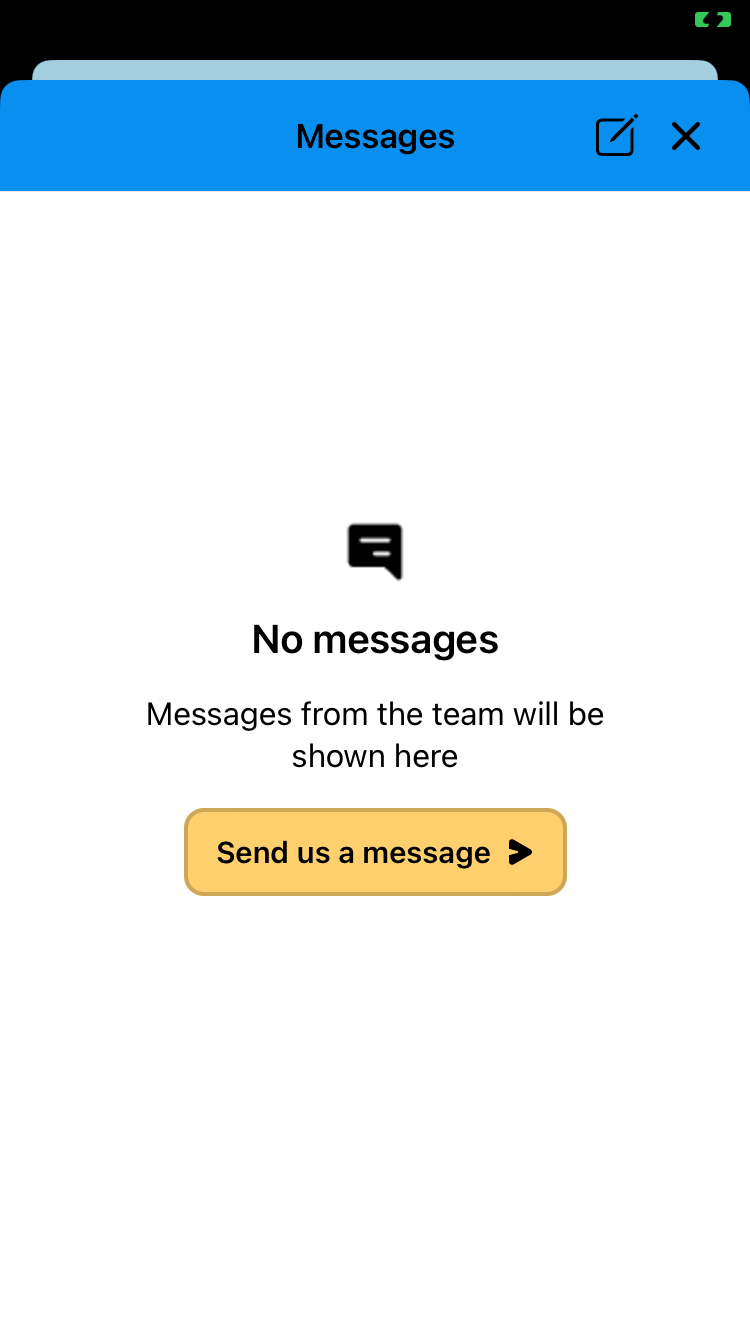
When i don’t have any conversations and the above option is ON I get this screen. Which is correct. Top right you have an icon to start conversations and in the middle you also have a button to start new conversations.
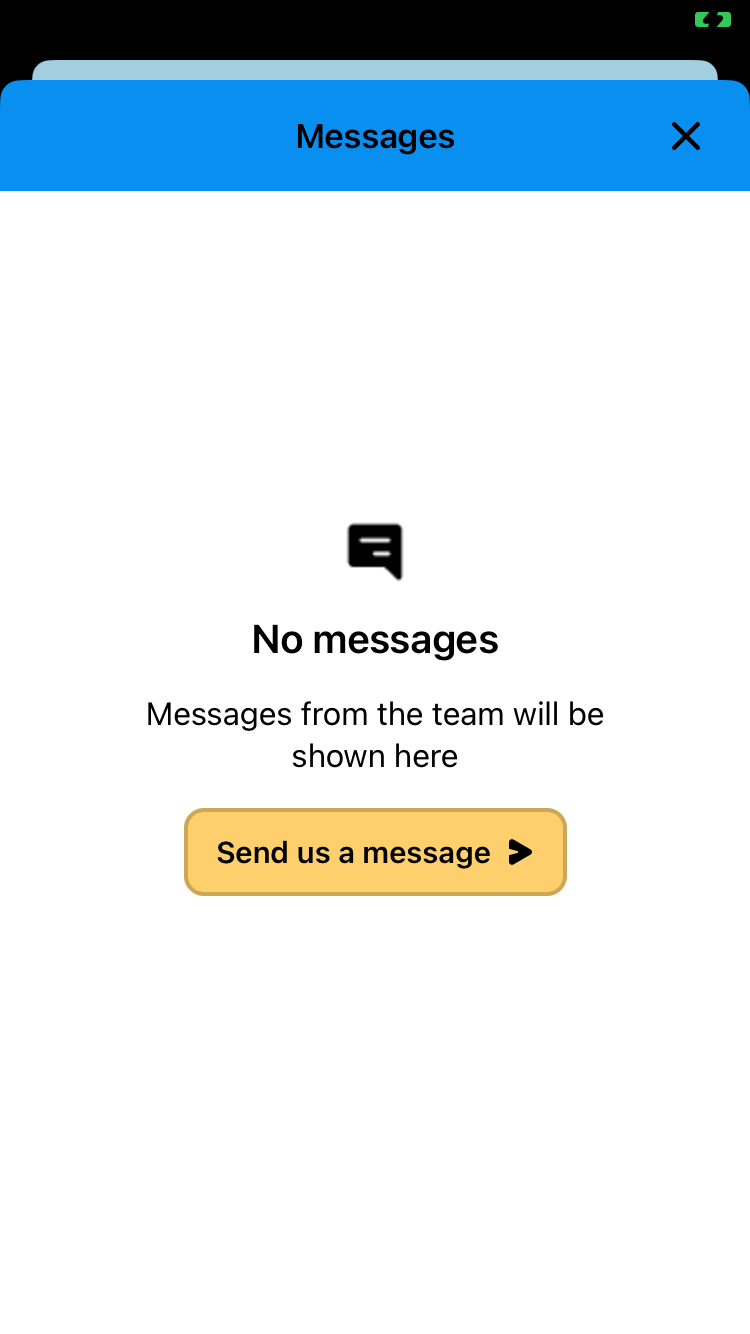
When i switch this to OFF i get this screen which is NOT correct. As you can see at the top right the icon is gone. Which is correct as a have disabled starting new conversations but the button is still available in the middle of the screen. Seems like the button in the middle doesn’t follow the setting but the button in top right does

 

Best answer by bernice

Thanks for confirming this, @hvalec ziga - I’m going to pass this over to the team to take further action on this issue for you. 

View original

4 replies

bernice
Expert User ✨
Forum|alt.badge.img+2
  • Expert User ✨
  • Jan 8, 2024 2:07 PM UTC

Hey there @hvalec ziga! Bernice from Support Engineering at Intercom here 🔧


Thanks for confirming you’re using the latest version of the React Native wrapper.


Can you tell me where you’re seeing this case of the Messenger/where you’ve accessed it from? I.e. your Help Center, your app landing page.


Forum|alt.badge.img
  • Author
  • Connector
  • Jan 8, 2024 2:09 PM UTC

this is after using the presentSpace from react native intercom package. It opens the above modal right away. There are no previous screens


bernice
Expert User ✨
Forum|alt.badge.img+2
  • Expert User ✨
  • Answer
  • Jan 11, 2024 11:19 AM UTC

Thanks for confirming this, @hvalec ziga - I’m going to pass this over to the team to take further action on this issue for you. 


Forum|alt.badge.img
  • Author
  • Connector
  • Jan 11, 2024 11:21 AM UTC

thank you