Loading Blur seen on XCode 26 & iOS 26 | Community
Skip to main content

Loading Blur seen on XCode 26 & iOS 26

  • January 12, 2026
  • 4 replies
  • 203 views

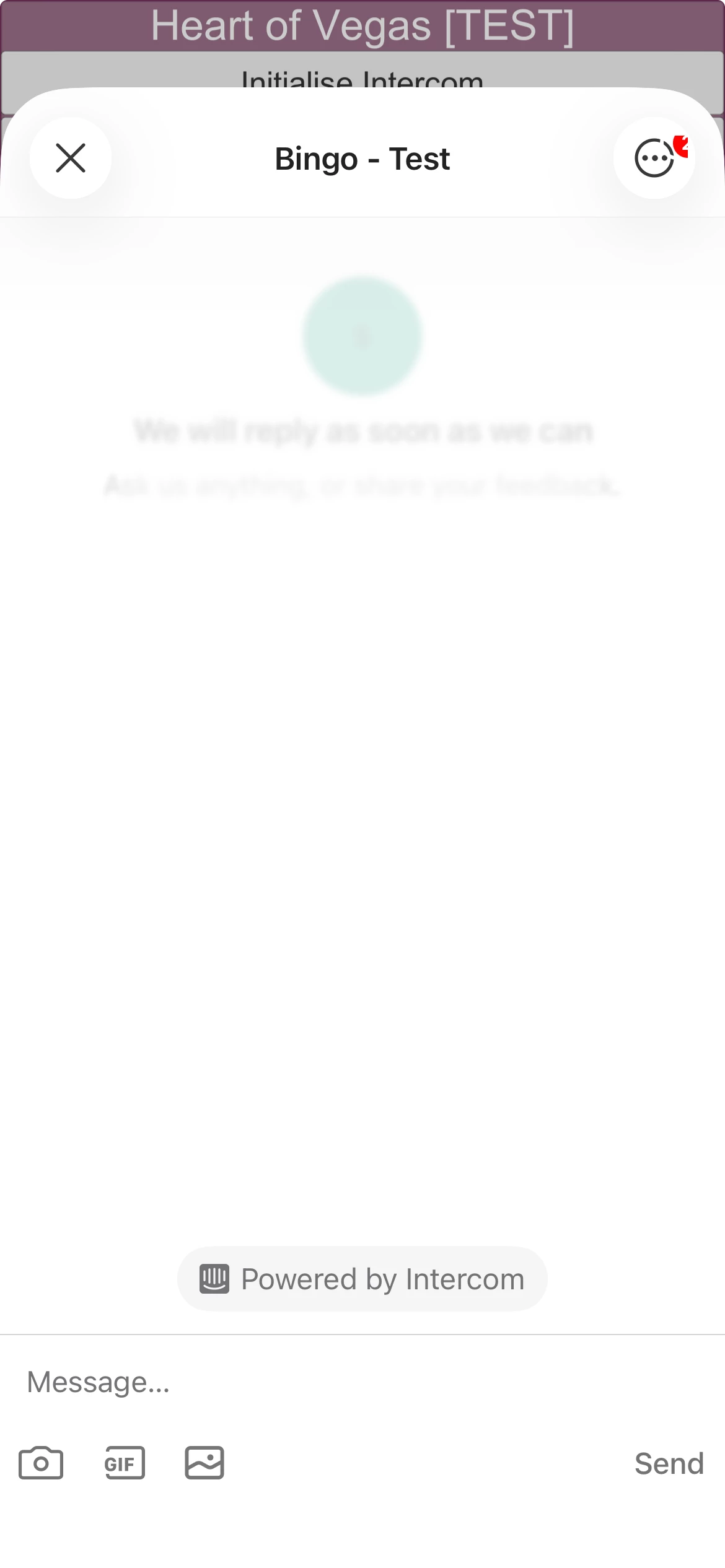
I’m seeing an issue with a “blur” overlay being left on top of the conversation window when Intercom loads after calling [Intercom presentMessageComposer:NULL] or [Intercom presentMessageComposer:@”text”]

This only happens when building on XCode and only when running on iOS 26. Any other combination (e.g. XCode 16 on iOS 26 or XCode 26 on an older iOS version) works

Feels like a race condition in the loading logic perhaps? But hard to investigate as it’s closed source.

This happens on intercom-ios versions 16.6.2, 19.4.1 and several in between

Does anyone have any information or a workaround?


4 replies

  • New Participant
  • January 14, 2026

Can confirm this is happening even with standard intercom integration without any customisations. This then prevents user interactions with some custom workflows if there are buttons as part of the workflow. 

Fix would be appreciated as we cannot release the workflow until this is resolved.


  • New Participant
  • January 19, 2026

Hello!
@Intercom Dev is this a known issue on your side? An acknowledgment that you are aware of it or already working on a fix would be highly appreciated. 


Ryan Parker
Intercom Team
Forum|alt.badge.img+5
  • Intercom Team
  • January 20, 2026

Hi ​@Thomas, Andy, a member of our team will reach out to you directly to gather more information on this as well as provide updates from our product team. 

If anyone else runs into this issue and would like to receive updates, please reach out to our team via the Intercom Messenger. Thank you! 


  • New Participant
  • January 30, 2026

@Intercom Dev  is there an update on this issue? We have seen a similar issue using the intercom react native library version 8.1.0.