How can I customise my banner message? | Community
Skip to main content
Answered

How can I customise my banner message?

  • Oct 28, 2020 3:21 PM UTC
  • 3 replies
  • 531 views

Forum|alt.badge.img
How can I customise my banner message?

Best answer by Eric Fitz

You can:


  • Change the colour of your banner
  • Bold/italicize text
  • Add emoji (using your keyboard’s emoji picker)
  • Include links (including links to launch a Product Tour)
  • Insert variables (so that parts of your banner appear differently to each customer depending on the value of an attribute)
  • Choose to include the profile image of the sender or not

View original

3 replies

Eric Fitz
Employee
Forum|alt.badge.img+5
  • Employee
  • Answer
  • Oct 28, 2020 3:23 PM UTC

You can:


  • Change the colour of your banner
  • Bold/italicize text
  • Add emoji (using your keyboard’s emoji picker)
  • Include links (including links to launch a Product Tour)
  • Insert variables (so that parts of your banner appear differently to each customer depending on the value of an attribute)
  • Choose to include the profile image of the sender or not

Forum|alt.badge.img+1
  • Active User
  • Oct 28, 2020 7:20 PM UTC

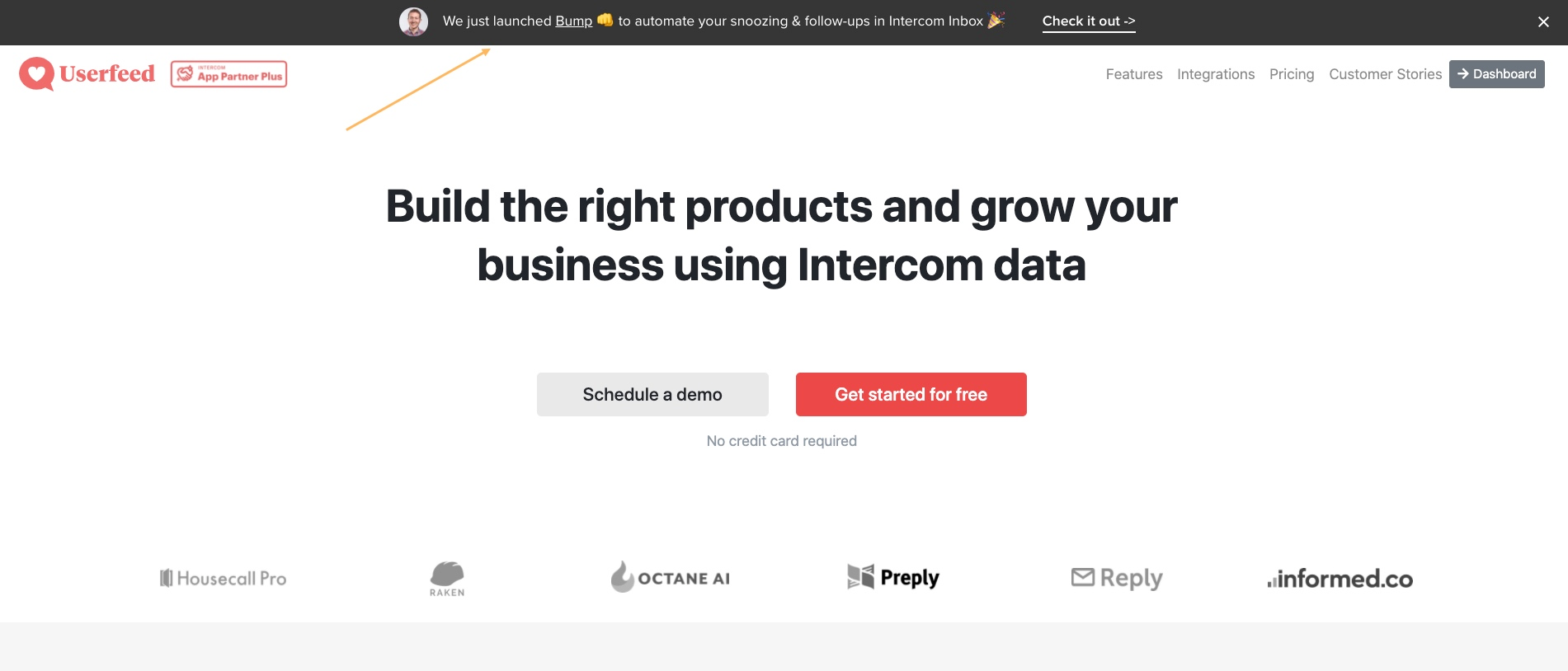
Looks awesome!Google Chrome_2020-10-28 15-16-43


Eric Fitz
Employee
Forum|alt.badge.img+5
  • Employee
  • Oct 29, 2020 3:08 PM UTC

@user649​ your banner looks awesome! Love the use of emoji and the super clear CTA - might I trouble you to share this on our News & Updates post the Banners launch too, please? 🙏