In a Series, how do we find out who the users are that matched a certain rule? | Community
Skip to main content
Answered

In a Series, how do we find out who the users are that matched a certain rule?

  • Jan 18, 2021 5:52 AM UTC
  • 12 replies
  • 106 views

Forum|alt.badge.img+2

The count is visible but can we drill down to identify who they are?


My Series about re-engagement is complex with multiple messages spaced out over time and I'd love to be able to evaluate who the users are that matched the (re-login) rule that's tailing each message.


Best answer by Eric Fitz

Hey @sushana​, I have some great news - we shipped this change today, so you can now drill down to user list level for all Series blocks 😄

View original

12 replies

Eric Fitz
Employee
Forum|alt.badge.img+5
  • Employee
  • Jan 21, 2021 10:09 AM UTC

Hey @sushana​ 👋 right now, this isn't currently possible through the Series UI. I believe it's something we may plan to introduce in future, though! @Shwaytaj Raste​, tagging you for reference 😄


Forum|alt.badge.img+2
  • Author
  • Innovator
  • Jan 21, 2021 10:37 AM UTC

Thank you @eric f11​ ! Would love to see this in the application @Shwaytaj Raste​ ... please.


Eric Fitz
Employee
Forum|alt.badge.img+5
  • Employee
  • Answer
  • Jan 27, 2021 2:59 PM UTC

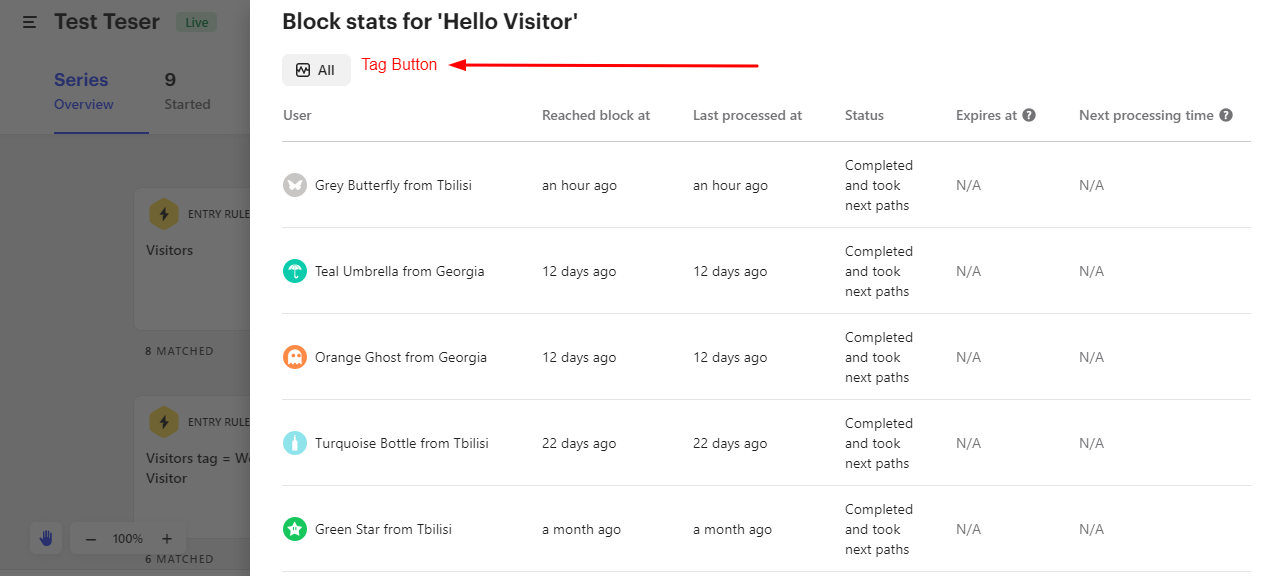
Hey @sushana​, I have some great news - we shipped this change today, so you can now drill down to user list level for all Series blocks 😄


Roy
Top Expert ✨
Forum|alt.badge.img+7
  • Top Expert ✨
  • Jan 27, 2021 3:06 PM UTC

@eric f11​ , Wow, Can I request a tag button there? 😄

@Product Wishlist​ 

Screenshot (1)


Forum|alt.badge.img+2
  • Author
  • Innovator
  • Jan 27, 2021 3:59 PM UTC

@eric f11​ , This is great news! Thank you for letting me know and thank you to the folks behind making this happen.

It looks great, do I go to Help Center to find more details around this?


Eric Fitz
Employee
Forum|alt.badge.img+5
  • Employee
  • Jan 27, 2021 4:03 PM UTC

We just shipped the change today so I don't think the Help Center has caught up yet 😂 but all you need to do is click on the number of users under each block to get the drill down.


Forum|alt.badge.img+2
  • Author
  • Innovator
  • Jan 27, 2021 4:19 PM UTC

Ooo! Thank you for the quick update about it. I have some questions but I'm going to wait for Help Center to get answers. The Drill down is going to help with better reporting on message performances!

Also, Did I say thank you already?


Eric Fitz
Employee
Forum|alt.badge.img+5
  • Employee
  • Jan 27, 2021 4:19 PM UTC

Feel free to send those questions my way!


Forum|alt.badge.img+2
  • Author
  • Innovator
  • Jan 27, 2021 5:01 PM UTC

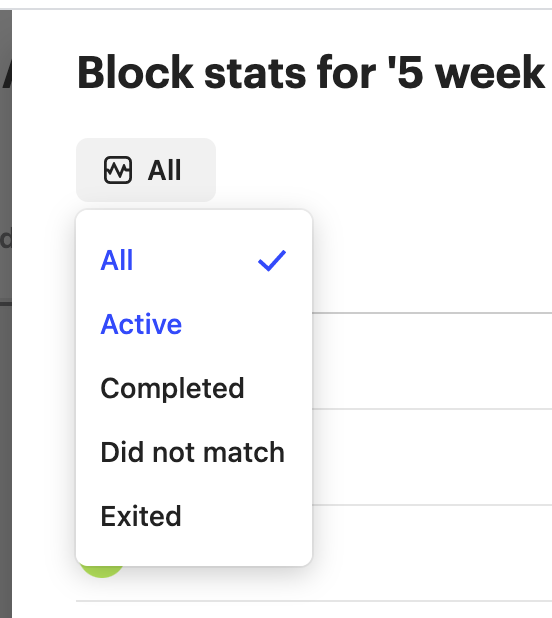
Thanks, @eric f11​ . It's great that the view offers different kinds of grouping, I'd love to see a count of users mentioned somewhere; probably a count mentioned in the dropdown list or just a mention above the actual list of users.

Screenshot 2021-01-27 at 10.20.28 PMAlso, I'd love to better understand how categorization is done (especially, 'Exited' has me confused. Exited Series or this particular block?)


Eric Fitz
Employee
Forum|alt.badge.img+5
  • Employee
  • Jan 27, 2021 5:07 PM UTC

Thanks @sushana​, I'll make sure to pass on the feedback about the user count 👍


"Exited" refers to how many customers exited the Series once they reached that particular block.


Forum|alt.badge.img+2
  • Author
  • Innovator
  • Jan 28, 2021 11:21 AM UTC

Thanks @eric f11​ !


Eric Fitz
Employee
Forum|alt.badge.img+5
  • Employee
  • Jan 28, 2021 11:31 AM UTC

No worries! Happy to do what I can to help 😄