Why don't I have scheduling options for my email? | Community
Skip to main content
Answered

Why don't I have scheduling options for my email?

  • Oct 25, 2021 5:13 AM UTC
  • 4 replies
  • 208 views

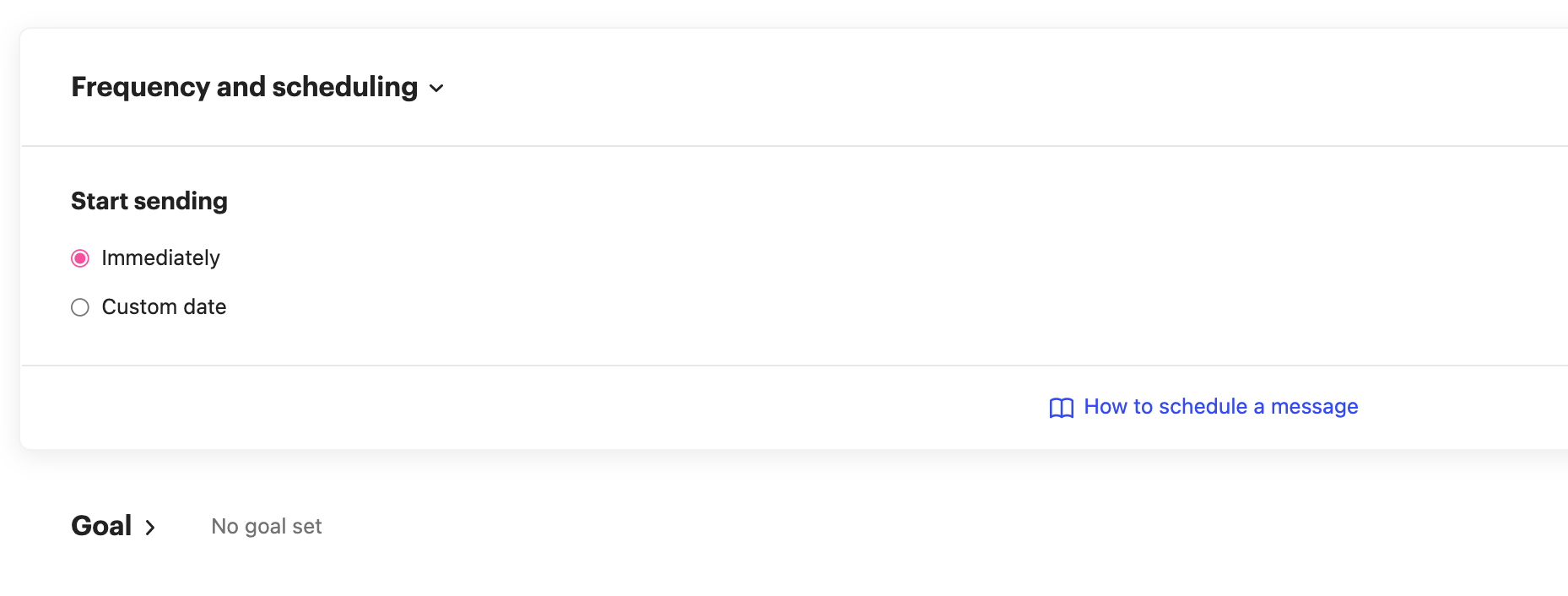
Cannot see "stop sending" and "set days and times this email can send" rules in my emails. From where, can I set it up??


I tried to get information about how to set the schedule a message from this article (https://www.intercom.com/help/en/articles/234). And there are way to set "1. start sending", "2. stop sending" and "3. set days and times this email can send". But in my page, there is only one rules that I can set which is "1. start sending". I'm wondering how I can set 2 and 3.

Best answer by User873

Oh I see! if I choose the Dynamic, I can select the 2 and 3 parts. Thank you so much!!

Next time I'll try with a Dynamic.

View original

4 replies

Eric Fitz
Employee
Forum|alt.badge.img+5
  • Employee
  • Oct 25, 2021 1:54 PM UTC

Hey @user873​, are you sending a "dynamic" or "fixed" message here?


  • Author
  • New Participant
  • Oct 26, 2021 12:17 AM UTC

Hi @eric f11​ ! I'm sending a fixed message.


  • Author
  • New Participant
  • Answer
  • Oct 26, 2021 12:19 AM UTC

Oh I see! if I choose the Dynamic, I can select the 2 and 3 parts. Thank you so much!!

Next time I'll try with a Dynamic.


Eric Fitz
Employee
Forum|alt.badge.img+5
  • Employee
  • Oct 26, 2021 8:14 AM UTC

That's exactly it @user873​! A fixed message is designed to send one time only to the users who match the audience rules at the time of sending. A dynamic message, however, will send to every user who matches the audience rules, both now and in the future. Because the dynamic message will continue to send, we allow for scheduling options.