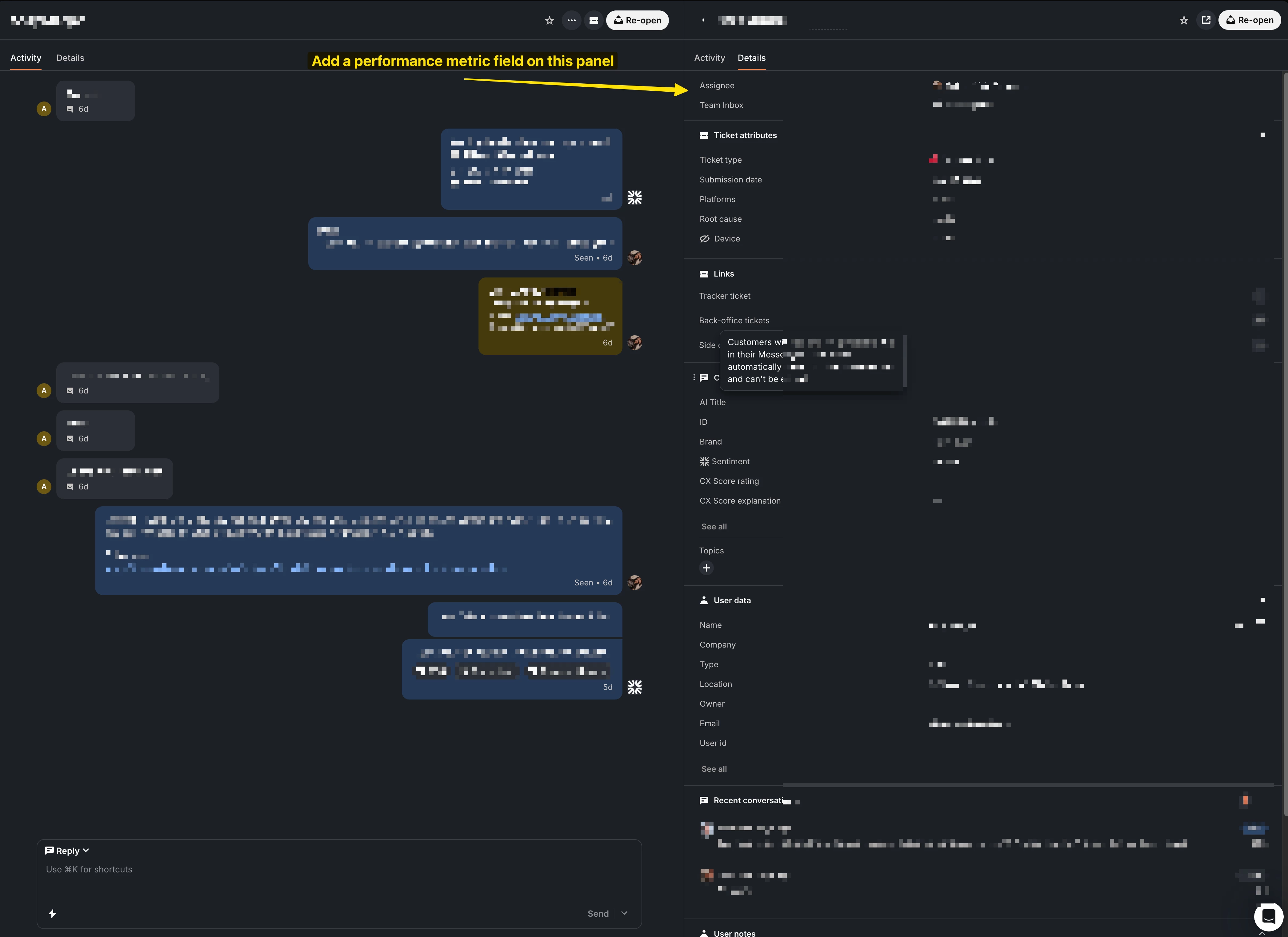
The reporting feature inside Intercom is great, and when you drill in for a specific chart/metric you can then sort by certain performance metrics. However, if I am in a conversation, reviewing the exchange between a customer and a rep; in order to calculate some of the most common metrics, which are already available in the reporting dashboard, I have to hover over each section of the conversation, note the date and time, then go to the next bubble and do the same thing, on and on for the whole conversation.
This calculation has to be done because we all get the “I waited ten minutes for someone to reply!” or a leader reaches out and says “A customer told our sales rep it took 20 minutes to get a resolution.” 90% of the time, we find that isn’t even close to the reality….and we provide that response. But getting to that response is a lot of manual work:
- Pull up conversation (lets say messenger in this instance)
- Note the date and time for the first inbound message from customer
- Do mental math to make sure your timezones and office hours are taken into account
- Note the date and time for the reps first response (post bot in our case)
- We now have data point 1, we responded in 23 seconds, not “five minutes”
- Note the rest of our average response times back to the customer
- That could mean going one-by-one for 10+ messages or more to tabulate that on average we responded back to this customer in under 50 seconds.
- Note the time it took the customer to respond back to us, and calculate the average
- Again, 90% of the time their response back to us is 2 minutes, 5 minutes, etc.
- Go back to the customer and explain the realities (with the cheerful customer flair we always put on the message without basically telling them they are exaggerating their 20 minutes hold times) and back to leadership that we were actually under our goals times and this customer got awesome and quick service!
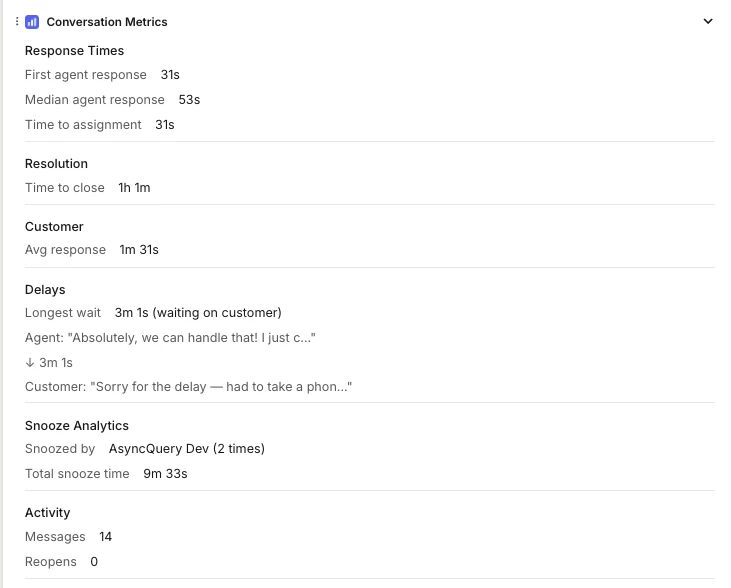
It would be nice to have the ability to pull the following metrics into the right hand details panel for ever chat and email conversation. The data is already exists, just add the field as an option:
- Average first response time
- With options to define if it includes or excludes bot, office hours, etc, just like in the report builder
- Average total response time
- Time to close
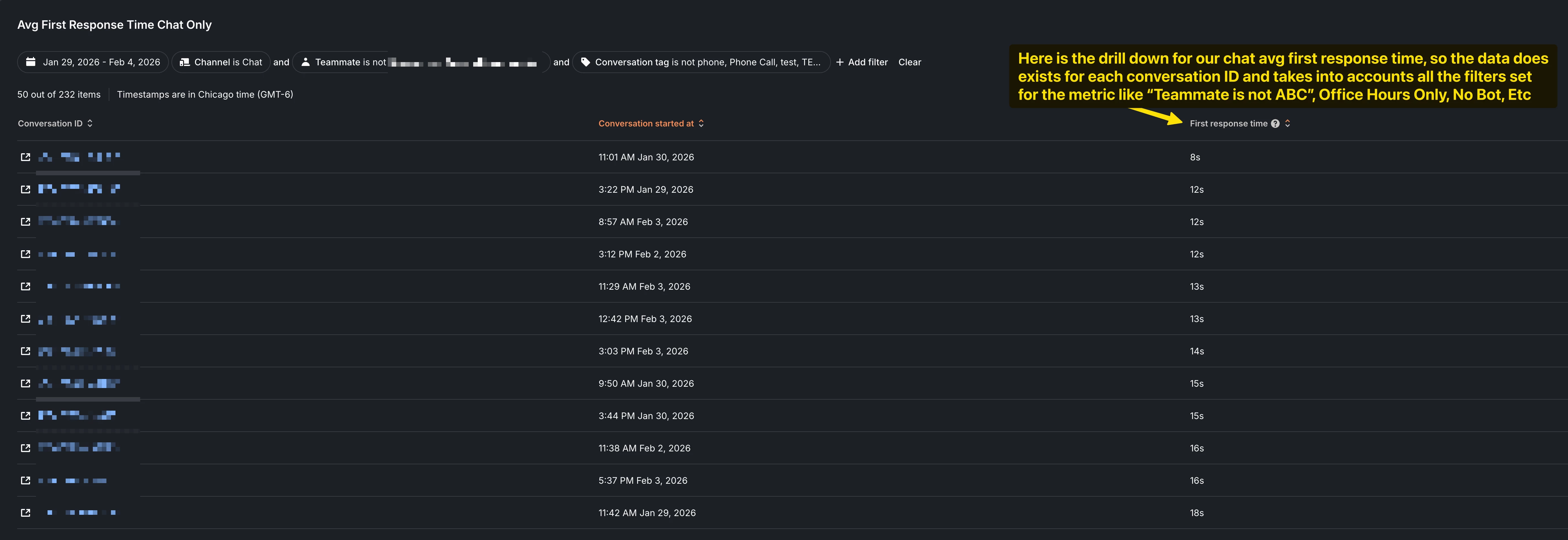
I understand I can get this data already by going to my reports, selecting drill down, finding the exact conversation among thousands and looking at the information (see screenshot example). Why not just have that data available right in the conversation on the right hand panel?