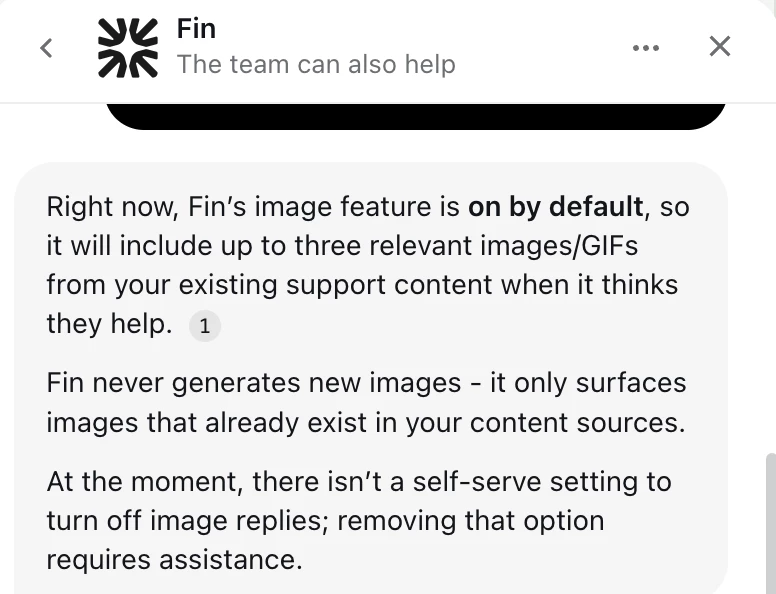
I’d like to request assistance with turning off the image replies feature for our Fin AI Agent. Currently, Fin automatically includes up to three relevant images/GIFs from our support content in its responses, but we'd prefer to have text-only replies.
I understand this isn't a self-serve setting and requires support assistance to disable. Could someone help us turn off this feature for our workspace?
Thanks for your help!
Best answer by Nico Magbiray
Hi,
It's very common to want a more streamlined, text-only feel for your AI's personality. While you're right that there isn't a simple "off" switch in the settings for this, a simple tip is that you can reach out to Intercom support to have them disable "Fin Image Answers" on the backend for your workspace. In the meantime, a helpful little workaround is to use Fin Guidance to gently coach your AI agent; just add a custom instruction like "Please provide text-only answers and avoid including any images or GIFs in your replies". This acts as a strong personal policy for Fin to follow while you wait for the permanent change from the support team.
It's very common to want a more streamlined, text-only feel for your AI's personality. While you're right that there isn't a simple "off" switch in the settings for this, a simple tip is that you can reach out to Intercom support to have them disable "Fin Image Answers" on the backend for your workspace. In the meantime, a helpful little workaround is to use Fin Guidance to gently coach your AI agent; just add a custom instruction like "Please provide text-only answers and avoid including any images or GIFs in your replies". This acts as a strong personal policy for Fin to follow while you wait for the permanent change from the support team.
It's very common to want a more streamlined, text-only feel for your AI's personality. While you're right that there isn't a simple "off" switch in the settings for this, a simple tip is that you can reach out to Intercom support to have them disable "Fin Image Answers" on the backend for your workspace. In the meantime, a helpful little workaround is to use Fin Guidance to gently coach your AI agent; just add a custom instruction like "Please provide text-only answers and avoid including any images or GIFs in your replies". This acts as a strong personal policy for Fin to follow while you wait for the permanent change from the support team.
Thank you for your response. If this is a common request, would it be possible to have this as a setting to turn OFF/ON from our end in the future?
I have attempted to use Fin Guidance to try to coach our AI agent with custom instructions, however, she still responds with images.
I’m so sorry the guidance didn't work as expected. It can be frustrating when Fin doesn't quite follow those custom instructions. The reason Fin’s still sending images is that this is a built-in technical feature that often bypasses text-based coaching. A humble tip is to let Intercom Support know that your attempt with Guidance didn't work, as they can flip a "master switch" on the backend to disable image extraction globally for you. In the meantime, you might consider a quick audit of the specific articles Fin is pulling from; removing those images or moving them into "Snippets" (which Fin can't pull images from) is a helpful way to stop them from appearing right away. Having an easy ON/OFF toggle in the settings is a very common request, and sharing your feedback with the team is the best way to help get that on the roadmap for the future.
Hi @Sharon Tieu this is currently only something support can switch on and off for you and @Thomas Metcalf this is not dynamic across articles (although this is a good feature request!). I can transfer this conversation to our Inbox and one of the support team can get this turned off for you if this is something you’d like to try out? Let me know!
@Thomas Metcalf this is not dynamic across articles (although this is a good feature request!). I can transfer this conversation to our Inbox and one of the support team can get this turned off for you if this is something you’d like to try out? Let me know!
Nah all good - I want to keep it on (as it changes how we choose to build knowledge) - It just would be good to exclude some images from usage.
Hi @Sharon Tieu this is currently only something support can switch on and off for you and @Thomas Metcalf this is not dynamic across articles (although this is a good feature request!). I can transfer this conversation to our Inbox and one of the support team can get this turned off for you if this is something you’d like to try out? Let me know!
Hi Sean,
Thank you for your response! It would be a great feature request to send to your team to have this dynamic across different articles.
My team and I have actually made more progress with training our AI so I think it’s ok to hold off on turning this feature off for now. If my team requires this to be turned off completely, I will respond to you in this thread with the request.