Add the sorting of channels in reports for Fin Copilot | Community
Skip to main content
Submitted

Add the sorting of channels in reports for Fin Copilot

Related products:Reporting
  • January 15, 2025
  • 4 replies
  • 39 views

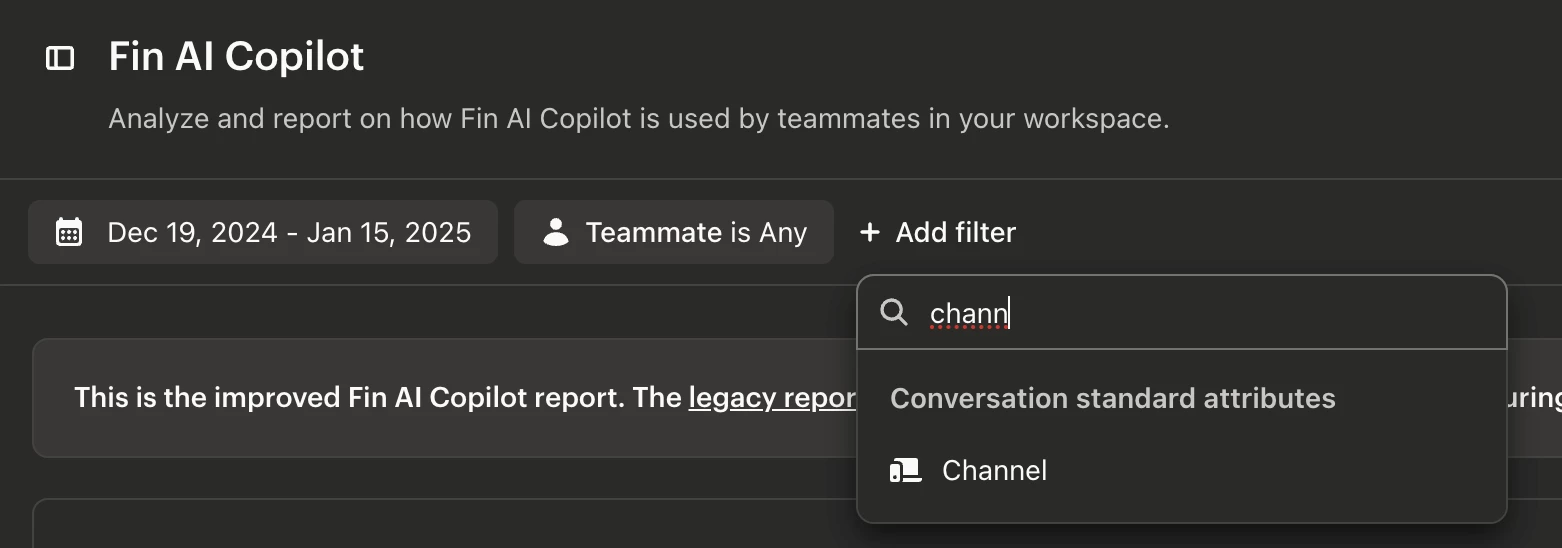
The idea is the next: it would be perfect, if metrics for Fin Copilot would be adjustable to more filters, to be precise to channels.

4 replies

Bjorn Lammers
Forum|alt.badge.img

Hey ​@Andrei Fesko, you can already do this! Just add a filter for “Channel” when viewing the reports.


  • Author
  • New Participant
  • January 15, 2025

Hey Bjorn, I know but when I set any channel it shows that it is zero conversations involved in Copilot usage.


Bjorn Lammers
Forum|alt.badge.img

Does Copilot show any usage if no Channel filter is selected? And what does it display when you “Drill-in” to those metrics? For clarity, Copilot refers to the sidebar AI help. If you’re referring to AI functionality in areas like chat, you’re likely looking for Fin AI usage, which appears below Fin AI Copilot in the reports.


  • Author
  • New Participant
  • January 15, 2025

I know, I’ve set 2 metrics (New Conversation and Copilot used) and it shows, but it would be great if the channel would be displayed in Intercom default Copilot report.