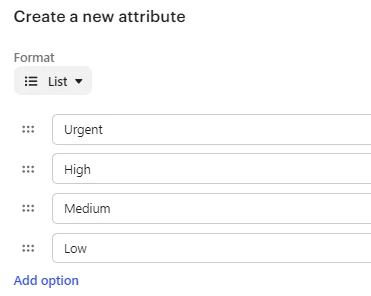
We have set up custom ticket priorities in Intercom based on SLA agreements (Urgent, High, Medium, Low), but in Intercom, there is no way of utilizing this in ticket workflows.
Assignement rules and ticket queue ordering only care about the built in “Star” priority system, meaning that Low priority tickets for us, might assign to agents before Urgent ones. Once agents have a full queue, they also can’t sort by our custom priorities, meaning they manually have to keep control of their queues rather than using the options in the sorting dropdown.
Would it be possible to add functionality for adding custom fields to the assignment rules as well as the agent queue sorting options?
For example, when editing a ticket attribute field, you have the tick boxes for visibility for customers/agents. Maybe add a tick box for “Add to queue sorting” or similar? As you add custom priorities in list format, the sorting algorithm could then prioritize the list from top to bottom. That way it doesn’t have to understand the wording in the custom priorities.