




Area: Inbox / Command K Shortcut Bar
Summary:
Command K search results lack intelligent ranking when performing frequent actions such as setting ticket states. Results do not prioritize based on usage frequency, exact text match, or relevance, creating unnecessary friction for agents who rely on this workflow multiple times per day.
Current Behavior:
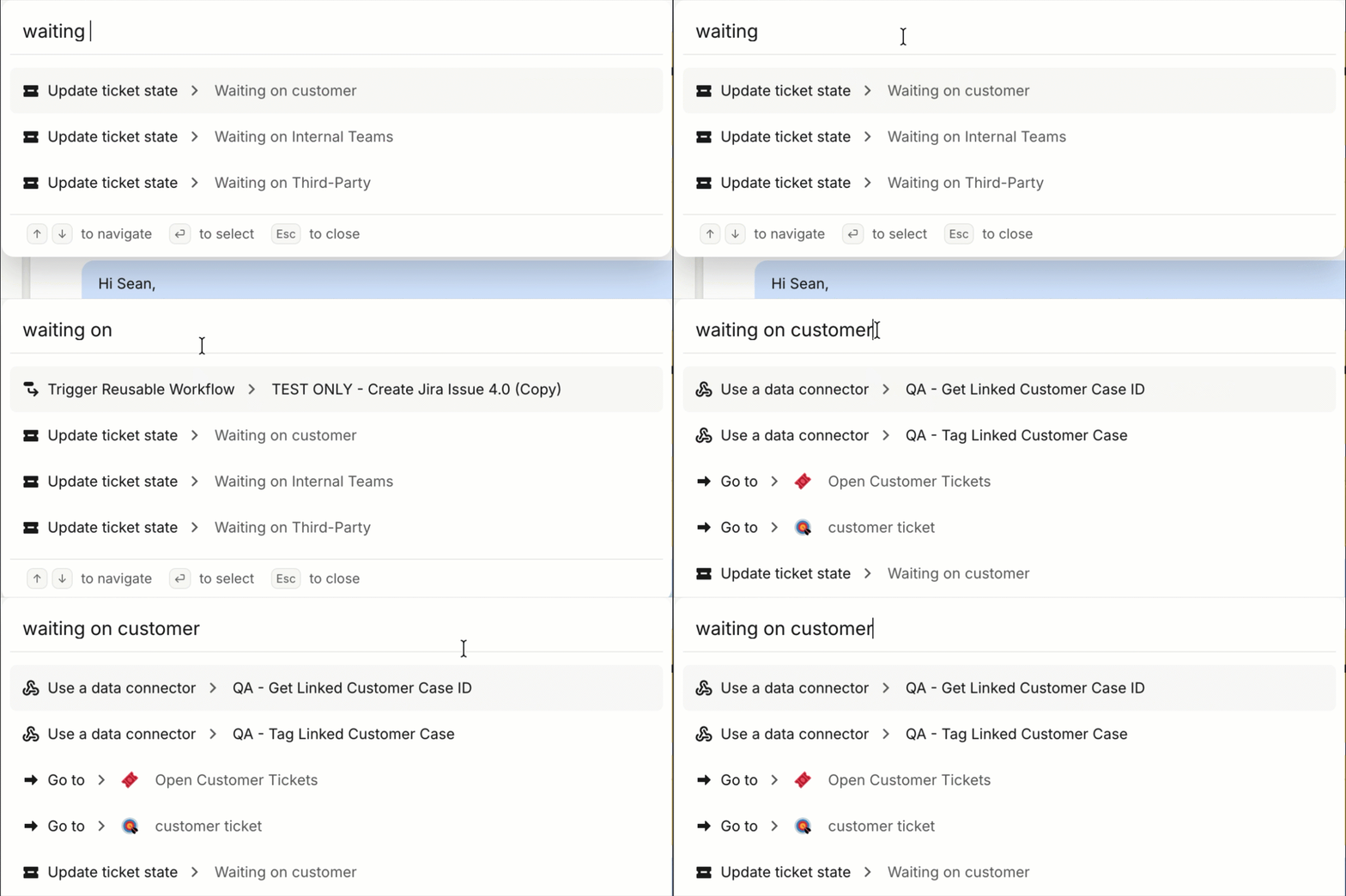
When using Command K to set a ticket status (e.g., "Waiting on Customer"), the search results behave inconsistently. For months, searching "waiting on" returned "Waiting on Customer" as the top result. Over time, newly created items have appeared at the top of the results list with no apparent sorting logic, pushing frequently used actions further down. Additionally, even when the full text "Waiting on Customer" is entered, four other results are prioritized above the exact match. The result order also appears to shift depending on what is typed, producing unpredictable outcomes.
Ideal Behavior:
Command K search results should apply intelligent ranking that accounts for exact text matches, usage frequency, and recency. At minimum, typing the full name of a ticket state should surface that exact match as the top result. Ideally, agents should also have the ability to pin or prioritize frequently used actions within Command K.
Business Impact:
Support agents set ticket statuses numerous times per day. The current static, non-adaptive result ordering adds cumulative friction to a core workflow, reducing efficiency across the team. As workspaces scale with custom ticket states, this issue will continue to compound.