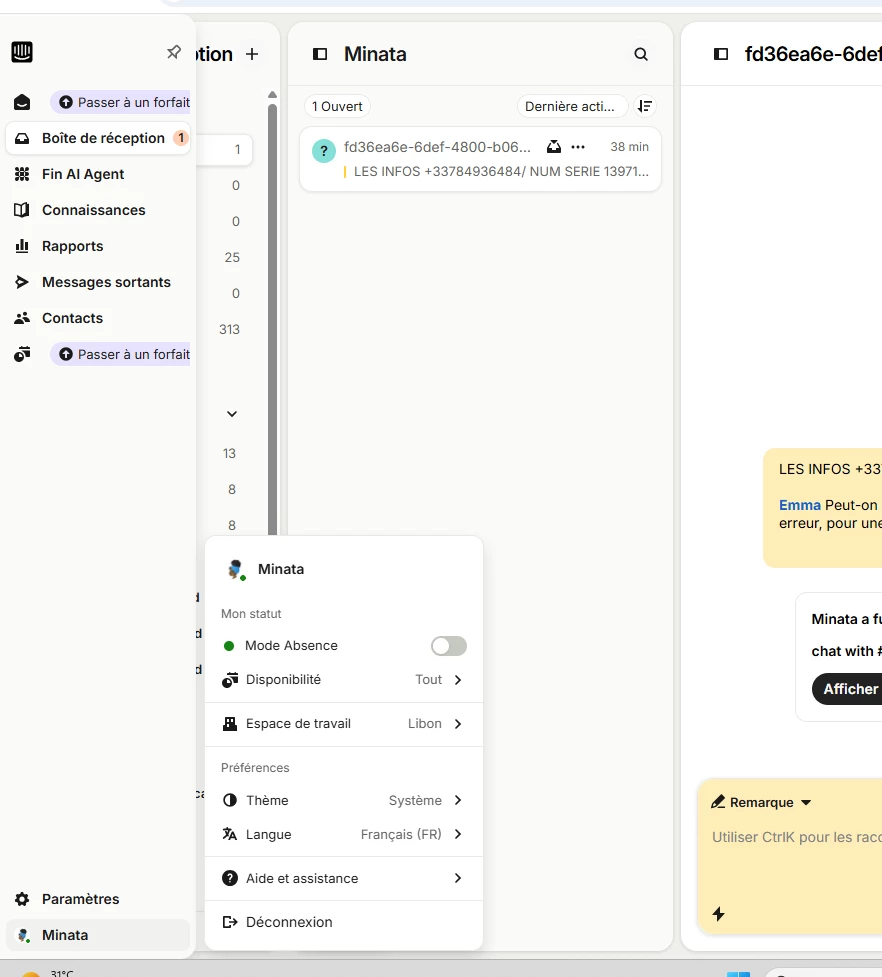
Our Tier 1 agents' sole mission is to reply to customers. Currently, their navigation menu is cluttered with upsell buttons displaying "Upgrade" or "Passer à un forfait".
-
Insufficient role management: I have already edited my agents' roles to revoke their access rights to these specific modules, but this is not enough to hide these upsell buttons from their interface.
-
Loss of efficiency: The essential tabs (Inbox and Contacts) are no longer at the top and bottom edges of the menu, but pushed aside by these paid incentives. This disrupts the team's habits and muscle memory.
-
Unnecessary targeting: Agents endure this visual noise daily despite having no decision-making power over purchasing a Pro license.
The desired solution: Link the menu display to user permissions and roles:
-
Automatically hide the "Upgrade" badges and buttons for agent profiles, especially if their access rights to these features have been disabled by the administrator.
-
Allow menu reorganization so agents can once again pin the Inbox at the very top and the Contacts list at the very bottom.
My interface:
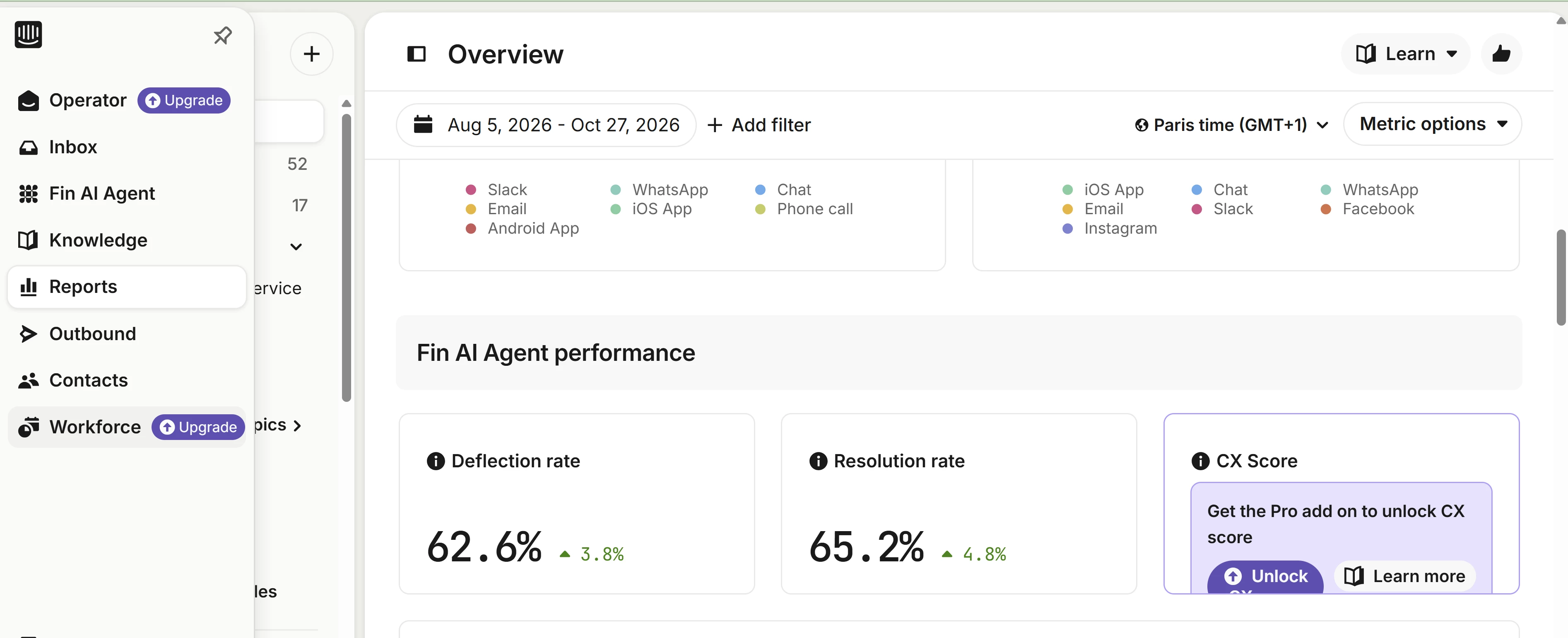
Agent N1 interface: