




Expand/contract topics in Help Centre Table of Contents - easy method required | Community
Skip to main content
Submitted

Expand/contract topics in Help Centre Table of Contents - easy method required

Related products:Knowledge & Help CenterWorkflowsIntercom Community
  • October 1, 2025
  • 2 replies
  • 31 views

Rosemary Stone
Forum|alt.badge.img+1
  1. Go to Settings, Help Centre, [YourHelpCentreName].
  2. The TOC (Table Of Contents) is displayed with all collections EXPANDED by default: 

It would be great if there was an icon to expand/contract TOC (a toggle):
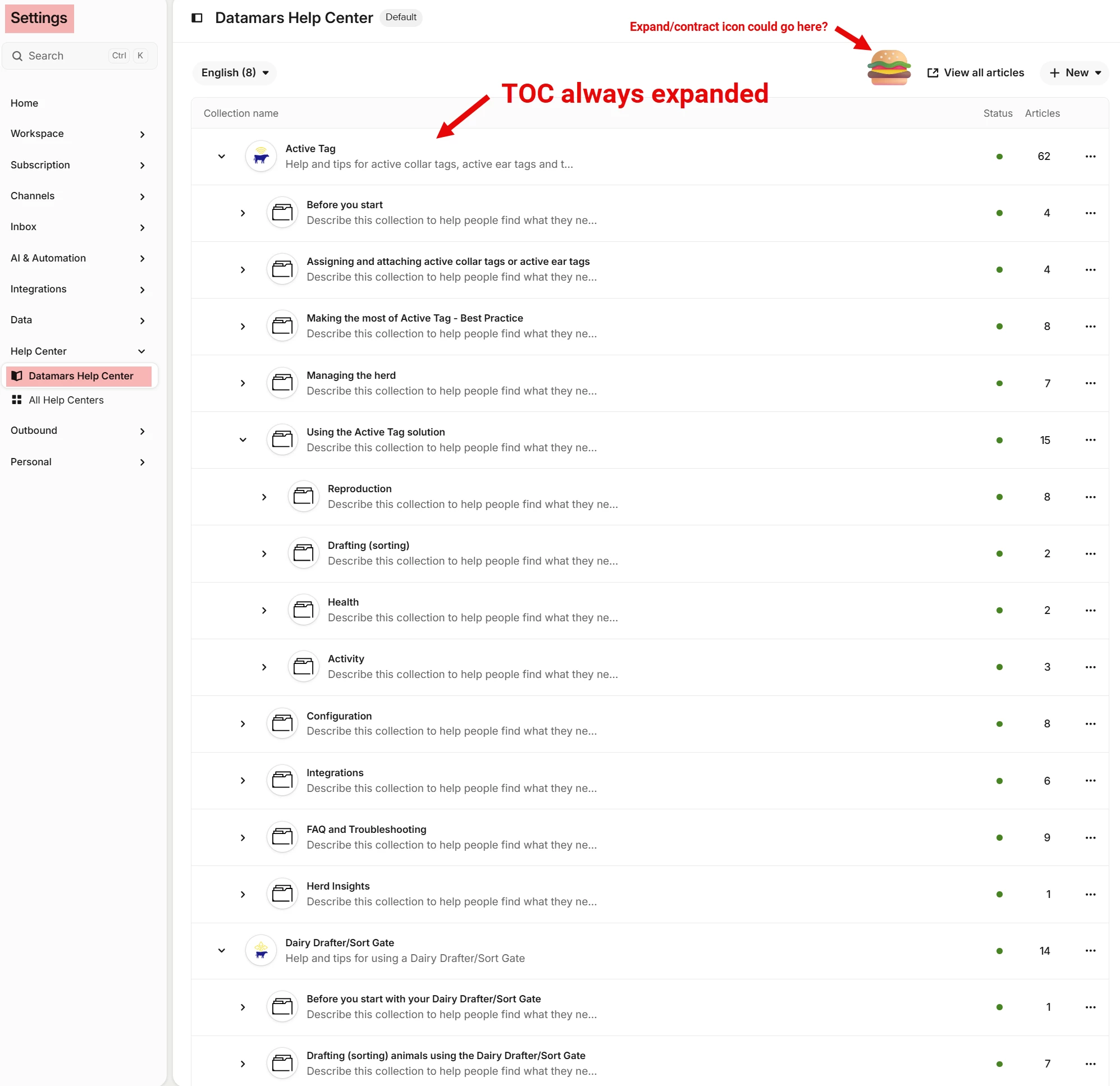
Use case - I have 9 collections, each with multiple sub-collections. If I am working on the 9th, I need to click to contract MANY times or scroll down down down to navigate. And because the screen refreshes to expanded view every time I return to this view, I have to do the whole over again. Time after time, all day!

If there was a simple expand/contract toggle at the top I would be so happy. 
 

2 replies

  • New Participant
  • October 6, 2025

Yes, a simple expand/contract toggle icon would help a lot, with the default to have the hierarchy collapsed !


Rosemary Stone
Forum|alt.badge.img+1

This has partly been done… it now defaults to show the TOC contracted. But it would still be good to have a toggle to view the expanded TOC.