


Manual Move to Spam Folder | Community
Skip to main content
Submitted

Manual Move to Spam Folder

Related products:Core Inbox
  • January 22, 2025
  • 3 replies
  • 66 views

Hi, is there any plan to introduce this feature?

I was shocked to find out that it’s not available, especially since even the most basic competitors of Intercom have already implemented it. The lack of this feature significantly impacts the overall user experience.

I have a connected Meta Business Page and Instagram account, for example, which do absolutely nothing on their end to combat spam... At the same time, I can’t effectively manage spam through Intercom either! This is negatively affecting my statistics and cluttering my workspace.
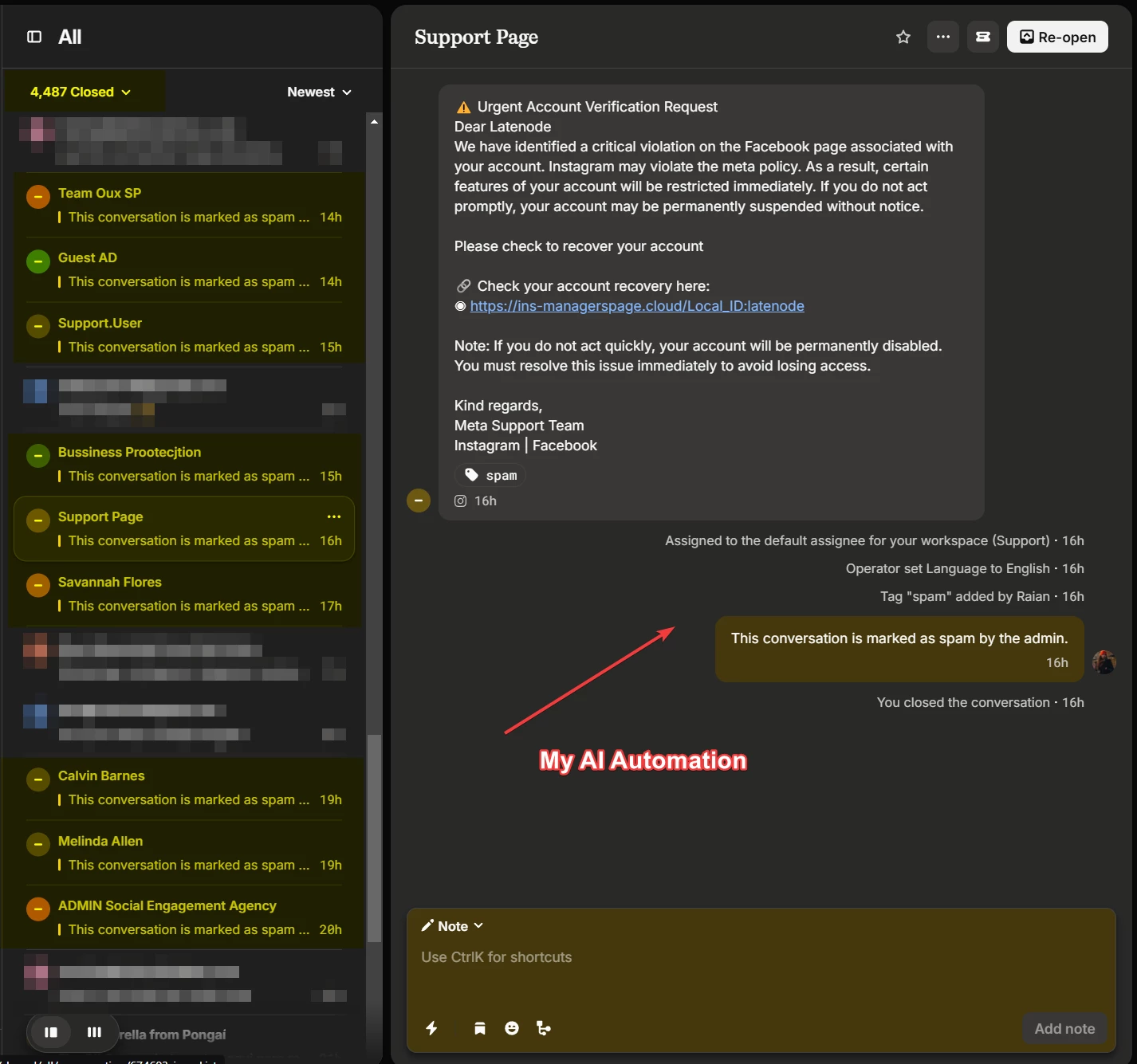
 

I’ve set up an automation (as shown in the screenshots) to automatically label and close these types of messages.

However, due to the sheer volume of spam, my ticket history looks like a complete mess. Out of 4,000 closed tickets, at least 3,000 are spam!
 

Additionally, I would like to point out that the "standard spam filter" is completely ineffective. Over the course of 4 months, during which we received 4,500 inquiries, it only filtered out 140 messages. Moreover, approximately 90% of those filtered messages were legitimate Webflow forms.
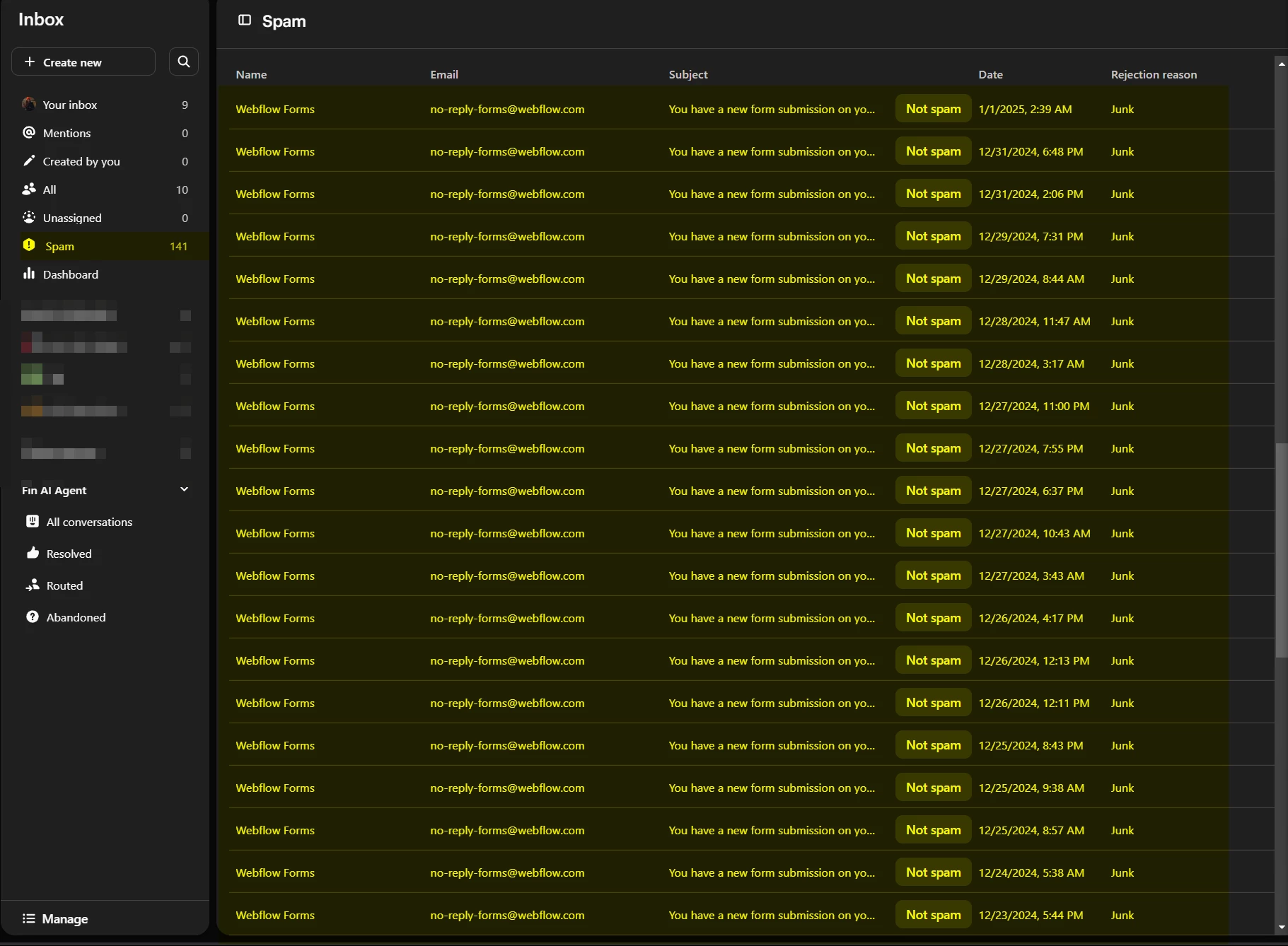
Do you have any plans to address this issue?


3 replies

Trevor
Innovator ✨
Forum|alt.badge.img+4
  • Innovator ✨
  • January 22, 2025

We have had very different experience with the spam filtering on our end, and have seen it be pretty accurate across the board. Catching hundreds of spam emails for us each week. I’d say probably over 90% of our incoming spam or phishing is filtered out into the spam folder. 

Have you already connected with an agent or engineer from Intercom to address those possible issues?

As far as the general Idea, I would also benefit from moving a conversation to the spam section, instead of the steps of blocking the user, or tagging as spam and closing… Upvote for that idea from me!


  • Author
  • New Participant
  • January 22, 2025

Yes, I’ve already contacted support and am waiting for a response. Previously, they simply advised me to add a “spam” tag to such messages so I could exclude emails with this label from my statistics. However, this still doesn’t solve the problem of my inbox being flooded with junk. Manually tagging messages as spam could take up several hours of an operator’s time each day!

That’s why I had to create an AI-powered automation to handle it.

Since there’s no functionality (manual or API) to move messages to spam (and exclude them from the inbox entirely), this automation only helps me move spam from the “Open” tab to the “Closed” tab so they don’t interfere with seeing real inquiries from actual people.

All I need is a single “Mark as Spam” button that moves the conversation to spam, along with a corresponding API method, and I’ll be happy.


mateusz.leszkiewicz
Intercom Team
Forum|alt.badge.img+7

@Raian 

It is true that we don't have such button in Intercom but you can create a team called “SAPM” and then create a reusable workflow that will tag, assign the convo to the team, set proper attributes and close the convo.

It is the best workaround you can implement right away for the SPAM button.

Here is the article about how to create a reusable workflow.



