Out of Office for team inbox | Community
Skip to main content
Submitted

Out of Office for team inbox

Related products:WorkflowsMessenger
  • April 13, 2026
  • 2 replies
  • 32 views

Having an out of office for a particular inbox, rather than workspace. 

We have teams who aren’t customer facing working on back office tickets/have chats in their name while tickets are being dealt with in Jira. It would eb good to have an out of office for their inbox so customers know to create a new chat for a response from our customer services team as the escalations team wouldn’t deal with this.

2 replies

Roy
Top Expert ✨
Forum|alt.badge.img+7
  • Top Expert ✨
  • April 13, 2026

Hey ​@Russell Henderson 👋,


Good news—that feature is actually already tucked away in Intercom! :)


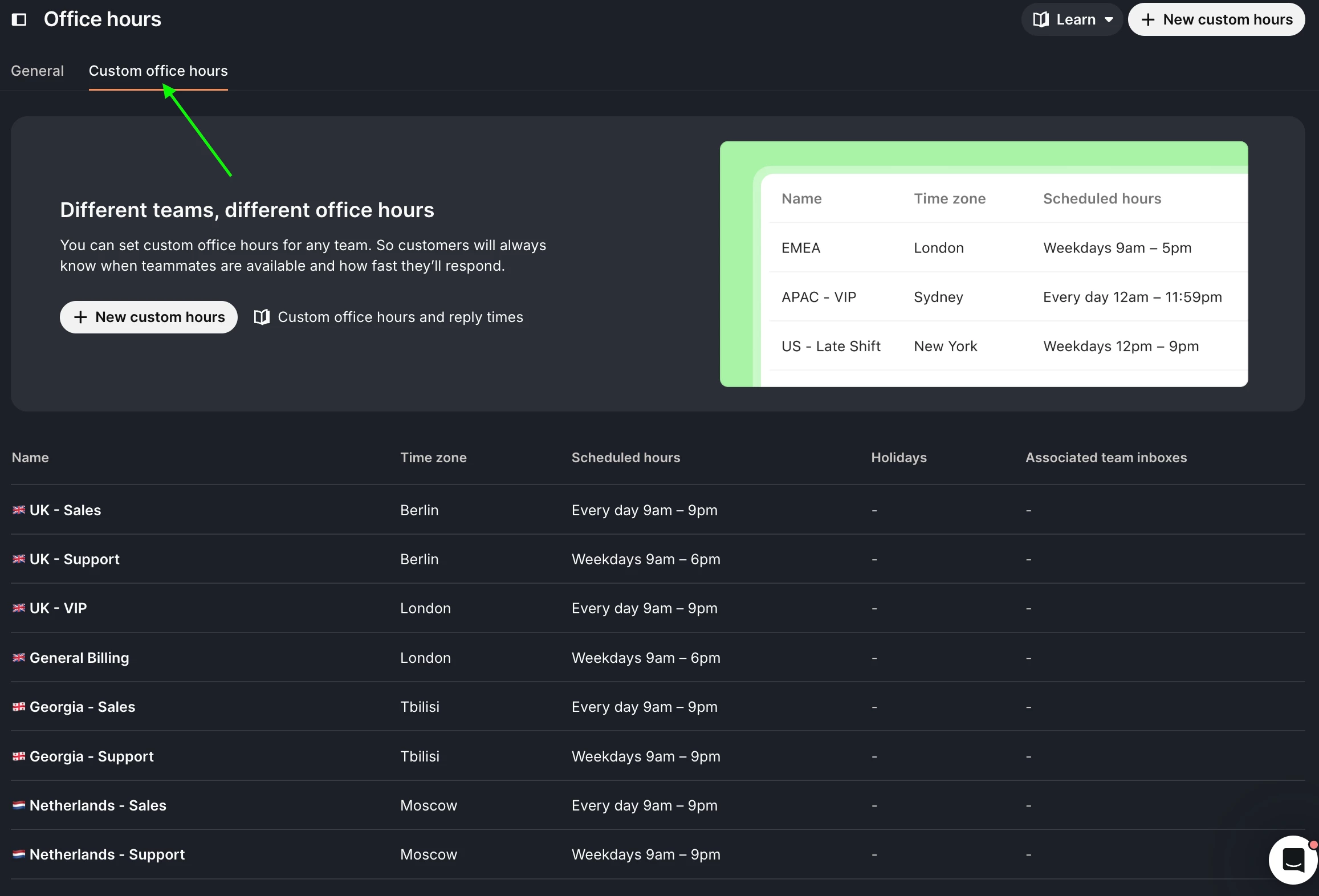
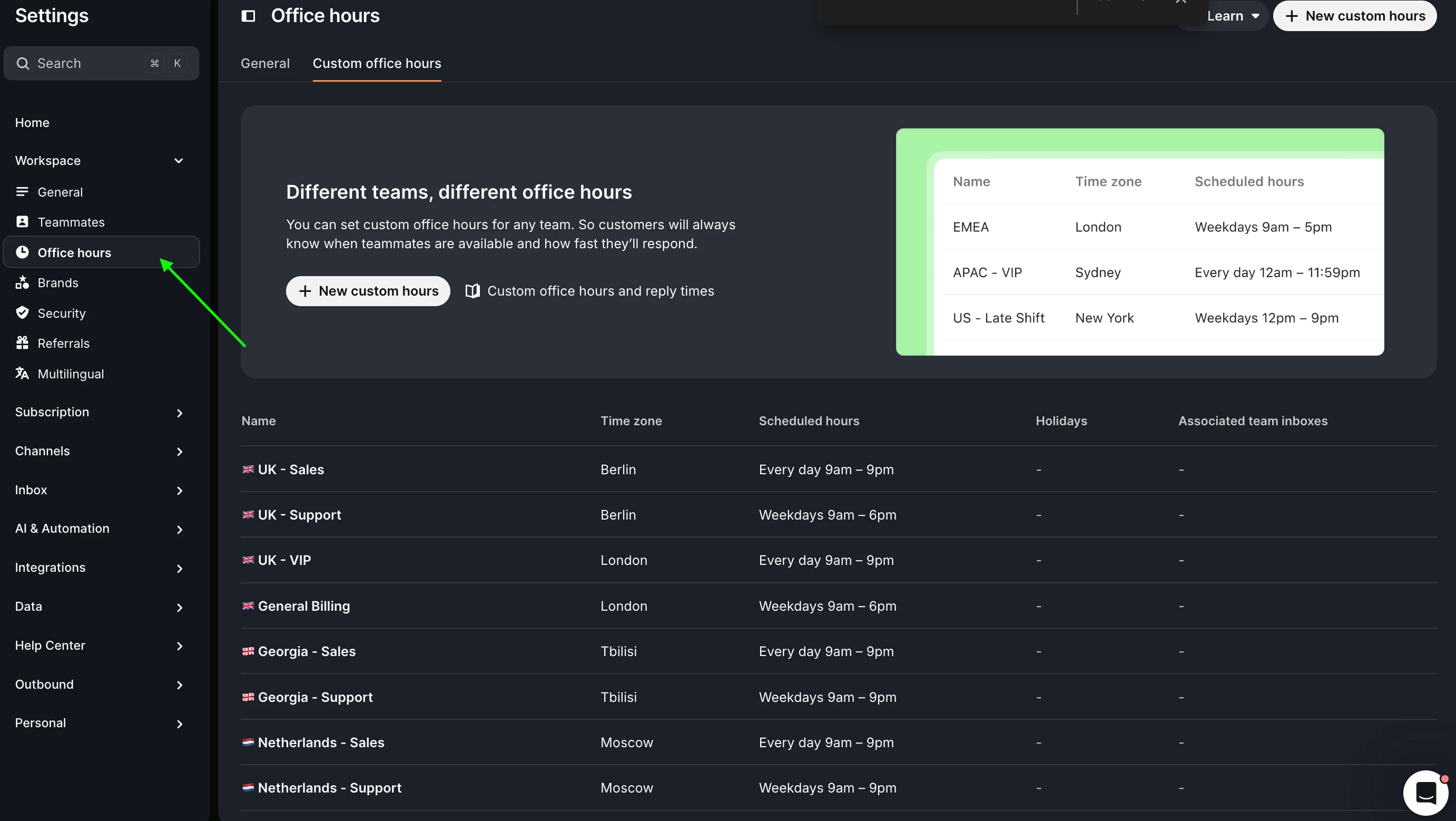
1.  To sort out the working hours for a specific team, head over to: Settings → Workspace → Office Hours

2. Then, nip across to the Custom office hours tab

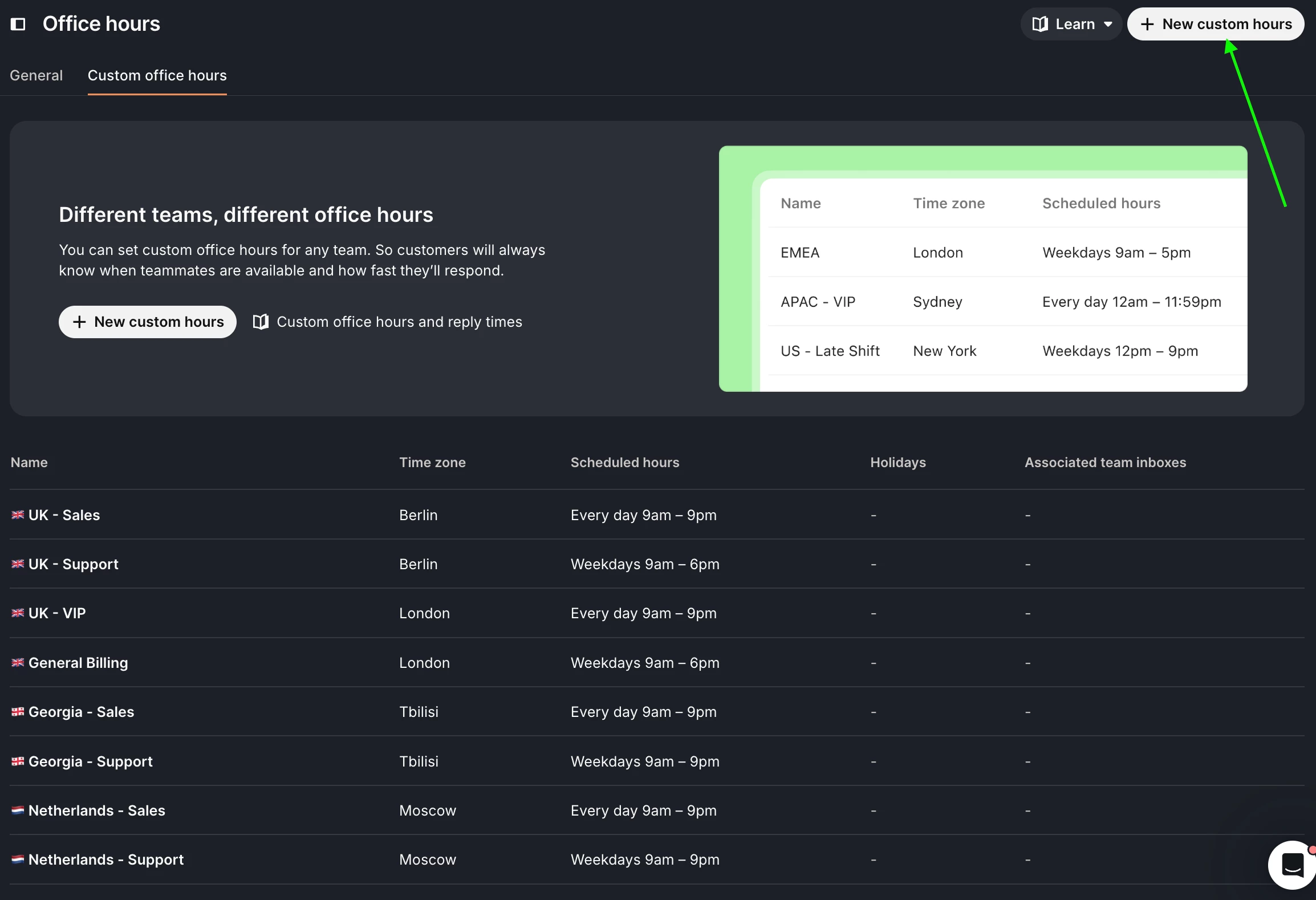
3. Give the New custom hours button a click

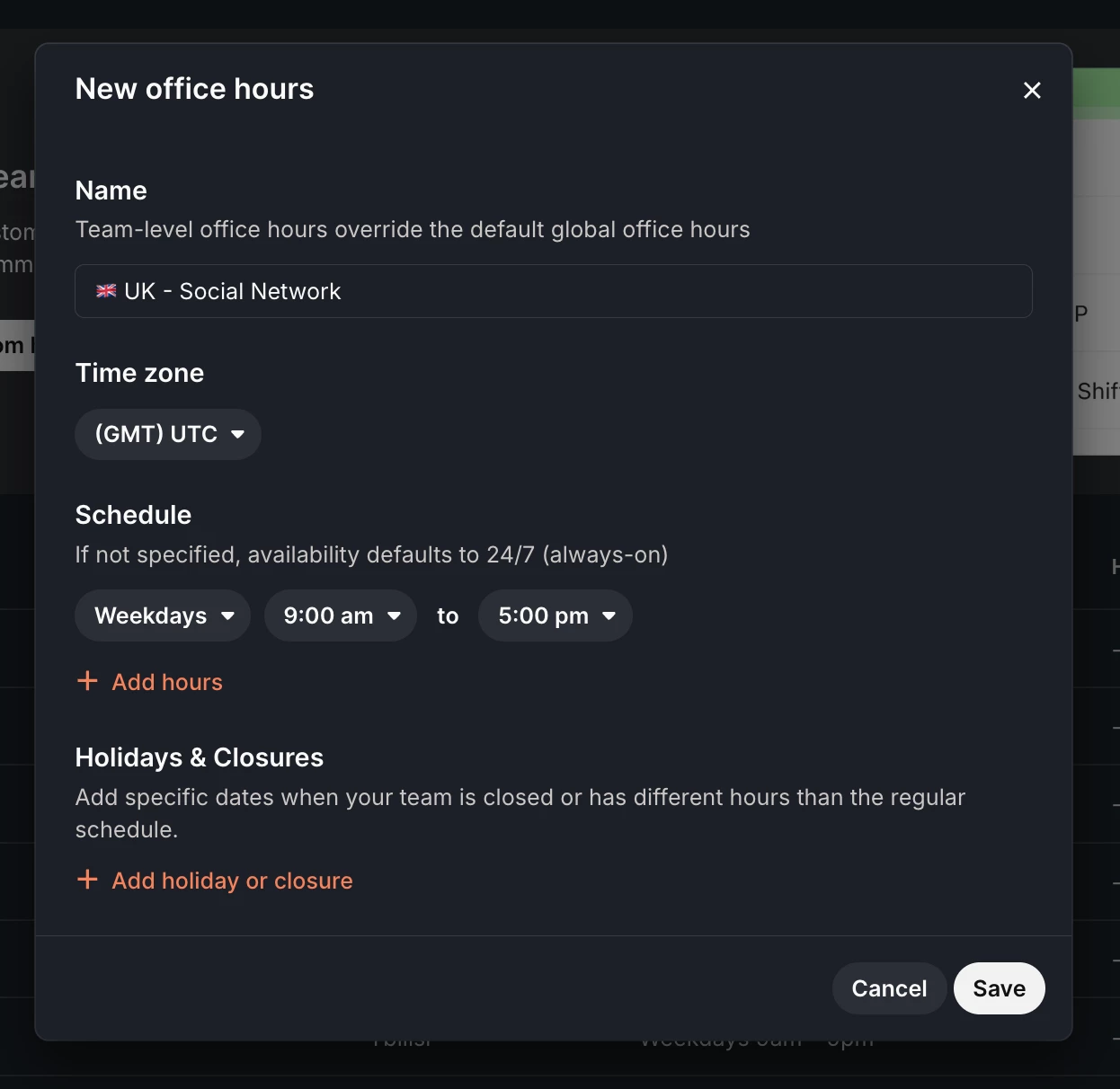
4. Set up your new hours here so you can link them to your teams:

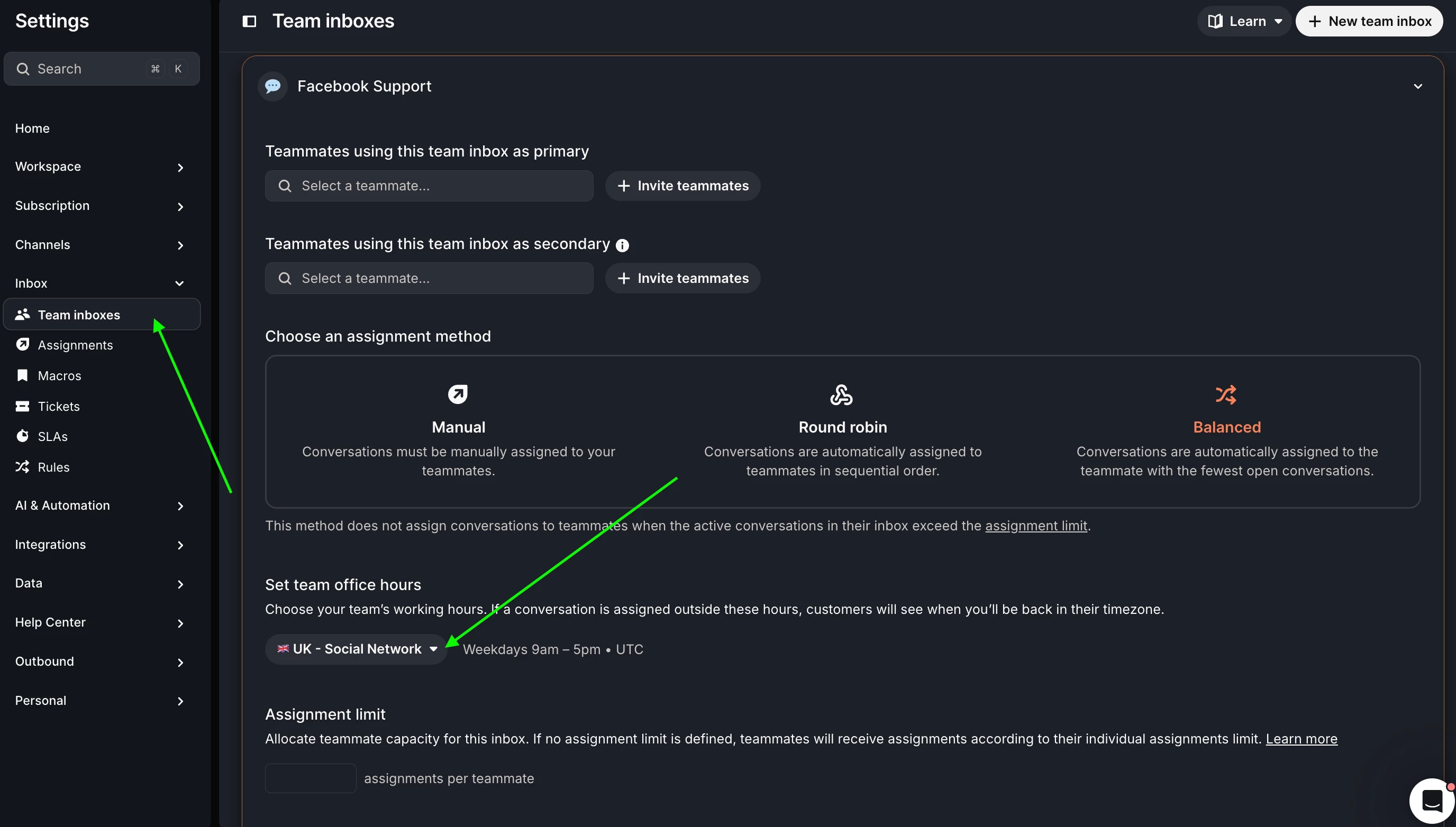
5. Finally, pop into Inbox → Team inboxes, find the specific team you’re looking for, and select the office hours you’ve just created.


Hope that clears things up!


Cheers,

Roy 🇬🇧


Hi ​@Roy

Sorry for the delay in getting around to this. It doesn’t quite offer what we’re looking for in a sense of we want an Auto Reply on here as our team aren’t customer facing so a response to let them know that this particular inbox would not be monitored would be required. From what I can see attempting to follow these steps, there is no option to enter a custom message to explain the scenario of a customers current open conversation and if they reply it would be best to start a new chat. 


If there are any other options it would be great to know whats on offer.

Thanks,

Russell 😊