


Adding colleagues’ emails from our own domain makes them prominently featured in the ticket. I tried removing them to make sure the client's email is seen in the ticket list, but as soon as I add someone from our own domain, they get the leading place in the participants list, which makes visually scanning the opened tickets more difficult, because the ticket previews just show their emails and “n more”.
Could the users/emails from our own domains be always pushed to the end of the participants list so the previews show an actual client email, and not one of ours?
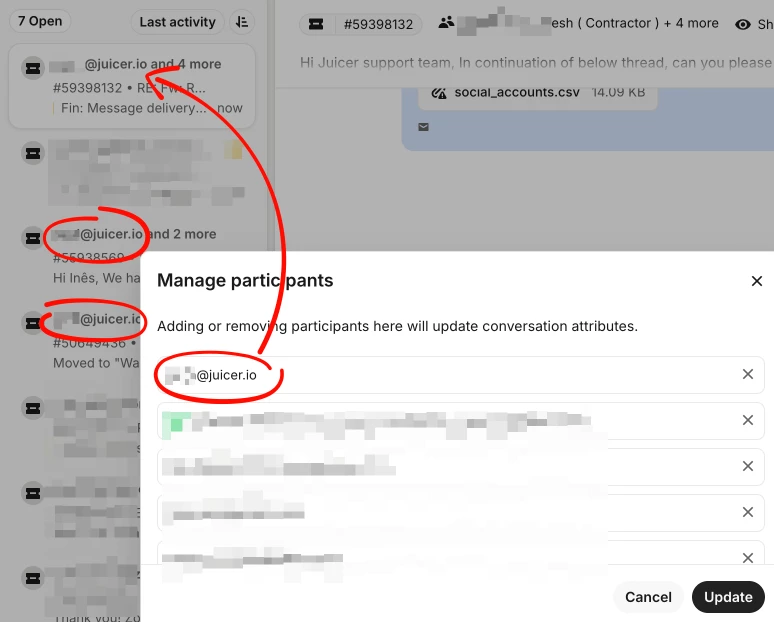
Fin told me that removing the recipients and then re-adding them in the order I need them would work, and I’ve tried that, but I always end up with our own email being the first one, regardless of the order I add them in.