Send Assignee Email through Custom Actions | Community
Skip to main content
Submitted

Send Assignee Email through Custom Actions

Related products:Integrations, API & Custom Actions
  • November 22, 2024
  • 6 replies
  • 46 views

Sam M13
Forum|alt.badge.img

It would be nice to be able to pass Assignee Email over Custom Action so that we can update data fields in 3rd party systems. This would allow us to do a look up in systems like Jira or Salesforce to make updates appear from the correct user. Example: I send Assignee Email over when creating a ticket in Jira. In Jira, I create an automation that looks for a user with the same email and updates the Reporter to be that user.

6 replies

Erin
Forum|alt.badge.img+1
  • Active User
  • November 26, 2024

Hi ​@Sam M13 

agree with you


Milan
Top Expert ✨
Forum|alt.badge.img+7
  • Top Expert
  • November 26, 2024

Hey ​@Sam M13 

You can certainly achieve that with workflows, you just need to create a custom conversation attribute (Assignee Email) and at the same point in workflow where you assign it to a teammate you use “Set conversation data” and select attribute and manually enter the email address.

Then follow it up with Custom action that will use that conversation data (it can be found in API documentation under Conversations > custom_attributes). 


This should do the trick :) 

Hope it help, cheers!


Sam M13
Forum|alt.badge.img
  • Author
  • Connector
  • November 26, 2024

@Milan While I appreciate the idea, that is not efficient. The goal is for this to be used in automated processes. Having to manual enter my email every time. It needs to pull in automatically as a variable. 


Milan
Top Expert ✨
Forum|alt.badge.img+7
  • Top Expert
  • November 26, 2024

@Sam M13 please read again the things you need to do. 

  1. You create conversation attribute (i.e. Assignee Email)
  2. Then you go to workflows, I assume you already have one that is used to assign to a specific teammate. 
  3. In that workflow, alongside the assignment step, add one more step using “Set conversation data” option. And manually, just once, while you are defining this, add the email address that will be the value for “Assignee Email” conversation attribute. 
  4. Then you can use Custom actions with this Conversation data. 

In case you assign to a team and then use team rules (round robin or balanced assignment) then you can create another workflow that will be triggered only when there is someone assigned to the conversation.

If you are still not sure, I can jump on a quick call with you. Message me.


Cheers,

Milan


Sam M13
Forum|alt.badge.img
  • Author
  • Connector
  • November 26, 2024

Ah I see where we got our wires crossed. These are for tickets. You cannot set conversation attributes when a ticket is the trigger. And the “when a conversation is assigned” trigger doesn’t work for tickets. There is a lot of work that needs to be done on the Tickets side of the house to catch up with conversations unfortunately.


Milan
Top Expert ✨
Forum|alt.badge.img+7
  • Top Expert
  • November 26, 2024

@Sam M13 well, it’s the same. Just use different trigger - when ticket is created. 

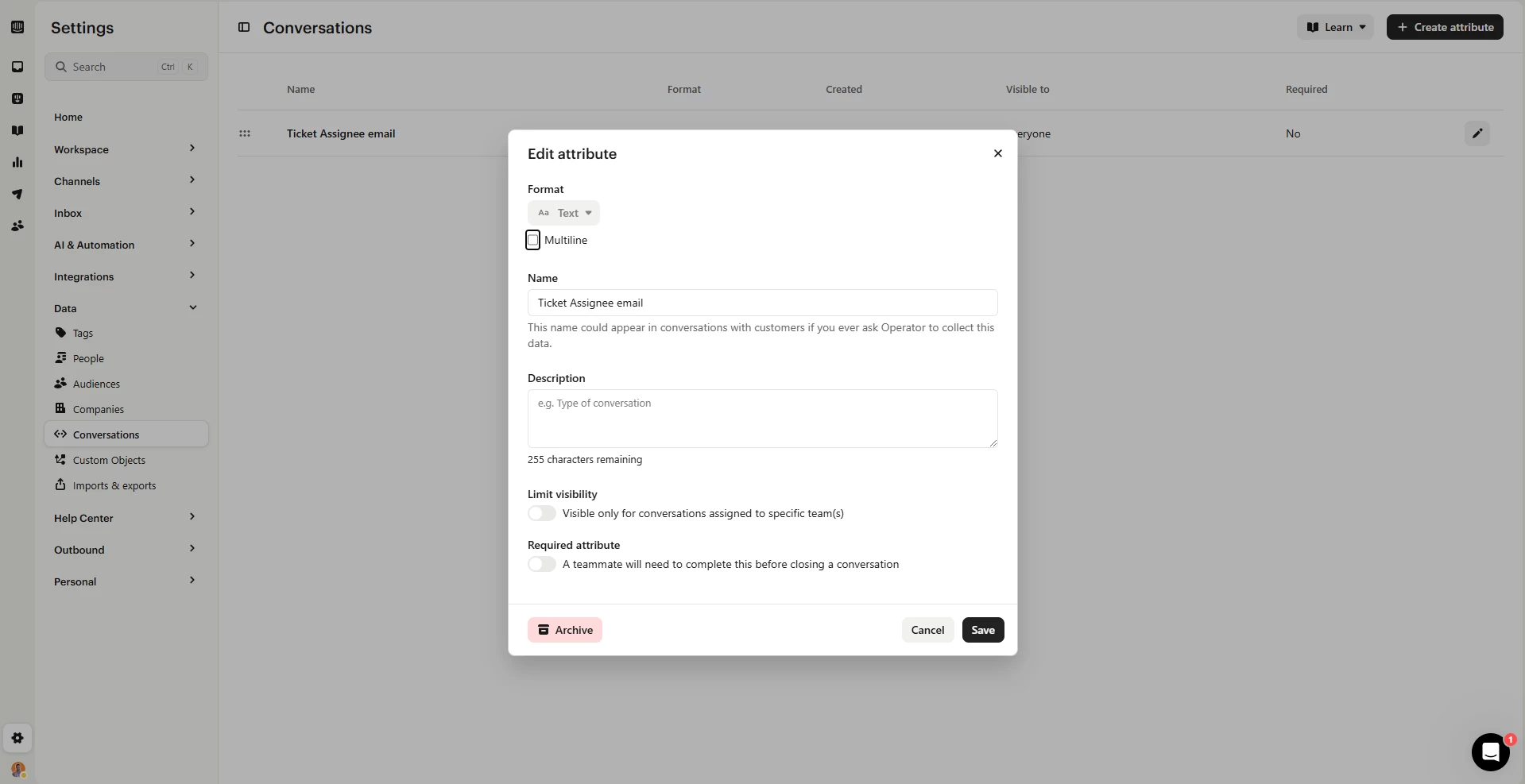
Create Ticket Assignee Email conversation attribute:


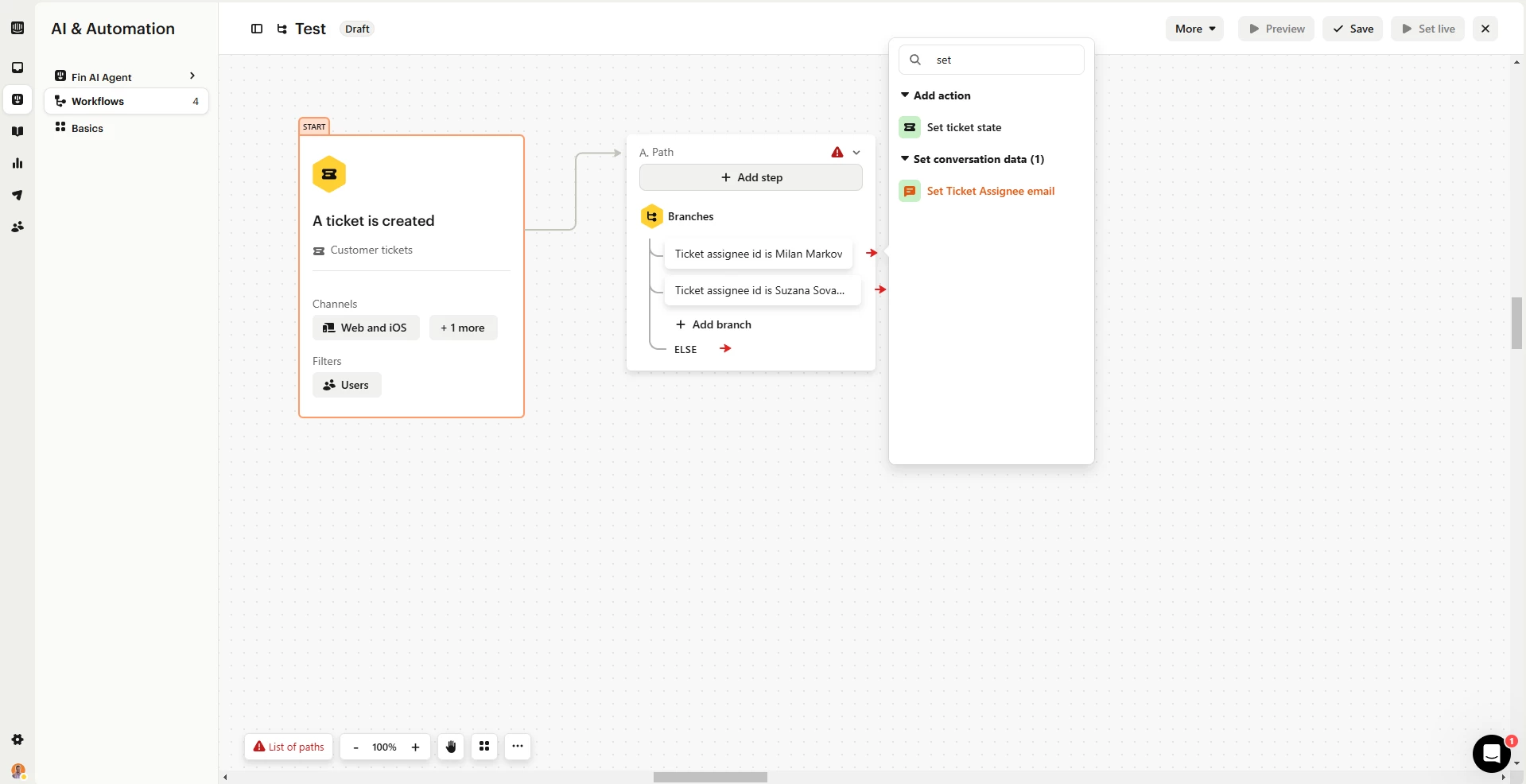
Create a workflow that will trigger when ticket is created (and perhaps assigned). Add branching based on ticked assignee ID (which is the name of the teammate). Then when that branch rule is met, you need to set the conversation data for your “Ticket Assignee Email”:


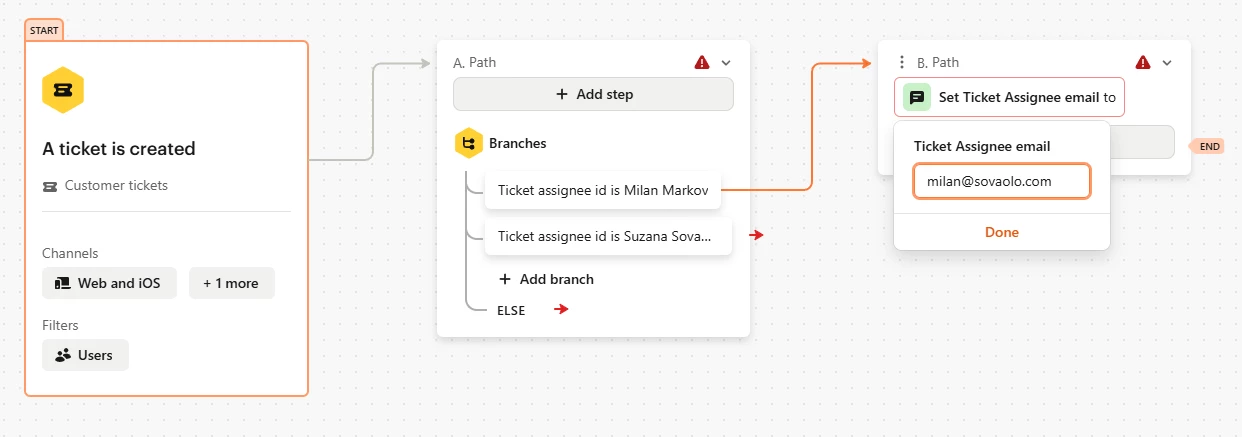
And you will do it by mapping out each Assignee ID to manually defined email. 


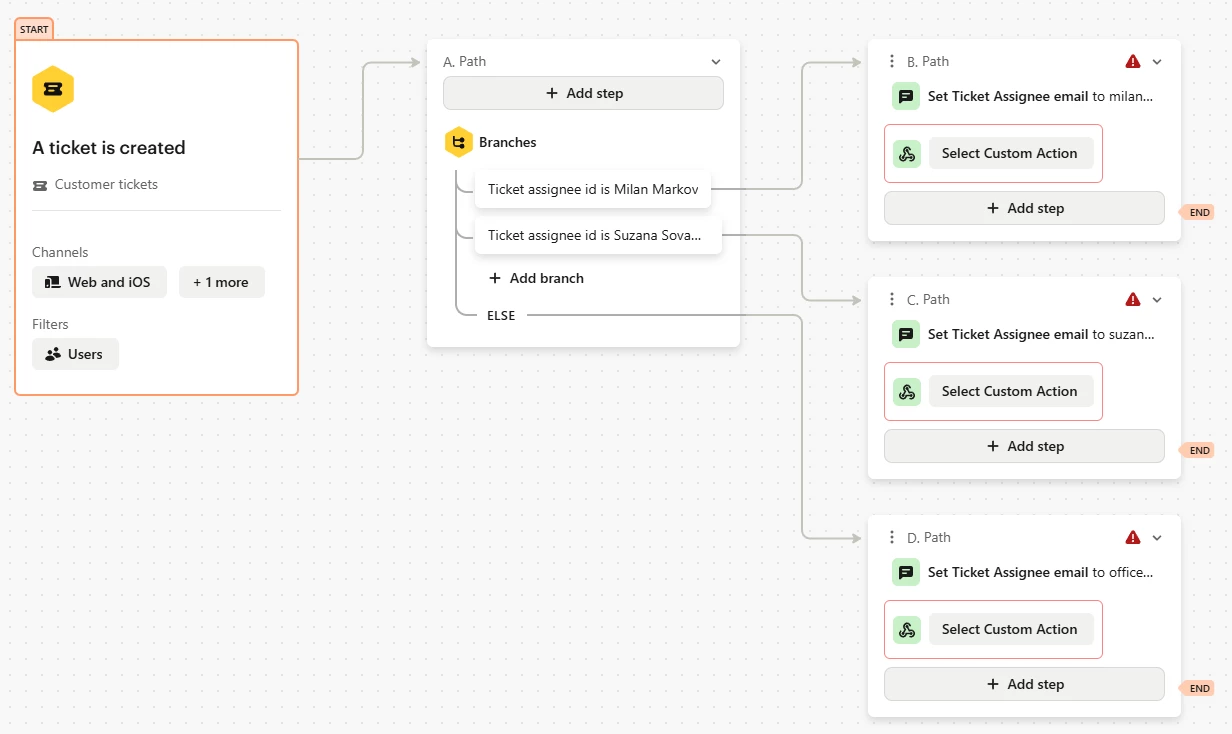
And then you can use Custom action with that attribute… So at the end it can be something like this:


More or less, that should work, perhaps you want to change some trigger rules… I would need more context if there is something else, specific. 


Cheers!