


After the changes of Chat Edition in Outbound there is a short version of chats preview. Just the beggining of the message.
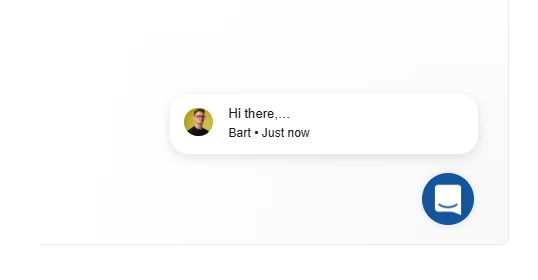
I don’t see the whole content at first sights. Showing the whole message at first allows us to have a quick view what we are sending to our users, especially in dynamic audience, withour having to edit the message and clicking at “Show the full message”. Now I have to edit the message (1 click), click Show the full message (2nd click) just to see what we are writing. 2 clicks. Before all I had to do was just to go to the message.
What is more to edit this I need to also make more clicks.
It is really uncomfortable way to see clearly the content of our messages. It takes more time to check it and edit it. Also - it made me scared that the rest of the message was gone.
I spoke to one of your Support team, and he said - This is expected behavior after the recent Messenger and Outbound UI updates, full message content is no longer displayed directly in preview cards to keep the interface more compact.
so well, my opinion as your everyday user is that this is not the expected behavior, and its not making my work easier and more compact. This limitation in the edit view makes it harder to manage content confidently and takes more time. It is not a change for better.