
Problem to Solve:
We use several workflows for things that are based on dates - holidays and all company meetings are two big examples. Currently workflows have to be set live and paused manually, which is a big headache, especially when we’re off on holidays.
Examples:
- Phone Workflows for Holidays - We have to pause our standard workflow where the voicemail messaging is set to our standard VM and then set the holiday one live where it has different messaging outlining verbiage for the holiday.
- Automated Response (Customer Sends Any Message) - We have to do the same thing for our standard auto-response for chats that says when we’re out of office and pause that for the holiday, then set the one live that has the holiday messaging.
Those are just two examples, but there are several use cases of how this would come in handy and make things much more efficient.
Suggestion:
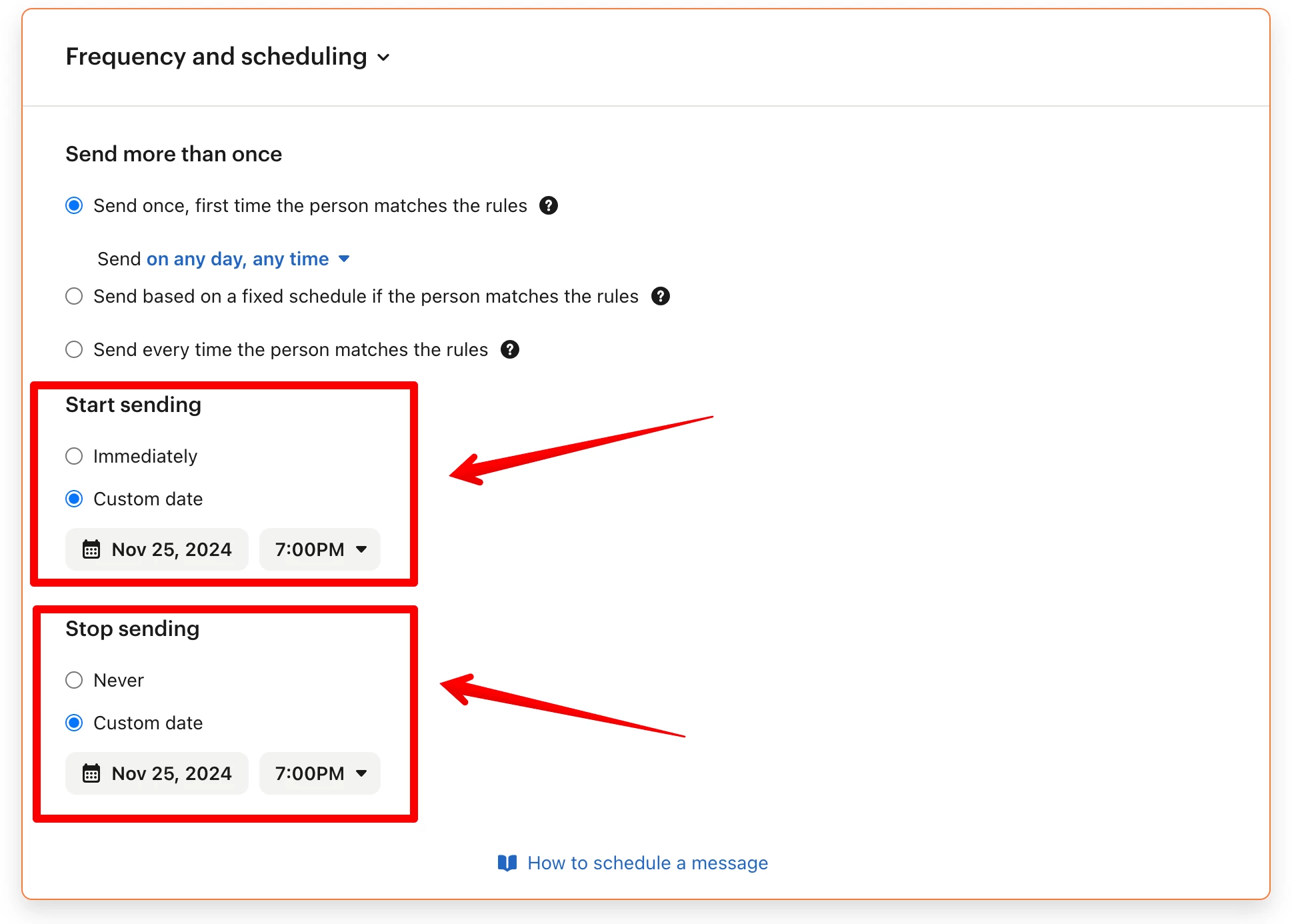
Similar to the Proactive Support Settings, add the option for when to start sending and stop sending, with both the date and time options: