

Create Kanban View for Inboxes | Community
Skip to main content
Submitted

Create Kanban View for Inboxes

Related products:Core Inbox
  • January 8, 2026
  • 2 replies
  • 30 views

Forum|alt.badge.img+1

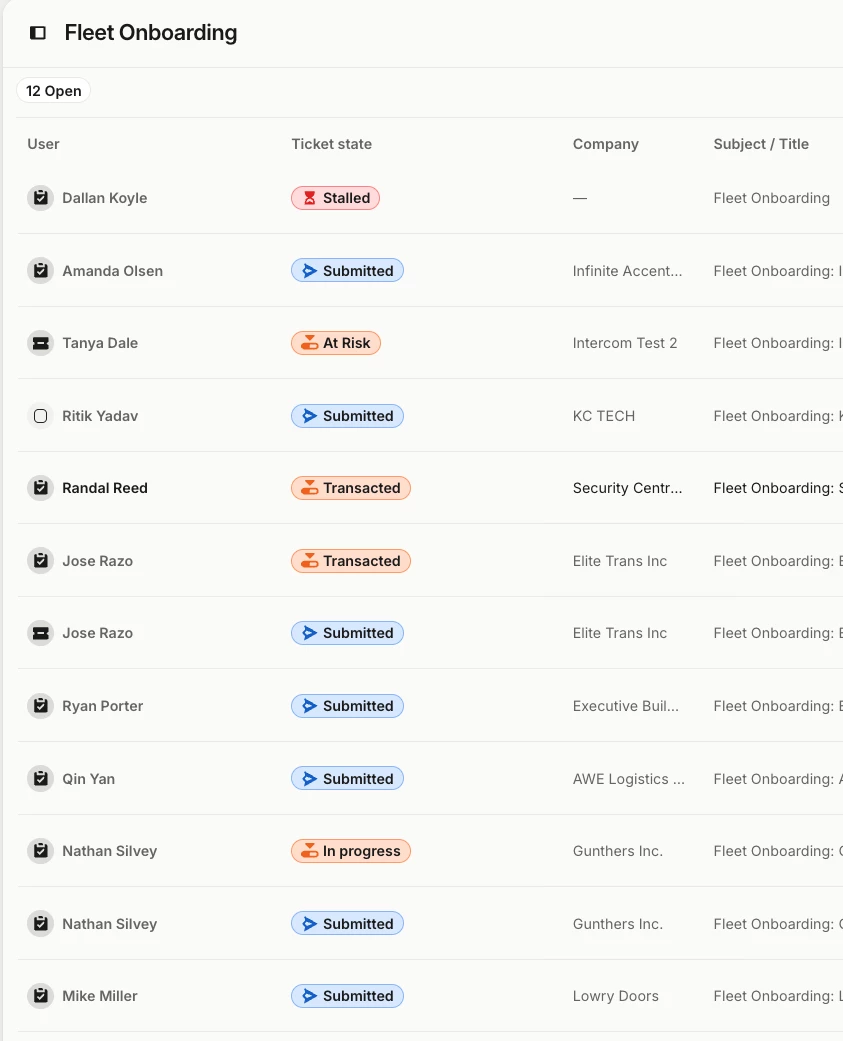
There are 2 view types. Chat Layout and Table Layout. Can you create a Kan Ban View?

I want to bucket the customers by by Ticket state in a Kanban view? 


2 replies

+1 

We’ve used Jira to achieve this in the past (but moved away from it due to duplication). However, because Intercom lacks a Kanban view, we’ve resorted to a spreadsheet to achieve this, and it would be great if it were in Intercom instead.

When using a spreadsheet, the notes associated to each ticket (in its own spreadsheet column) aren’t easy to filter or read, and by moving to a spreadsheet, we miss out on Intercom being our source of truth. 

Customers also provide their own spreadsheets to have us review their outstanding requests – generally the format for the expanded spreadsheet view is:

  • Issue
  • Description 
  • Priority 
  • Status
  • Currently with (Us/Customer)
  • Owner (Individual Contributor/Team)
  • Notes (from multiple parties)
  • Next steps

And Intercom would have most of these details stored anyways. Filtering by customer, status and team in Intercom would be great. Sorting by date would be equally helpful. Thanks for taking this into consideration!


Forum|alt.badge.img+5
  • Intercom Team
  • February 12, 2026

Hey ​@Dallan Koyle ​@Samantha Szadovszky ,

Thanks for this suggestion! We take input from our customers with great consideration when creating new features and refining our current solutions, so I'll happily share this with our Product Team. 

Did you know that you can also check if this feature has been recorded on our Product Wishlist? You can search and upvote existing requests or create new requests 🙌 Check out the quick guide on how the Product Wishlist works here.




