Adding a close icon to chat messenger | Community
Skip to main content
Answered

Adding a close icon to chat messenger

  • June 30, 2022
  • 4 replies
  • 1010 views

Can I add a close button ( X ) to the top right of the chat messenger when open? I would like the users to be able to close the chat by clicking on it too.


Best

Jai

Best answer by Gavin

I see now, thanks.


I'm not sure there is a way to enable this natively through Intercom within the messenger settings.


From my own experience, I've only seen this used once and that's when a customer receives a notification but they do not have permission to view the launcher.

4 replies

  • Author
  • New Participant
  • June 30, 2022

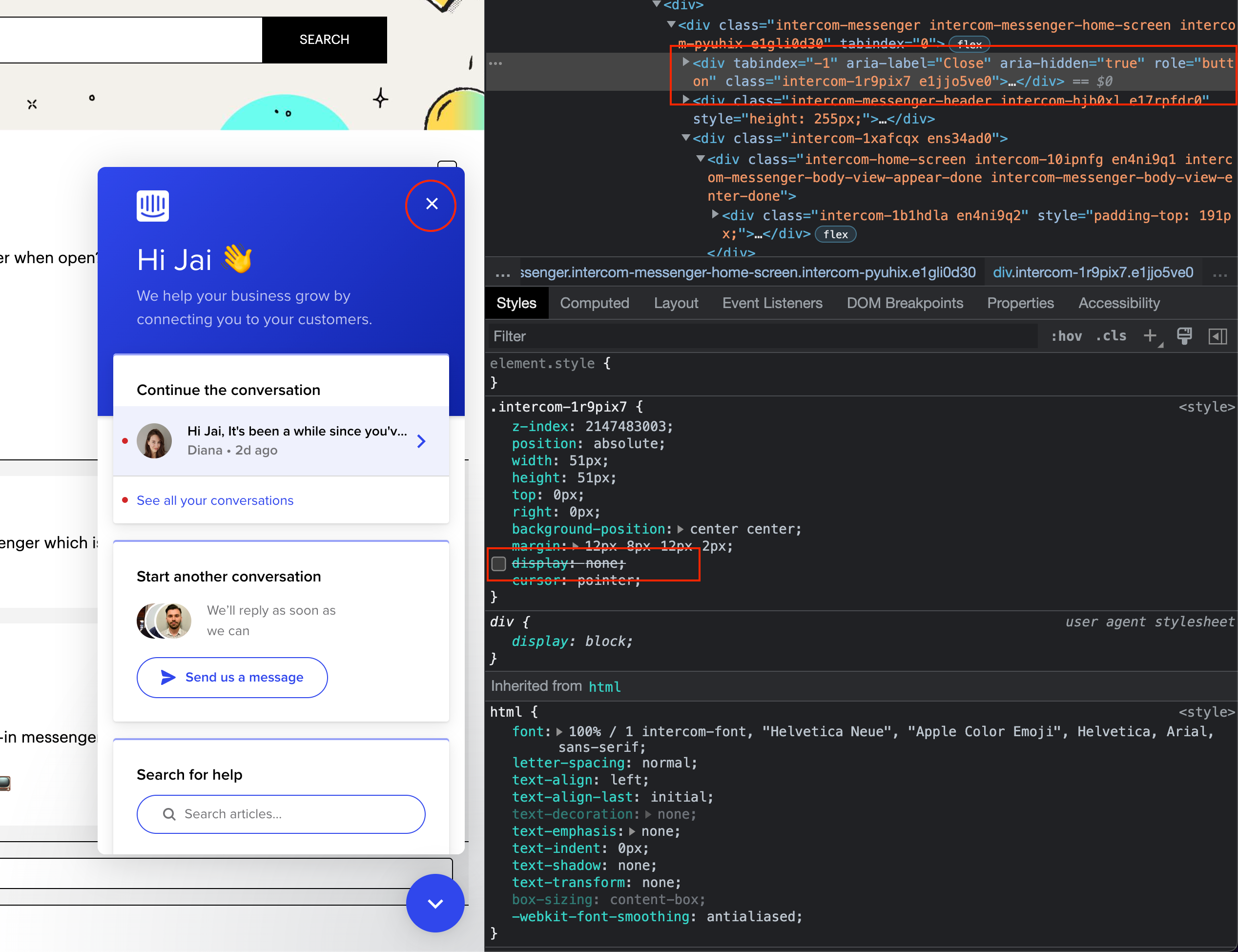
I see that a close button (x) is already available in the messenger which is hidden currently (display: none). Is there a way to enable it?


Forum|alt.badge.img+1
  • Active User
  • June 30, 2022

👋 Hey Jai!


I'm not too sure I understand the question here as the built-in messenger close icon should work properly.


Would it be possible for you to share a screenshot of this? 📺


  • Author
  • New Participant
  • July 1, 2022

In the below screenshot, see the close icon on the messenger (circled). I see it exists in the dom and hidden with a "display: none". Is there a way to enable it. We would like to show the close icon on the messenger header.


Screen Shot 2022-07-01 at 8.21.54 AM


Forum|alt.badge.img+1
  • Active User
  • Answer
  • July 1, 2022

I see now, thanks.


I'm not sure there is a way to enable this natively through Intercom within the messenger settings.


From my own experience, I've only seen this used once and that's when a customer receives a notification but they do not have permission to view the launcher.