Is there anyone else working in Multibrand setup within just one workspace? How do you manage appearance for customers regarding what email adress is used? I not want to be neutral by workspace or email, I want every brand unique all the way | Community
Skip to main content
Answered

Is there anyone else working in Multibrand setup within just one workspace? How do you manage appearance for customers regarding what email adress is used? I not want to be neutral by workspace or email, I want every brand unique all the way

  • October 20, 2021
  • 4 replies
  • 583 views

Forum|alt.badge.img+1

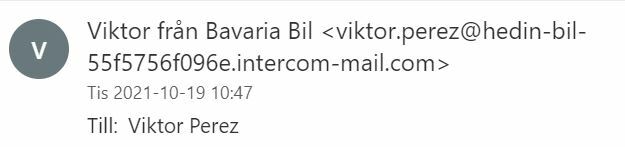
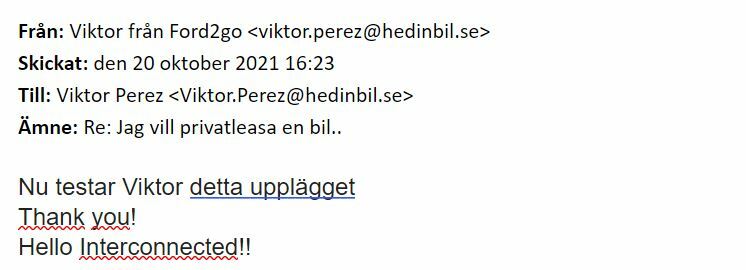
I have great difficulties managing the Brand appearance once chat goes to email, due to the fact that I can only sign up with one email adress. 


When I turn off using my own email Intercom will still show my workspace name in the generated email


Even if it says "Viktor from Brand 1" or "Viktor from Brand 2" The email adress is still limited to one domain or Intercoms own.


I cant be the only one working with multibrand setup. How do I grow if I cant customise my brands.


Any advice / tips /workarounds?


Did not get lucky in Customer Support (BTW I have the possibility to edit different brand styles)
Best answer by User49

I myself now found a cheapfix, so if anyone else is having these issues you can get in touch with me.


Not a permanent solution, but a solution that for now is "good enough"

4 replies

Forum|alt.badge.img+1
  • Author
  • Innovator ✨
  • Answer
  • October 21, 2021

I myself now found a cheapfix, so if anyone else is having these issues you can get in touch with me.


Not a permanent solution, but a solution that for now is "good enough"


  • New Participant
  • June 3, 2022

Hi Viktor! I just switched from Zendesk to Intercom for the multi-brand feature and was very surprised to learn that it doesn't cover emails. I'm very interested in your cheapfix.


Nikki McLaughlin
Forum|alt.badge.img+2

I am curious too.  Intercom seems to be built for a single product.  Doesn’t really take multi-brand into consideration when launching new features


Forum|alt.badge.img+3
  • Intercom Team
  • September 16, 2026

Hey ​@User49, 

Since you posted this, a few things may have changed, so worth a fresh look. 💡

Multi-brand email doesn't have to be limited to one address or domain. You can connect a separate custom email address to each brand (different domains or addresses), and each brand can reply under its own name and address, not just your workspace default.

Two settings make this work:
1. Settings > Channels > Email > Domains & addresses: add and verify a custom address per brand.
2. Settings > Channels > Email > Customization: set Reply address to Inbound Address, so replies use the branded address a customer originally contacted, instead of one workspace-wide default.

If you're using Fin AI Agent over email, each brand also gets its own Fin email address under Settings > Workspace > Brands.

Here’s an article outlining the Multibrand for Email setup: https://www.intercom.com/help/en/articles/9744860-configure-your-email-channel-to-support-multiple-brands.

​@Nikki McLaughlin if there’s anything specific you wish to achieve with multi-brand that you’re having trouble with, feel free to raise a new question on our community and we can look into a solution. Alternatively you can always reach out to us via the Messenger for support. 😃