We are currently trying to implement a complete ticket tracking system from different channels like email inbox, intercom chats and aircall calls.
We would like to automatically create Hubspot tickets based on Intercom conversations, but have not found a clever way to do that yet. Does anyone have experience on how to do that and would like to share? :)
Best answer by Tarek Khalil
Hey @Sebastian B12 , just stumbled on this and wanted to chime in because I think the answer above is talking about conversation logging (transcripts appearing as activities on the timeline), which isn't quite the same as what you're asking. You want actual HubSpot tickets created from Intercom conversations, which the native integration doesn't do.
I've built an integration called Interhubz that does exactly this. Two ways to go about it:
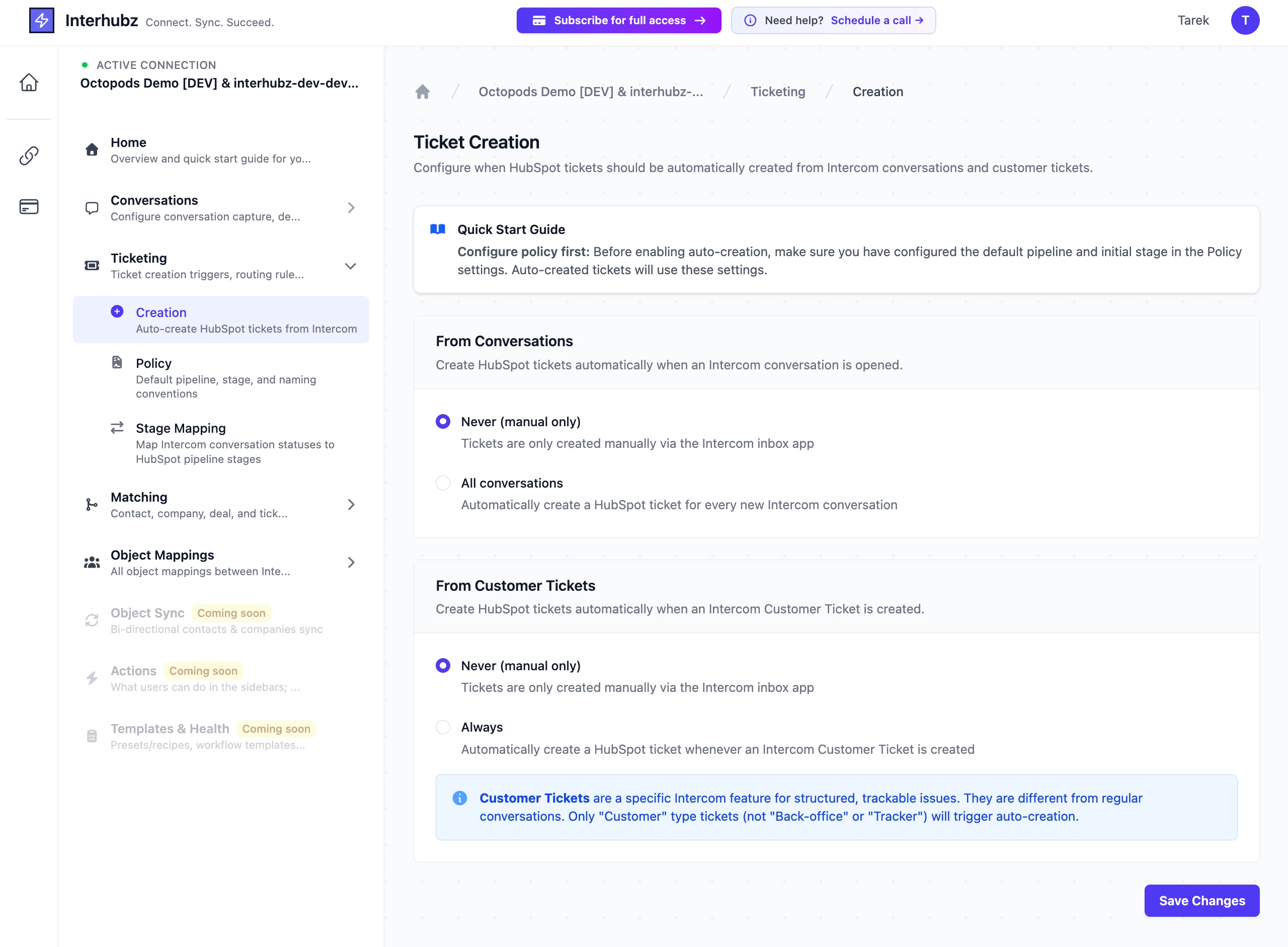
Automatic: You can set it to auto-create a HubSpot ticket whenever a new Intercom conversation opens, or whenever an Intercom Customer Ticket is created. You pick the pipeline, the starting stage, and a naming template (e.g. [Intercom] {subject} - {contact_name}). It also matches the Intercom contact to the right HubSpot contact automatically so the ticket gets associated properly.
Manual: If you don't want a ticket for every conversation, your agents can create them selectively from an inbox app right inside Intercom: pick the pipeline, set priority, assign an owner, done.
Either way, once the ticket exists, you can configure stage mapping so that closing a conversation in Intercom moves the HubSpot ticket to your closed stage automatically. Handles duplicates too – won't create a second ticket if one's already linked.
Since you mentioned multiple channels (email, Intercom, Aircall), I'd probably recommend using the Customer Ticket trigger rather than all conversations, that way only formal support requests become HubSpot tickets, not every quick chat.
Search for Interhubz on google or "HubSpot Integration" in the intercom app store.
After a HubSpot contact is created, your leads' and users' conversation transcripts will also automatically appear as activities in HubSpot. We send Intercom conversations to HubSpot when they are started or closed. More details can be found in this article?
Hey @Sebastian B12 , just stumbled on this and wanted to chime in because I think the answer above is talking about conversation logging (transcripts appearing as activities on the timeline), which isn't quite the same as what you're asking. You want actual HubSpot tickets created from Intercom conversations, which the native integration doesn't do.
I've built an integration called Interhubz that does exactly this. Two ways to go about it:
Automatic: You can set it to auto-create a HubSpot ticket whenever a new Intercom conversation opens, or whenever an Intercom Customer Ticket is created. You pick the pipeline, the starting stage, and a naming template (e.g. [Intercom] {subject} - {contact_name}). It also matches the Intercom contact to the right HubSpot contact automatically so the ticket gets associated properly.
Manual: If you don't want a ticket for every conversation, your agents can create them selectively from an inbox app right inside Intercom: pick the pipeline, set priority, assign an owner, done.
Either way, once the ticket exists, you can configure stage mapping so that closing a conversation in Intercom moves the HubSpot ticket to your closed stage automatically. Handles duplicates too – won't create a second ticket if one's already linked.
Since you mentioned multiple channels (email, Intercom, Aircall), I'd probably recommend using the Customer Ticket trigger rather than all conversations, that way only formal support requests become HubSpot tickets, not every quick chat.
Search for Interhubz on google or "HubSpot Integration" in the intercom app store.