











🎅 How to prepare your Fin AI Agent for Christmas 🎅
-
Recently active
I am looking for a way to automatically start new Whatsapp conversations—using approved Templates (triggered by events that are synced from the product to IC).I know that this is not possible with the current Whatsapp integration and that only 1:1 conversations can be started via the Inbox.Does anyone have any ideas on how I could implement this? Has a workaround perhaps been found?If not, an external solution would also be conceivable. I would be grateful for any advice.
Hi,I connected my facebook business WhatsApp account with Intercom. The message is getting received in the intercom, and I can respond. But the user data for the incoming conversation creates a lead with no phone number in the data. All I see in user data is the name of the person and a user-id field filled with Whatsapp------- some random mix of alphanumerics. Is it working as intended? Should it not fetch the number of the person who sent a message in the data? Also, if I try to start a Separate NEW conversation with this lead, I cannot do so, as I do not have the number.
hi,I was wonderig if there were plans to allow us to use the Free Salesforce Integrations licenses for integration between Salesforce and Fin.Thanks
Two Community Office Hours this week. Fin Office Hours: Every Monday, focused on Fin success, plus Q&A about Fin and Intercom Helpdesk. These sessions help customers get the most out of Fin and optimize their Helpdesk setup. Procedures & Data Connectors Office Hours: Every other Thursday, focused on procedures and data connectors. See below the key takeaways & recordings for each:Fin Community Office Hours - Key takeawaysCustomers are moving from initial Fin adoption into more advanced workflows. Strong interest in escalation guidance, including hardcoding messages and communicating expected response times. Customers want to avoid duplicate messages when Procedures hand off through Workflows. Demand for best practices to make advanced Fin workflows reliable and polished during rollout.Big theme: Customers want confidence that advanced Fin workflows deliver consistent, predictable escalation experiences. Watch the recording hereRegister for the next weekly event taking pl
Procedures & Data Connectors Office Hours 17 Sep Key takeaways:32 attendees, 26 companies, 3 breakout rooms, 3 Community Experts, 1 Fin SA, Fin team.Procedure triggering reliability is the #1 pain - advanced procedures don’t fire consistently. Strong demand for failure debugging - customers can see failures but not where or why. Compliance gap emerging: regulated customers need Fin response audit trails (fintech customer raised 3x).Big theme: Customers are building increasingly complex procedures and hitting the ceiling on reliability, debugging, and compliance visibility. Watch the recording here Join the Fin Procedures & Data Connectors Office Hours to connect with Fin Community Experts, Fin Solution Architects and the wider Fin team to help you answer your questions, unblock blockers, inspire you on how to make the most use of Procedures, go live with your first Fin Procedures and optimize your setup for those already live. Register here for the next Fin Procedures & D
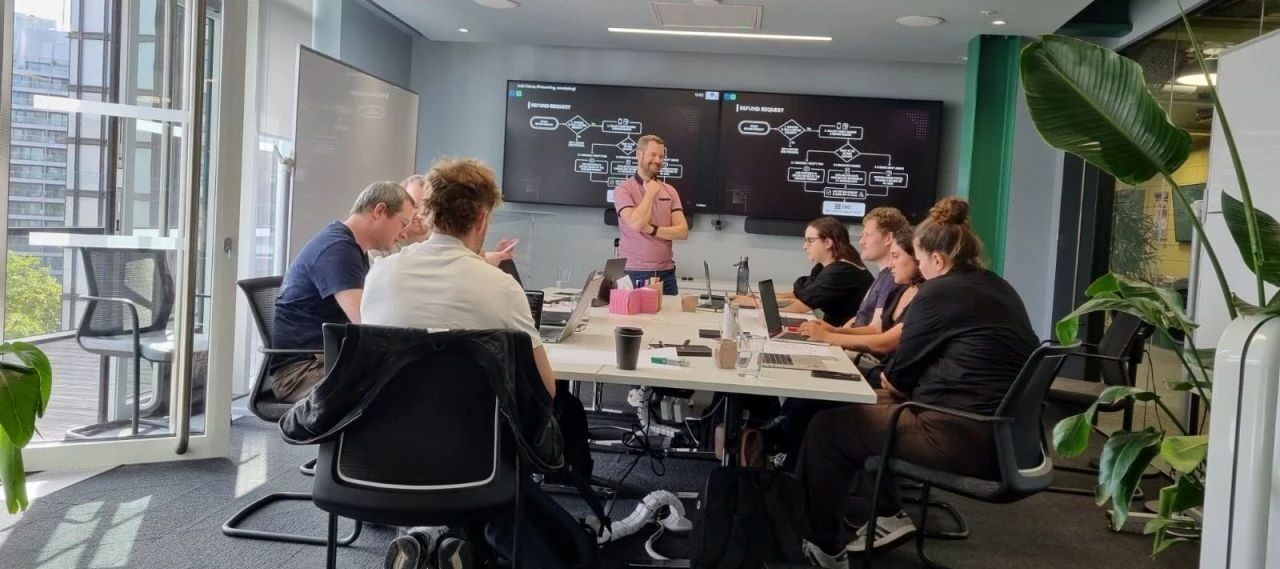
This was our first in-person workshop with Community Experts Participation 🥳7 companies and 10 Fin customers came together to connect with the Fin team and our Fin Community Expert @Conor for an in-person workshop in London all about helping customers build their first procedures and increase their success with Fin.6 new procedures went live since the workshop, with 9 drafted live on the day; Gecko Labs launched its first procedure 🚀You absolutely smashed it @Conor, true Super Star!
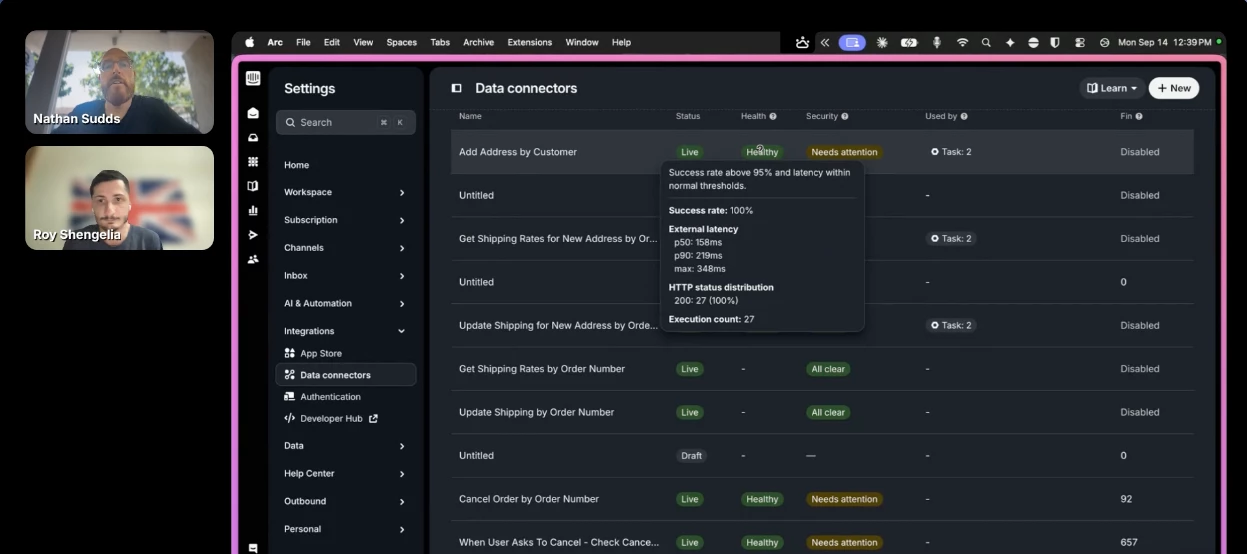
Weekly Community Meetup Office Hours updates and key takeaways. If you missed this event, here is the recording to catch up.Key takeaways:Strong demand for measuring specific Fin changes → Evals & Monitors resonated. Customers want Data Connector health visibility over time and proactive troubleshooting before launch. Interest in procedure configuration tips & best practices. Human in the Loop was highlighted as an amazing tool. Growing interest in Fin use cases across industries, including finance and cybersecurity. Clear appetite for practical demos on Evals, Data Connectors, Analytics & maximising Fin resolution.Big theme: Customers want to proactively measure, diagnose and improve Fin.Watch the event recording here Join the weekly Community Office Hours to meet the Community Top Experts, connect with customers for a Q&A first event and demos where we help customers make the most of using Fin.Register for the next weekly event taking place every Monday here.
Hi,We are currently experiencing an issue with the Intercom Android SDK (version 15.9.1) in our application while developing a new feature with event.When a user clicks on the refill button, we send an event to Intercom as per your documentation: https://developers.intercom.com/installing-intercom/android/using-intercom#submit-an-event.As a result, a small popup window appears at the bottom of the screen. However, this popup window does not disappear automatically after the user reads the message and returns to the previous screen. Instead, it remains persistent until the app is killed and reopened.This behavior differs from the iOS SDK, where the popup window disappears automatically once the message is read, and the user returns to the previous screen.The user can manually remove the popup by sliding it. Is the persistent popup designed to be removed only manually by the user, or is there a way to make it disappear automatically after the message is read? We have implemented the feat
Connector bug for your reportSymptom: create_article and update_article fail with "This connector requires additional permissions. The user needs to reconnect it from connector settings." Reconnecting doesn't help, because it isn't a real permissions problem. Cause: I bisected it. Any body containing the literal string ${env:<anything>} is rejected, even ${env:MY_SERVICE_TOKEN}. Size, HTML, tables, JSON, ${IPAAS_API_KEY} and ${input:…} all pass on their own, but the full draft stayed rejected until the ${env: string was removed. Why it hit you: it only triggers on content like Cursor's config syntax. Any article documenting that fails, and the error points you at the wrong fix. Workaround I used: writing the placeholder as &#36;{env:IPAAS_API_KEY}. Intercom decodes it, and the read-back showed the stored text as a literal ${env:IPAAS_API_KEY}. I applied the same encoding to the VS Code ${input:…} placeholder as a precaution, without testing it separately. I got past a gateway
We’re looking forward to implementing WhatsApp for Intercom, considering the documentation on integrating the WhatsApp App with Intercom we have some concerns, we hope people who have already done this integration may be able to answer.We’re currently using the WhatsApp API for custom marketing messaging and authentication, it simple, it only redirect the user to our App, however we would like a way to see if the user reply, and if so, for our customer service team to continue the conversation, note that there’s no third party manager of the account, we call the API ourselves, the WABA is hosted on Meta directly, we hope that can be achieved through this integration, so in concrete these are our concerns:If we integrate WhatsApp, we’ll lose access to manually call the WhatsApp API for authentication OTP and marketing messages? Can the API still create new conversations with new users? Can the integration at Intercom see those message, so the Customer Support team see the entire convers
Hello guys,I read a little bit trough the community and the weird thing is how many cases their are about outbounding messages in whatsapp. And i think i speak for a lot of people here and thats just a shame for such a good developed platform not be able to send a whatsapp message to the customer. And even if i wanted to start a conversation from the dashboard i could not even send a message like: Hey “Customer name”, Because variables are not supported……. And don’t let me start about that whatsapp is a PAID add-On. And then i tought maybe it’s just the UI that does not support it. And i looked at the developpers page to send a message trough API. And it’s not available even their, how much work would it be just to add a option to send it trough whatsapp programatically WITH variables.You already have the API?You could already send a outbound Whatsapp message trough the dashboard? And now i am just stuck, because i cannot connect two partners to my whatsapp account. I cannot recieve m
Hi,We’re experiencing an issue with the Calendly integration inside the Intercom Messenger on iOS.The Calendly app is installed and configured in our Intercom workspace. The booking flow opens correctly and allows the user to select a date/time and enter their details, but submitting the Calendly form fails.Xcode shows the following error:[Intercom] ERROR - Tried to submit messenger sheet but there was a network error - HTTP Error: 400 bad requestThe same Intercom message and Calendly flow works on Android and proceeds past this step.Environment:Intercom iOS SDK: 19.8.2 Installed via Swift Package Manager (intercom-ios-sp) Flutter app using intercom_flutter Calendly native Intercom integrationWe also updated the Intercom Flutter plugin/native SDK, but the issue persists.Has anyone encountered this with Calendly Messenger Sheets on iOS, or is this a known issue with the current iOS SDK?
In the thread here:The replies state “Try a different network – Firewalls or VPNs sometimes block Intercom,” and, “If you’re on a company network, sometimes firewall or VPN settings can interfere with Intercom loading.”I am dealing with a similar situation for some users on a VPN. I found this list of IP ranges intercom content is hosted from; this could perhaps help individuals with the same problem configure their VPNs: https://static.intercomcdn.com/intercom-ips/us/intercom-ip-ranges.jsonHowever I am not sure this list is comprehensive, as I see other IPs associated with requests to intercom:18.161.6.84 - https://widget.intercom.io3.163.24.116 - https://js.intercomcdn.comIf the intercom team could clarify in their official docs which IP addresses are associated with their service, or offer a static hosting solution, that would be appreciated!
Hi team,We're implementing the require-trusted-types-for 'script'; header in our app and have set up a default Trusted Types policy. However, the Intercom widget script fails on the following line:e.documentElement.innerHTML = t,withUncaught TypeError: Failed to set the 'innerHTML' property on 'Element': This document requires 'TrustedHTML' assignment. Has anyone encountered this issue before? Any suggestions on how to work around it while keeping Trusted Types enforcement?Thanks!
I’m working on an email reply automation tool using the Intercom REST API. I’m trying to retrieve the email history — the quoted text that appears collapsed behind the three dots (“…”) when a customer replies to an outbound email we’ve sent them. Three dots for expanding email historyFrom inspecting the network traffic, I can see that this data is retrieved via a private Ember API endpoint:curl 'https://app.intercom.com/ember/inbox/email_history?metadata_id=XXXXXXXXX&app_id=yyyyyyy Is there an equivalent method in the public REST API to access this email history or quoted content?I’ve already tried GET /conversations/{conversation_id}, but the response only includes the conversation parts - it doesn’t contain the quoted email thread (the hidden “three dots” section) in either the parts or metadata.To clarify, customers are replying directly to our outbound emails (sent via our own system, not through Intercom). When we fetch the resulting conversations through the API, we can see t
Hello team, We are setting up automatic bug report creation in Jira directly from Intercom using the official Jira for Tickets app with custom automation (Workflows). We would like to achieve this using only Intercom’s built-in tools, without relying on third-party integration services (like Zapier/Make) or a custom backend.Everything works great, except for one thing: screenshots and files attached to the Intercom ticket are not being transferred to the newly created Jira issue.Questions: Is the ability to transfer attachments on the roadmap for the Jira for Tickets app, and is there an estimated timeline for this? Is there currently any workaround using built-in tools (Workflows / Data Connectors) that we might have missed? Thank you!
Hello everyone, I encountered a strange issue while testing user flows for a mobile video editor, similar to the capcut apk tools I've been using. sometimes it takes a long time for the Intercom widget to appear when the app loads larger media files, or it appears after everything else has finished loading.Has anyone else observed that Intercom behaves strangely when handling large files or a lot of ui changes? Is there a better way to queue events to ensure smooth operation, or do you think this is just a performance hiccup? I'd be interested in learning how others have dealt with it.
Hey folks, I was laid off earlier this year. I want to keep my Fin skills current, but I can’t find any information about a free sandbox account. I see there is a 14 day trial, but I’d have to keep setting up a new workspace every two weeks and that doesn’t make much sense as I’d have to recreate everything from scratch. Jobs are asking about my experience with Fin and it’s been months since I used it, so I’m really rusty. I also didn’t get a chance to fully explore the features like workflows at my last job as I was laid off shortly after we moved to Fin. Any suggestions?
Product or tool name: Airia (https://airia.ai)Exact redirect URI to review:https://auth.airia.ai/OAuth/callbackMCP endpoints targeted: both https://mcp.intercom.com/mcp (US) and https://mcp.eu.intercom.com/mcp (EU). We have EU-hosted customers whose Intercom workspaces are on app.eu.intercom.com, so the EU endpoint is a requirement rather than a nice-to-have. Both authorization servers reject the URI today, so we'd need the allowlist entry on each. Use case and distribution model: Airia is a multi-tenant SaaS platform. Each end user authorizes their own Intercom workspace through OAuth 2.1 authorization code with PKCE (S256); tokens are held in our credential store, encrypted at rest, scoped to the authorizing user, and never shared between users or tenants. Registration is one client per tenant, with per-user authorization on top. Distribution is direct to our own enterprise customers, where Intercom appears as one connector in our integration library, not resold or white-labeled.We h
Hi, does anyone have a current workaround for syncing date fields from Salesforce to Intercom without the date shifting due to timezone differences?We’re sending renewal messaging from Intercom using a Renewal Date field mapped from Salesforce. Unfortunately, the date is syncing as one day earlier than the date in Salesforce. Intercom Support explained that this is because the sync occurs at UTC 0, which is causing the incorrect renewal date to appear in our customer notices.Has anyone found a way to prevent this timezone conversion? Or is the best workaround to create a secondary Renewal Date field in Salesforce that adds one day to the actual renewal date and map that field to Intercom instead?
Hello,there is a bug related to Turbo / Turbolinks within gem `intercom-rails` several years. I prepared fix, which I hope to fix it for good. But unfortunately there is a restriction for create new pull requests on GitHub. So please check Issue https://github.com/intercom/intercom-rails/issues/336#issuecomment-5491505415 with my comment and suggested changes 😛 master...luk4s:intercom-rails:301_fix_turbolinksThis issue I thinks its related to #244 and #301, also there is #215 (but outdated with conflict) with similar topic.Summary:Javascript already listens for turbo:visit, turbo:before-cache andturbo:load, along with their turbolinks: equivalents, so ordinary Turbo Drive andTurbolinks 5 navigations need no configuration. Three cases fall outside those events:Form submissions that fail validation. Turbo replaces the body for a 422 Unprocessable Entity response without announcing a visit, so the Messenger is never told that the elements it injected have been removed. Its detached ifr
Hello everyone,I am facing an issue with Intercom Push Notification when it is a cold start (App is terminated, you receive a Push Notification and this notification will wake the App). While testing on Simulator that, if i am running my app from Xcode, terminate the App (on Simulator, not on Xcode), send a message to my test user, wait the push notification, receive it, tap on it but when i tap on it, Intercom Messenger does not opens the modal chat, it keeps me on my WorkListView (WorkList is a subview of RootView, that appears after SplashViews finish animation and transit to WorkListView).I have already made installation (API Key, API ID and Push Notifications are enabled on Settings > Channel > Messenger > Install > Install for Mobiles), Apple Developer is already configured, when i open the Messenger on my App, i can send and receive messages. When App is open but in background i am able to receive and wake the app in the correct modal Intercom window chat, but only t
Very much missing the endpoints for viewing/editing Fin guidance & escalation rules. We don’t want to do it via the UI, we want our internal AI agents to reason about how to adjust Fin. Currently sort-of can automate it via Playwright but that’s only a workaround.Endpoints for editing workflows would be good too.Any plans to add any of that in near future?
When an admin sends an outbound email from Intercom, the message exists as a message object but no conversation is created until the recipient replies. Because of this, the API cannot retrieve the outbound email via the conversations API (GET /conversations/{id}) until a reply occurs.Request: allow the API to retrieve admin‑initiated outbound emails immediately after sending, even if the recipient has not replied yet. This would enable better auditing, logging, and integration workflows for outbound communications.
I'm having trouble sending audio messages to customers via WhatsApp. I'm receiving the following error message:WhatsApp could not accept this media. WhatsApp response: Audio file uploaded with mimetype as audio/ogg; codecs=opus, however on processing it is of type application/octet-stream. Please choose a different file. However, I am recording the audio directly through Intercom using the "voice note" feature. Is anyone else facing this same issue? What can be done in this case? I opened a support ticket with the Intercom team, but they mentioned that due to high demand, this isn't a priority at the moment unless more cases are reported.
Already have an account? Login
No account yet? Create an account
Enter your E-mail address. We'll send you an e-mail with instructions to reset your password.